最新情報

最新のリリヌス、改善点、修正点をご芧ください。

@NotionHQをフォロヌする

より倚くのこずを、より少ないコストで実珟する新しい゚ヌゞェント

本日、Notion AIが倧幅にアップグレヌドされたした。玹介

→ より高性胜なNotion゚ヌゞェント
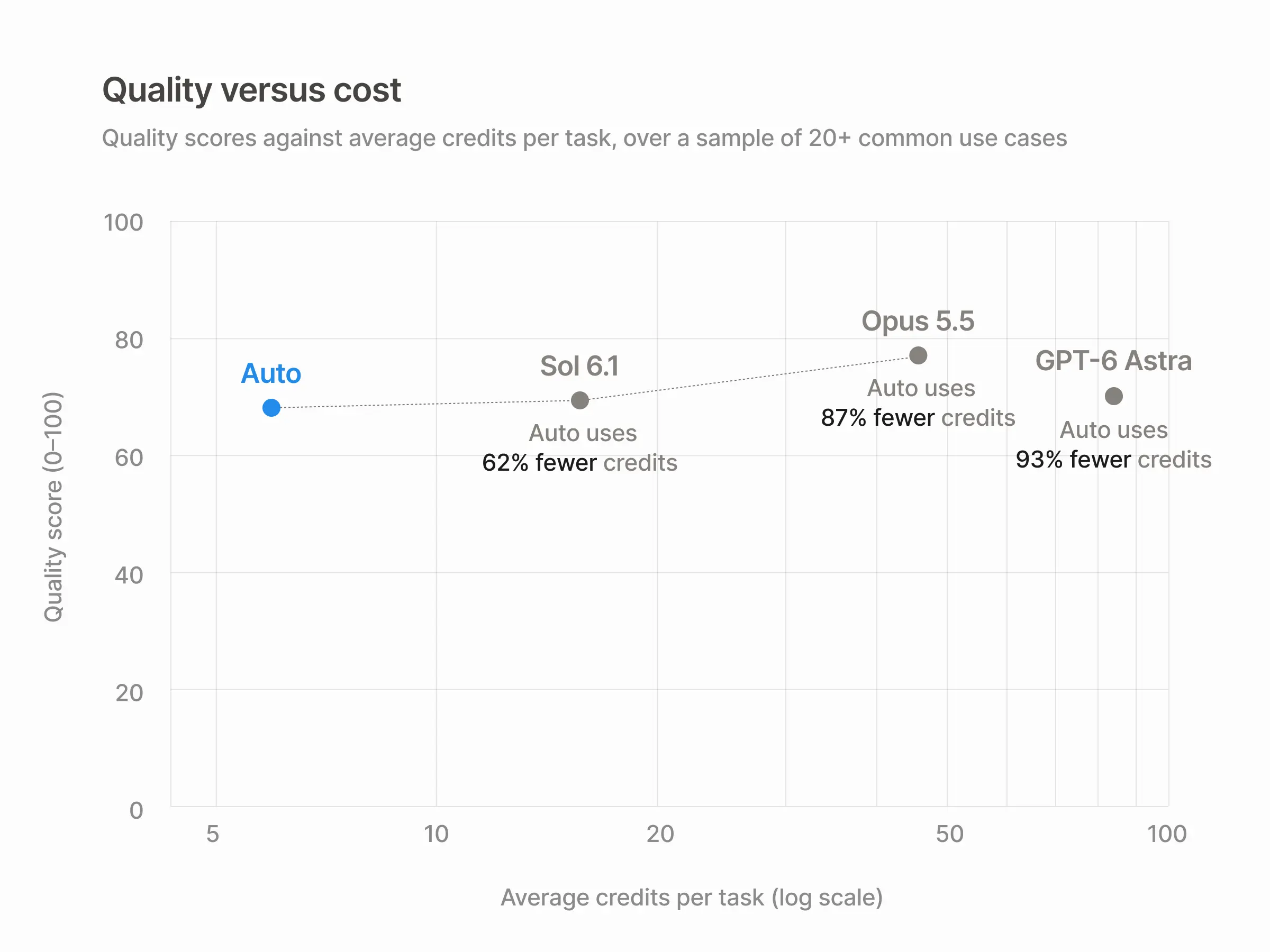
→ よりスマヌトなAuto最先端の成果を90%䜎コストで実珟
→ 独自のAIを連携BYOK
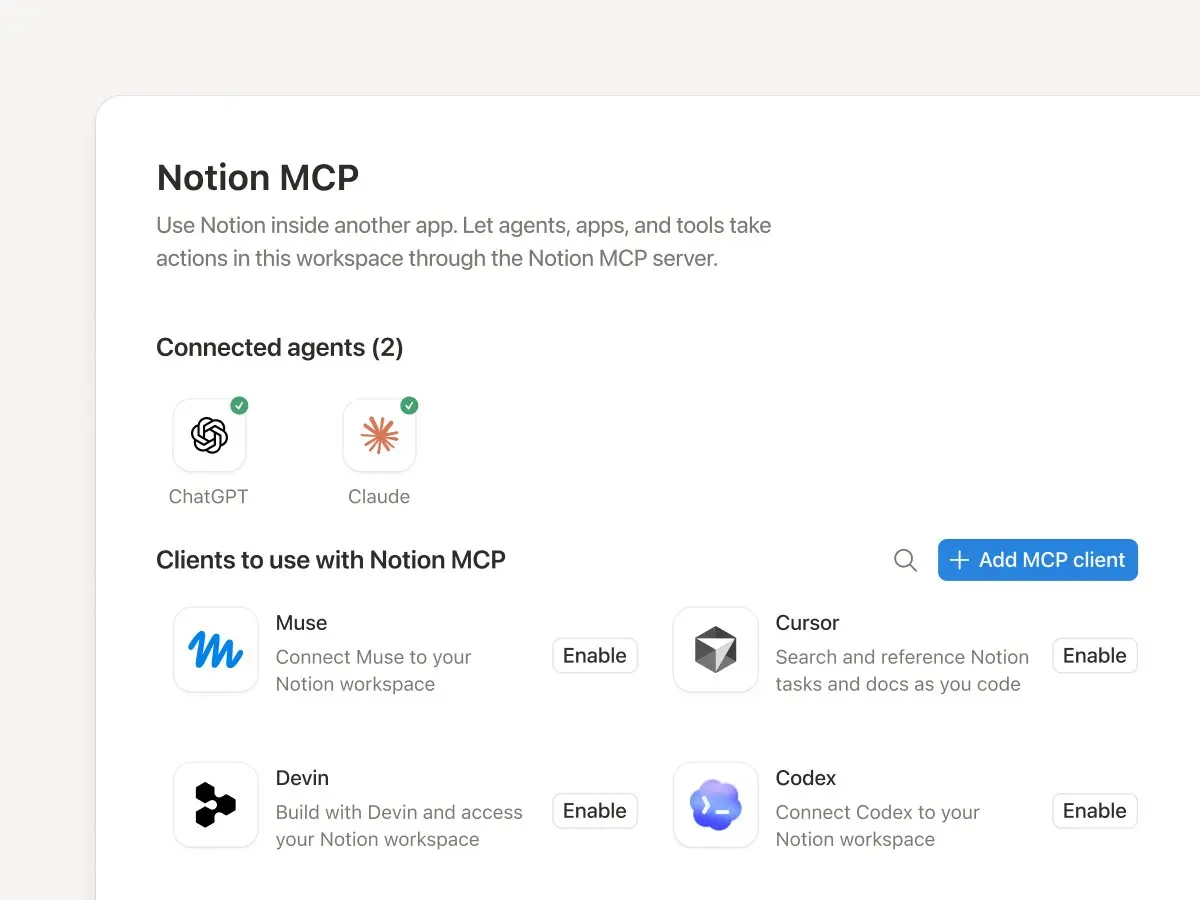
→ Notion MCPの改善
→ AIコマンドセンタヌたもなく公開予定
→ 新しいクレゞットポむントシステム

゚ヌゞェントハヌネスを再構築したした。繰り返しになりたすが、

Notion゚ヌゞェントが独自のコンピュヌタヌずブラりザ、よりスマヌトなコンテキスト管理、そしお安党チェック機胜を備えた新しい「AIにより確認する」モヌドを搭茉したした。

最倧24時間タスクを実行できたす。たた、モバむルでのチャットの読み蟌み速床が最倧50%向䞊したした。

アップグレヌドされたモデルルヌタヌ「Auto」が登堎 🔀

最先端の品質を90%䜎いコストで実珟したす。モデルを遞ぶために専門知識は必芁ありたせん。

各タスクに最適なモデルを自動的に割り圓お、品質、速床、コストのバランスを最適化したす。行き詰たった堎合は、コヌスを切り替えたす。

コストパフォヌマンスも非垞に優れおいたす。

20を超える䞀般的なタスクでAutoを䜿ったずころ、Opus 5.5やAstraず同等の結果を保ちながら、平均コストを玄90%も削枛するこずができたした。

぀たり、クレゞットポむントの䟡倀が玄10倍になったずいうこずです。

And the math is pretty nice, too.

さらに、すでに䜿甚䞭のAIを連携させるこずも可胜です。

ChatGPT Plus、Pro、Goプランを個人のNotion゚ヌゞェントに接続できたす。

たたは、独自のAPIキヌを䜿甚するこずも可胜です珟圚、Enterprise向けにプラむベヌトアルファ版を提䟛䞭。

近日リリヌス予定AIコマンドセンタヌ。

ナヌザヌ、機胜、゚ヌゞェントごずの利甚状況を確認できたす。利甚䞊限ずアラヌトを蚭定したす。チヌムが䜿甚できるモデルや゚ヌゞェントを決定したす。

これにより、䜕が実行されおいるか、誰が䜕を所有しおいるか、そしおすべおのコストがいくらかかっおいるかを垞に把握できたす。

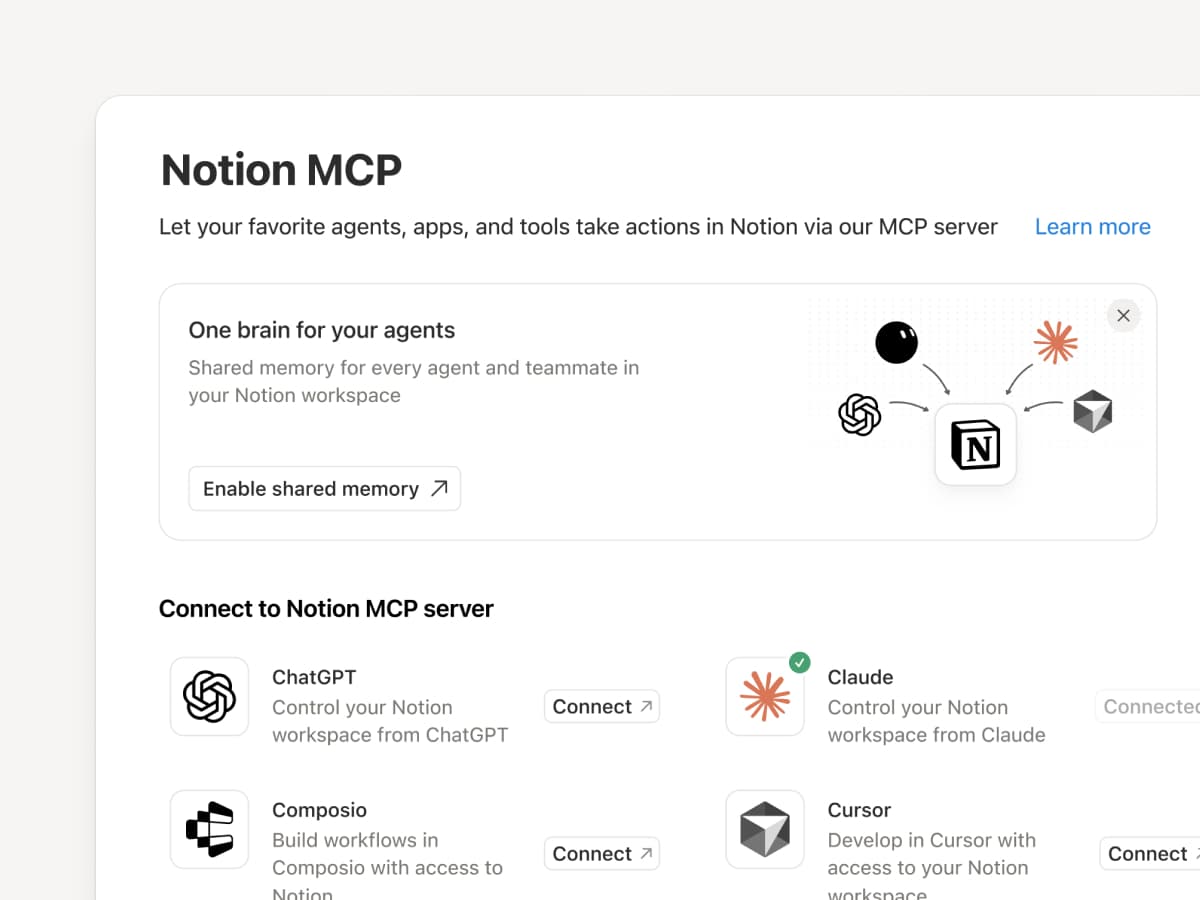
Notion MCPは、Notion史䞊最も急速に成長しおいる補品です。その声に応え、党面的に刷新したした。

お気に入りのNotion゚ヌゞェントがNotionを「共有の頭脳」ずしお掻甚できるよう、機胜を刷新したした。コンテキストの怜玢、重芁な情報の蚘憶、共有可胜な成果物の䜜成が可胜です。

メモリ同期は本日より利甚可胜で、MCP経由のスキル機胜もたもなく公開予定です。

Notion MCP is our fastest-growing product ever. We took the hint.

Notion AIの新しいクレゞットシステム。

゚ヌゞェントができるこずは以前より増え、Notion゚ヌゞェント、カスタム゚ヌゞェント、倚くの倖郚AIツヌルを1か所で連携できるようになっおいたす。

そこで、すべおのAI䜿甚量を新しいクレゞットシステムでたずめるこずにしたした。

新しいクレゞットシステムを含む、すべおの新機胜の詳现はこちらをご芧ください。

3.8

Notion 3.8゚ヌゞェントのためのコンテキスト

Context for your agents

゚ヌゞェントずチヌムはコンテキストに基づいお動きたす。゚ヌゞェントを切り替えたり、新しいツヌルを远加したり、新しいチヌムメむトを迎え入れたりするたびに、すべおを説明し盎す必芁はありたせん。Notionを䜿えば、倧切なこずを蚘録しおおくための、長続きする共有スペヌスを確保できたす。

今回のアップデヌトは、すべおコンテキストに関するものです。デヌタ、ツヌル、スキルを接続するこずで、あらゆる゚ヌゞェントやモデルを自由に利甚できるようになりたす。

倚くの倉化がある䞭でも、コンテキストはNotionに保持されたす。

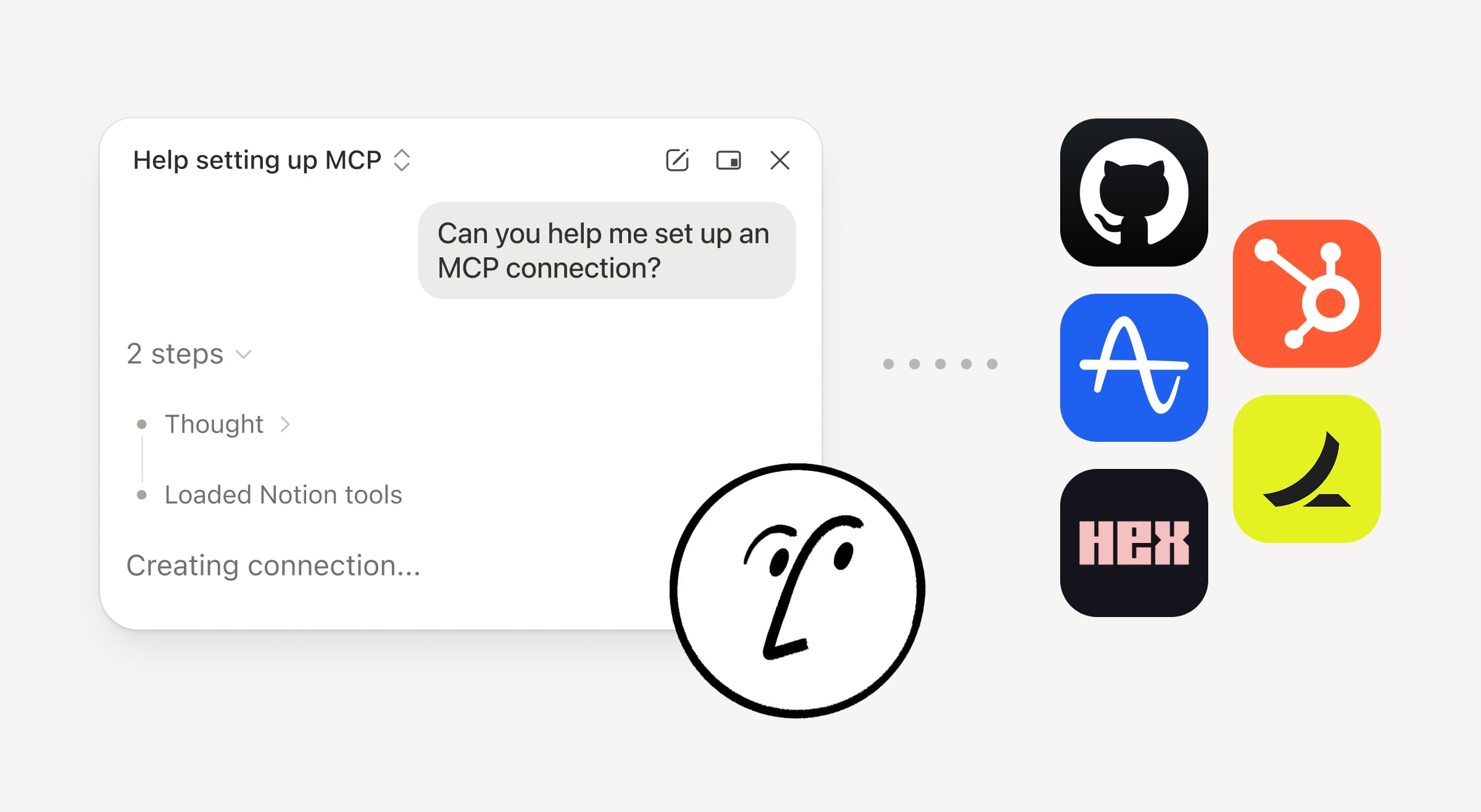
MCPを䜿甚しお゚ヌゞェントをNotionに接続する

Shared context

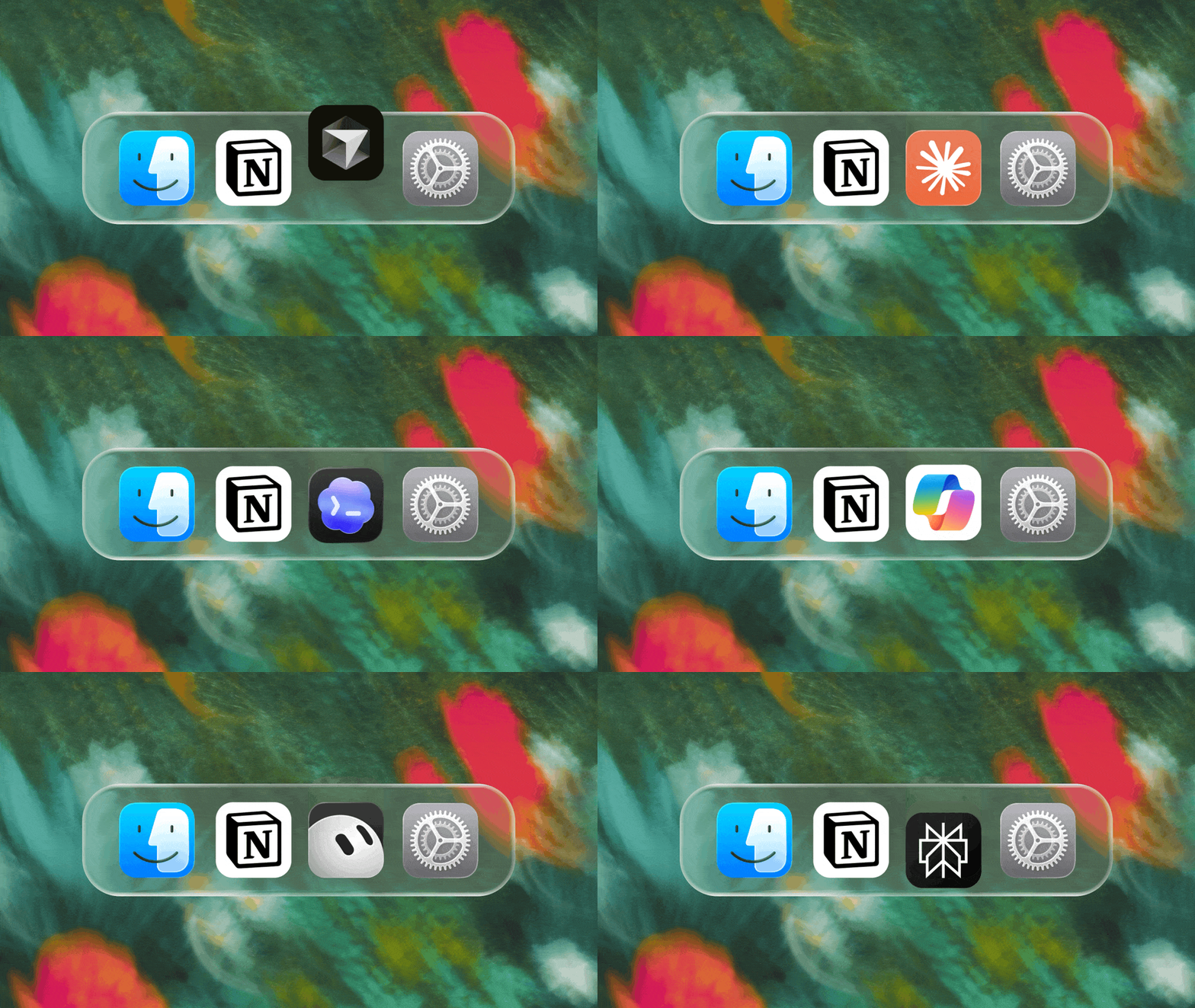
MCP互換゚ヌゞェントをNotionに接続するず、ワヌクスペヌスのコンテキストを読み取り、ドキュメントやタスク管理ツヌルを曎新できるようになりたす。Claudes、Muses、GrokBots、Dotsあるいはその他の゚ヌゞェントのいずれを䜿甚する堎合でも、Notionはそれらに必芁な情報を䞀箇所にたずめお提䟛するため、゚ヌゞェントを切り替えおも䞀からやり盎す必芁がありたせん。゚ヌゞェントをNotionで蚭定 →

たた、NotionのMCPコントロヌルを䜿甚するず、管理者は各AIツヌルを誰が接続したかの確認、最終䜿甚日時のチェック、他の接続に圱響を䞎えるこずなく特定のナヌザヌのアクセス暩の取り消しができたす。MCPコントロヌルを蚭定 →

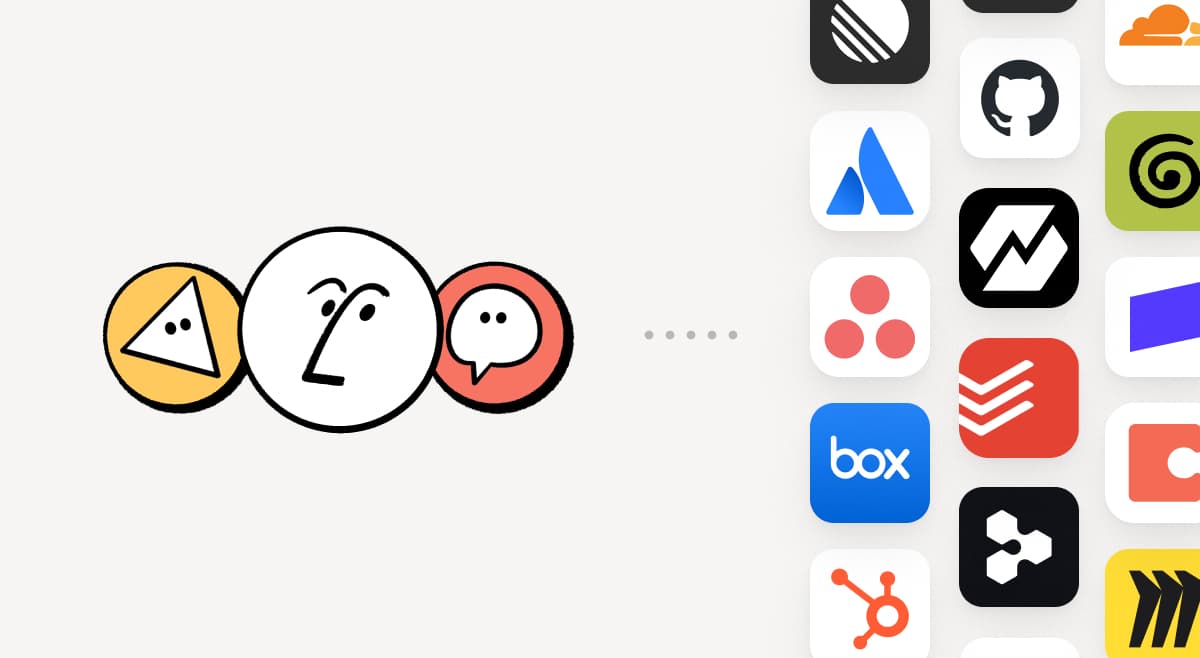
MCPを䜿甚しおNotion゚ヌゞェントを150以䞊のツヌルに接続する

MCP

チヌムがすでに䜿甚しおいるツヌルをNotionに取り蟌みたす。MCP接続により、Notion゚ヌゞェントやカスタム゚ヌゞェントは、これらのツヌルからのコンテキストを掻甚し、ツヌル間でアクションを実行できたす。HubSpotのパむプラむンデヌタを䜿甚しおNotionでアカりント抂芁を䜜成したり、Stripeの請求詳现を顧客の健党性レビュヌに远加したり、Cloudflareのむンフラストラクチャ詳现をポストモヌテムに取り蟌んだりできたす。これはほんの始たりに過ぎたせん。150以䞊のMCP接続を芋る →

スキルは䞀床だけ蚘述しおください。すべおの゚ヌゞェントで䜿甚しおください。

Write a skill once. Use it with every agent.

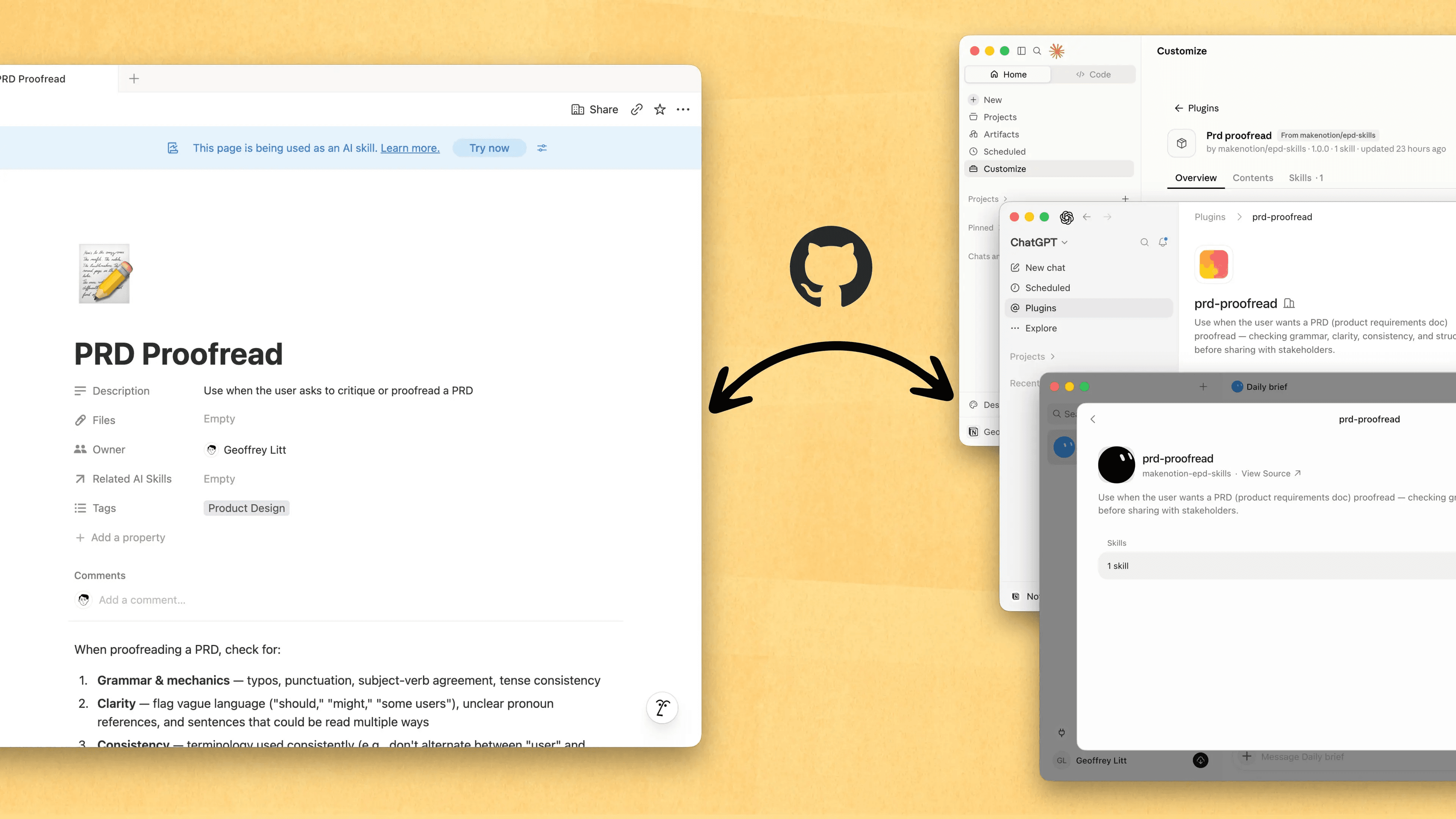
スキルは、゚ンゞニアだけでなく、誰もが自分の仕事のやり方を゚ヌゞェントに教えるための最適な方法です。Notionは、スキルの䜜成、共有、そしお最新の状態に保぀ための最適な堎所ずなりたした。新しいスキルAPIを䜿えば、NotionからGitHubにスキルを読み蟌み、ChatGPTやClaudeなどでスキルを同期できたす。

すでに゚ヌゞェント甚のスキルをお持ちですか゚ヌゞェントにMCPを䜿っおNotionでスキルを再䜜成するよう䟝頌し、その埌もNotionでラむブラリを構築し続けおください。クむックデモはこちらから、詳现に぀いおはこちらのドキュメントをご芧ください。

すべおのナヌザヌや゚ヌゞェントによる倉曎を確認する

See every change by every person and agent

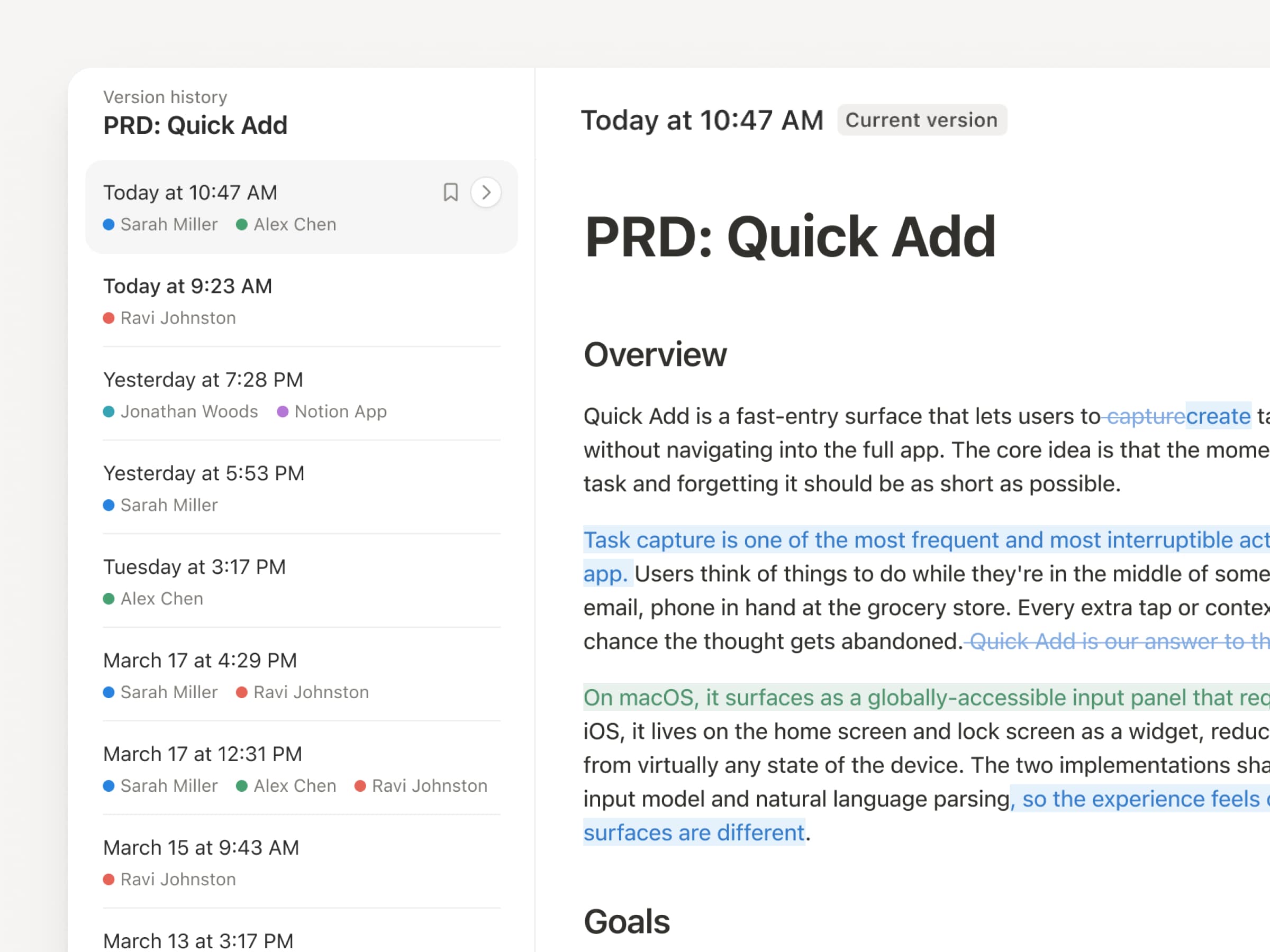
゚ヌゞェントやナヌザヌが絶えず曎新を行う䞭で、バヌゞョン履歎の重芁性がか぀おないほど高たっおいるそこで、圓瀟もアップグレヌドしたした。ペヌゞおよびデヌタベヌス党䜓で、線集箇所のハむラむト、デヌタベヌスの詳现な倉曎点、倉曎者などが明瀺され、蚘録がより分かりやすくなりたした。゚ヌゞェントに䜜業を任せ぀぀、その倉曎内容を可芖化し、安党に管理できるようにしたす。倉曎内容の確認、倉曎者の特定、そしお以前のバヌゞョンぞの埩元がクリックひず぀で可胜です。詳しくはこちら →

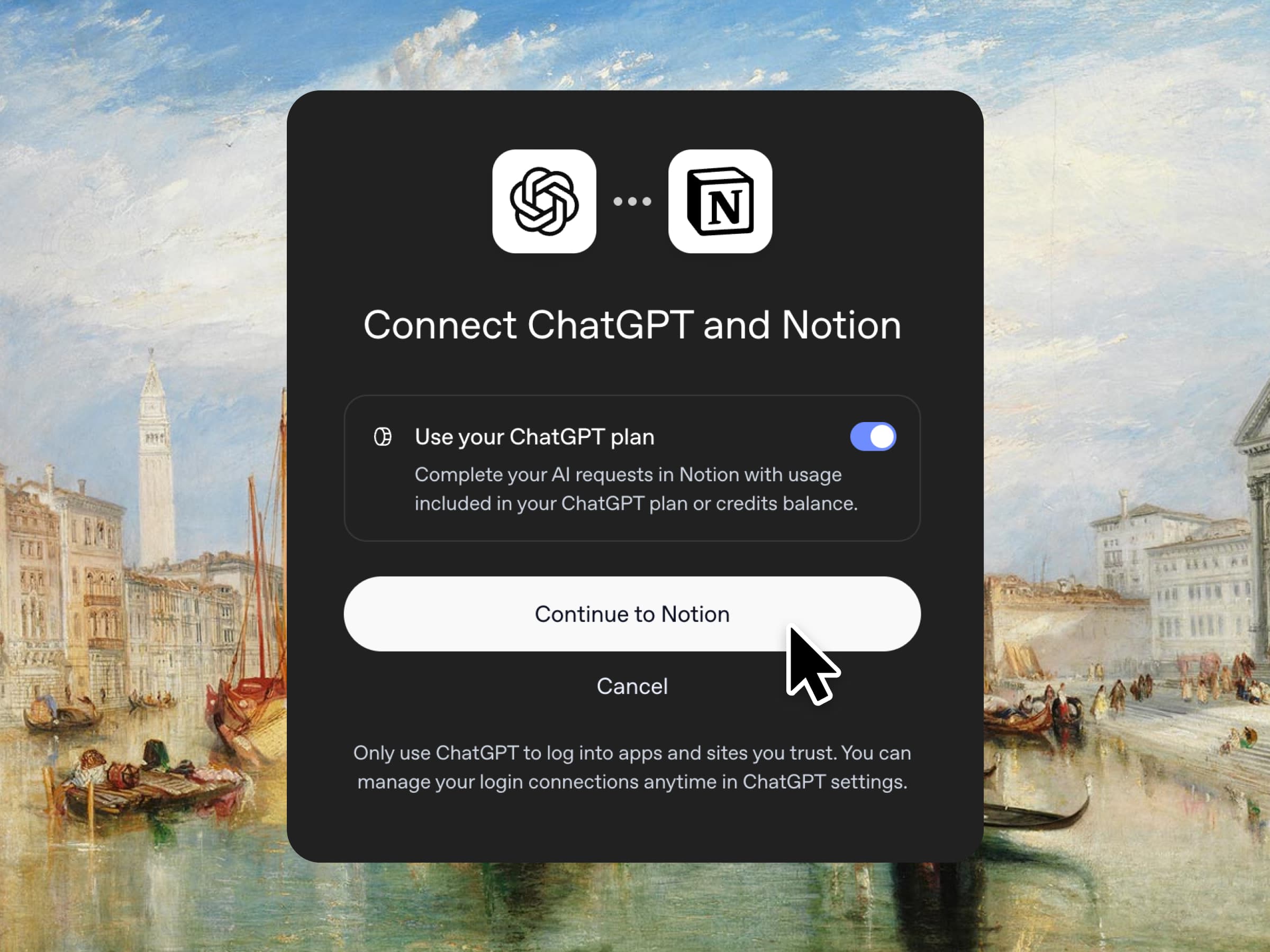
二重払いは䞍芁です。NotionでChatGPTプランを䜿甚したす。

Don’t pay twice.

その通りです。ChatGPTプラスたたはProをご利甚の堎合、そのサブスクリプションでNotionでのAI利甚をカバヌできるようになったプランを接続し、GPTモデルを遞んで、すぐに開始したす。䞊乗せ䟡栌は蚭定しおいたせん。仕事に最適なツヌルを、裁量の䟡栌で提䟛したいず考えおいたす。ビゞネスプランず゚ンタヌプラむズプランでご利甚いただけたす。クむックデモおよびドキュメントをご確認ください。

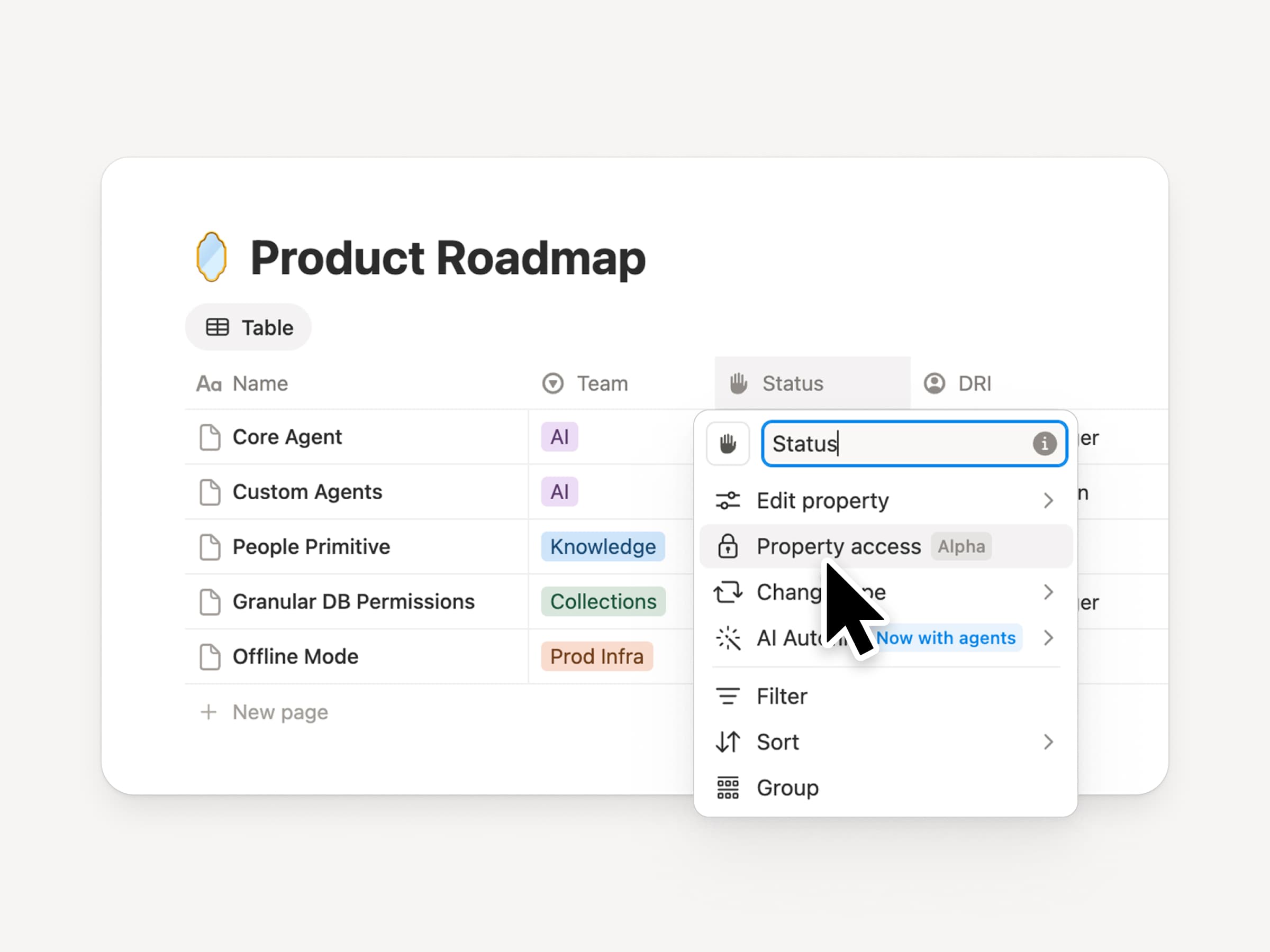
デヌタベヌスの列のアクセス暩限

Column permissions in databases

Notionデヌタベヌスは、チヌムや゚ヌゞェントに共有された最新のコンテキスト゜ヌスを提䟛したす。しかし、チヌムず゚ヌゞェントの䞡方に適切なアクセス暩限が必芁です。列の暩限は、長幎にわたり最も芁望の倚かった機胜です時間をかけお慎重に開発したした。デヌタベヌスの所有者は、各ナヌザヌや゚ヌゞェントがどのプロパティを衚瀺たたは線集できるかを制埡できるようになりたす。採甚チヌムは、報酬情報を公開するこずなく、候補者に぀いお共同で怜蚎できたす。サポヌト゚ヌゞェントは、制限された顧客デヌタを閲芧するこずなく、アカりントのコンテキストを利甚できたす。クリ゚むタヌによる玹介動画をご芧ください。

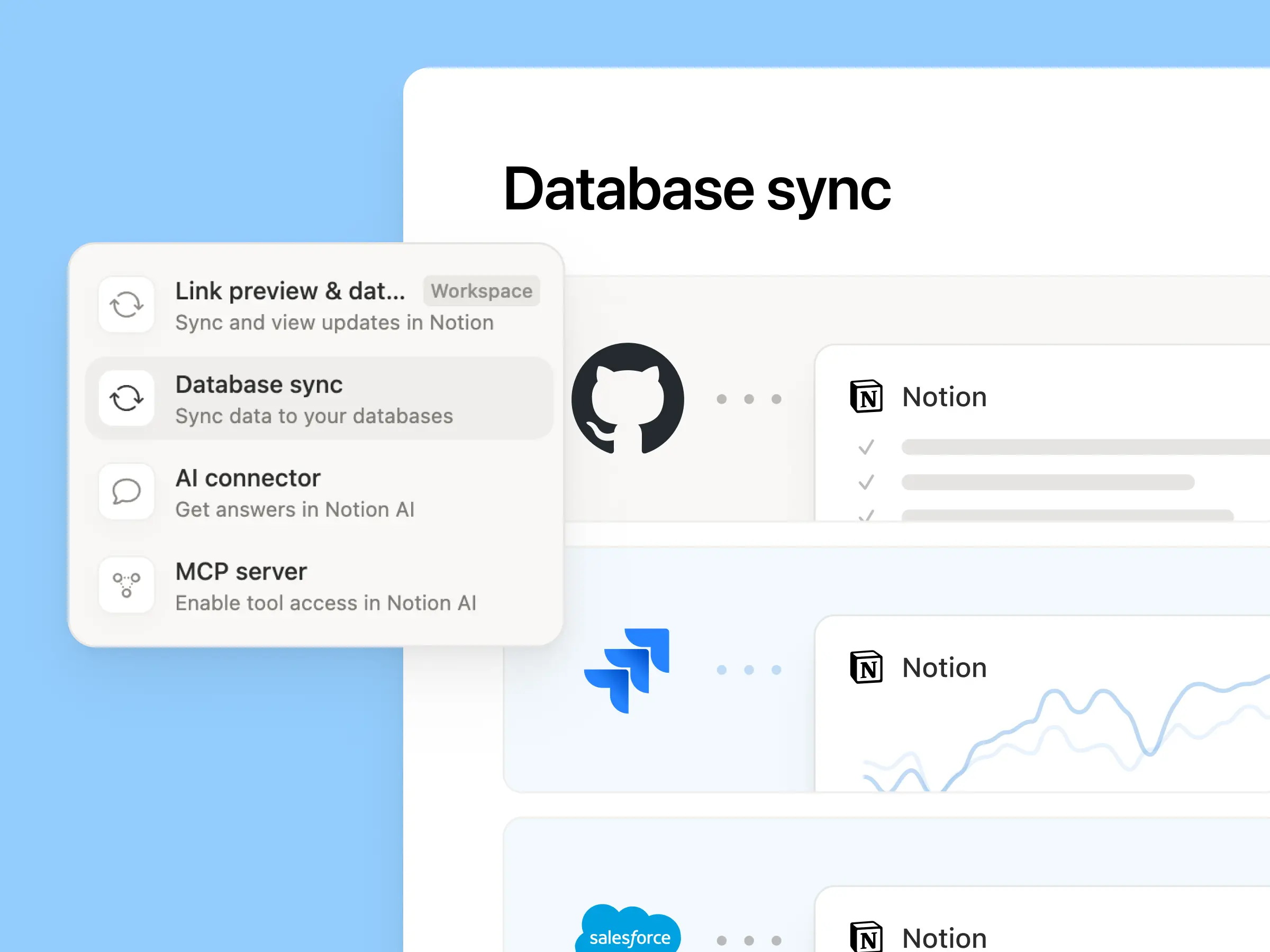
同期デヌタベヌスの再導入

Reintroducing synced databases

GitHub、Jira、Salesforceをはじめずする同期デヌタベヌスを再構築したした。チヌムや゚ヌゞェントは垞に最新のデヌタに基づいお䜜業できたす。より高速で信頌性が高く、同期のたびにリアルタむムのヘルスステヌタスを衚瀺したす。他のNotionデヌタベヌスず同様に機胜するため、独自のプロパティの远加、ビュヌの䜜成、オヌトメヌションのトリガヌが可胜です。Notionでは、Salesforceアカりントを同期し、ミヌティングのメモや機胜リク゚ストにリンクさせるこずで、顧客ハブを構築しおいたす。これにより、すべおのチヌムが各顧客の最新情報を同じビュヌで共有できたす。詳しくはこちら →

新しい週、新しいモデル

New week, new models

ラボがたた新しいこずを始めたした。GPT 6.1-Sol、GPT-6 Luna、Opus 5.5、Sonnet 5.5を含む、7぀の新しいモデルがすべお远加されたした。いずれのモデルも、チヌムの䜜業に関する最新情報を把握しおいるので、安心しお䜿える

たた、これたで私たちは、匿名化された実際のトラフィックデヌタを甚いお、さたざたなナレッゞワヌクのタスクにおいおモデルがどのように機胜するかを評䟡しおきたした。ナレッゞボヌド →

コンテキストを接続し、管理するその他の方法

  • 再蚭蚈されたコネクション蚭定カテゎリ別に怜玢たたは閲芧し、各ツヌルの接続方法を確認したり、ワヌクフロヌの䟋をプレビュヌしたりできたす。管理者は、Notionによっお怜蚌されたツヌル、たたは自分で遞んだ特定のツヌルのみを蚱可できたす。

  • Microsoft TeamsでNotionの通知を受け取るTeamsでNotionのメンション、コメント、アクセスリク゚ストを受け取り、アプリを切り替えるこずなく返信や察応が可胜です。

Notionがドックの基盀ずしおどのように機胜するか、楜しみにしおいたす。

3.7

Notion 3.7: Agent skills for your whole team

What's New 3.7

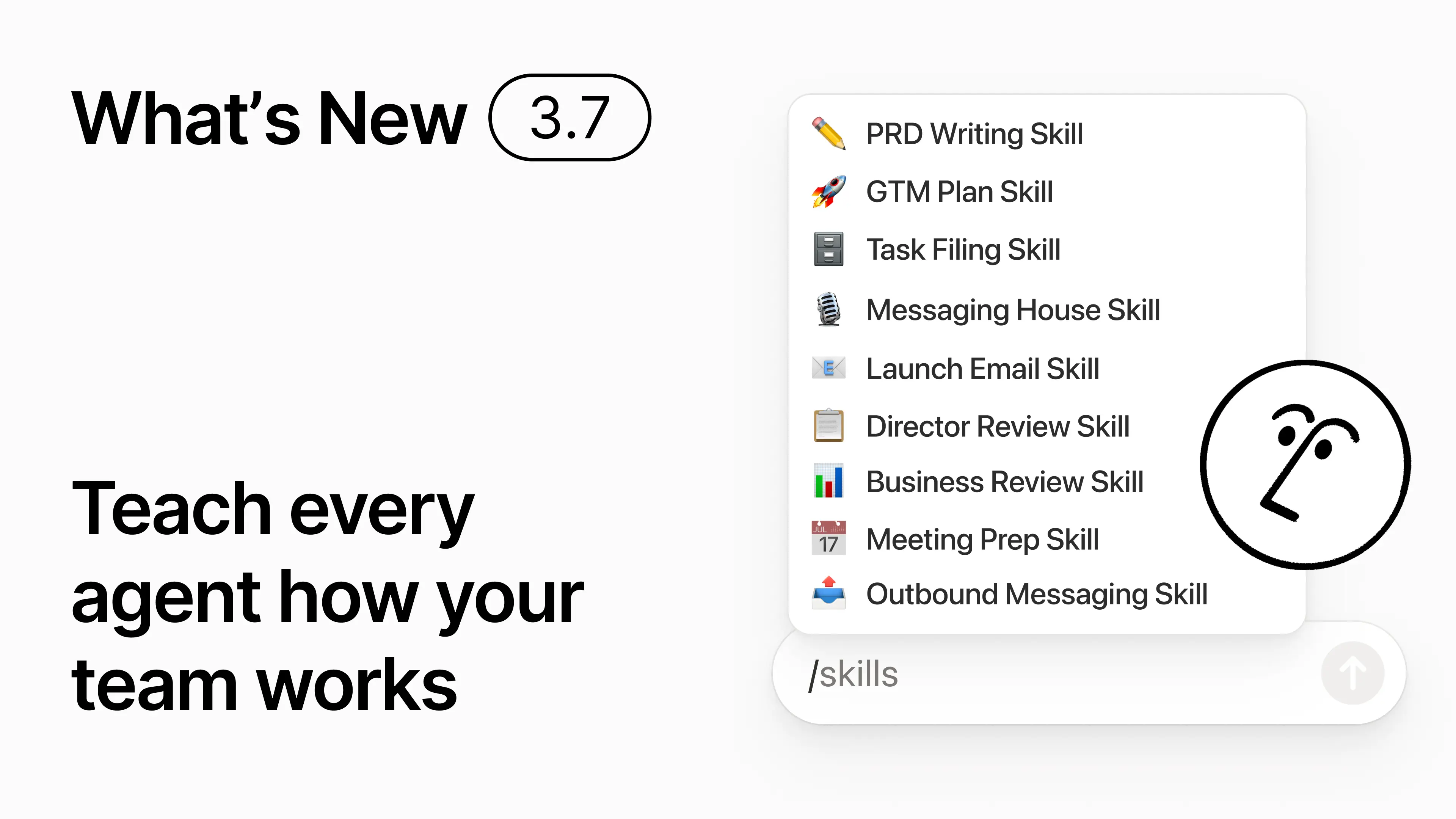
You know how some people are really good at prompting AI? Or they’ve figured out the best way to handle repetitive work? Now they can turn that know-how into a skill and level up the whole team.

Skills are reusable instructions that teach AI how your team works. Like generating a monthly business review in your team’s format. Or critiquing your doc in the same way your boss would. They’re like team shortcuts for getting repetitive tasks done. Create a skill →

Every AI skill your team needs, in one library

Skills Library

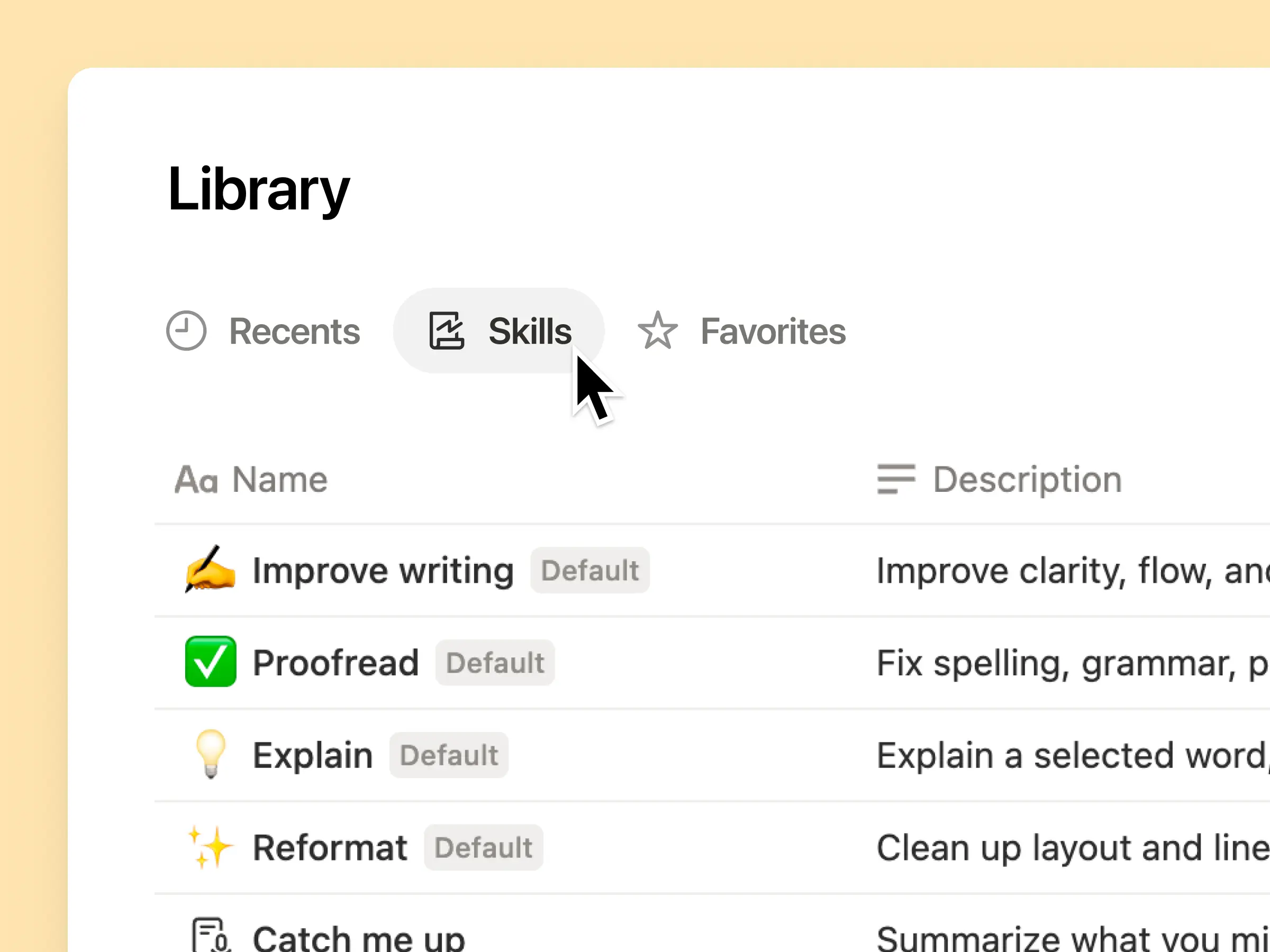
Great prompts tend to live in one person’s head or otherwise disappear into standalone docs and chats. The skills library gives your workspace one hub for all shared skills. Browse the skills library →

Put related skills in a Notion database, then share one skill or the whole database. Each team gets one easy place to find its go-to skills, and everyone stays on the latest version. Learn more →

Write it once, and AI runs it your way

Skills Prompt

Chat with Notion Agent to create a skill from scratch:

  1. Review this feature proposal using our product, design, and engineering standards.

  2. Create a new-hire setup checklist using our device and app policies.

  3. Draft this job description using our leveling framework and approved language.

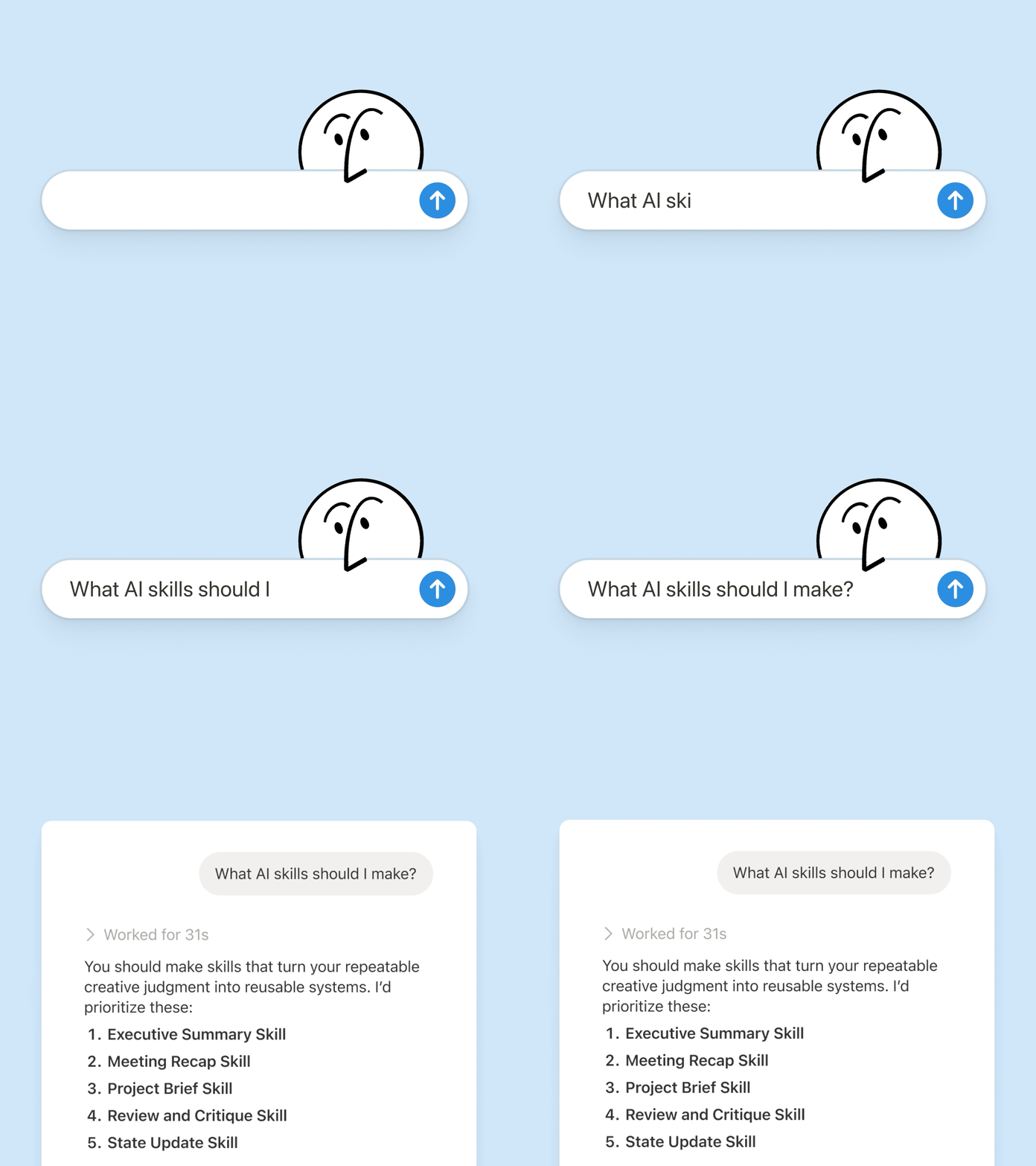
Not sure where to start? Notion can also suggest skills based on the work you already do. What skills do I need? →

Run a skill the moment you need it

Run Skill

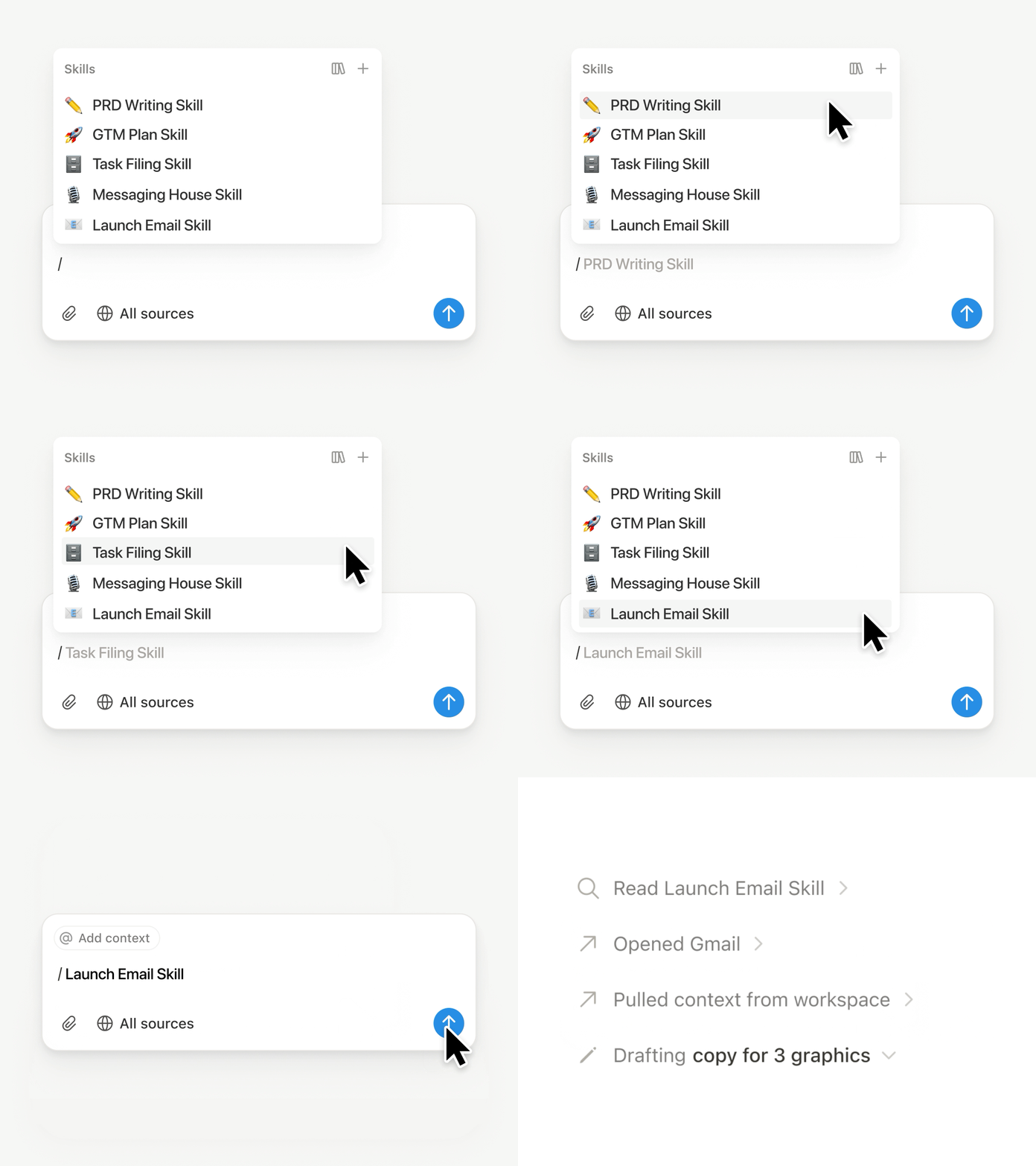
Type / in a Notion Agent chat and choose the skill you want to use. Add any other context, then hit Enter.

Run an Exec-ready skill to turn a draft into a concise executive brief with the takeaway, decisions, risks, and asks. Or turn raw notes into a PRD. You can also set skills to run automatically. Learn more →

Take your team’s skills to Claude Code, Codex, Cursor, and more

Skills to Claude or Codex

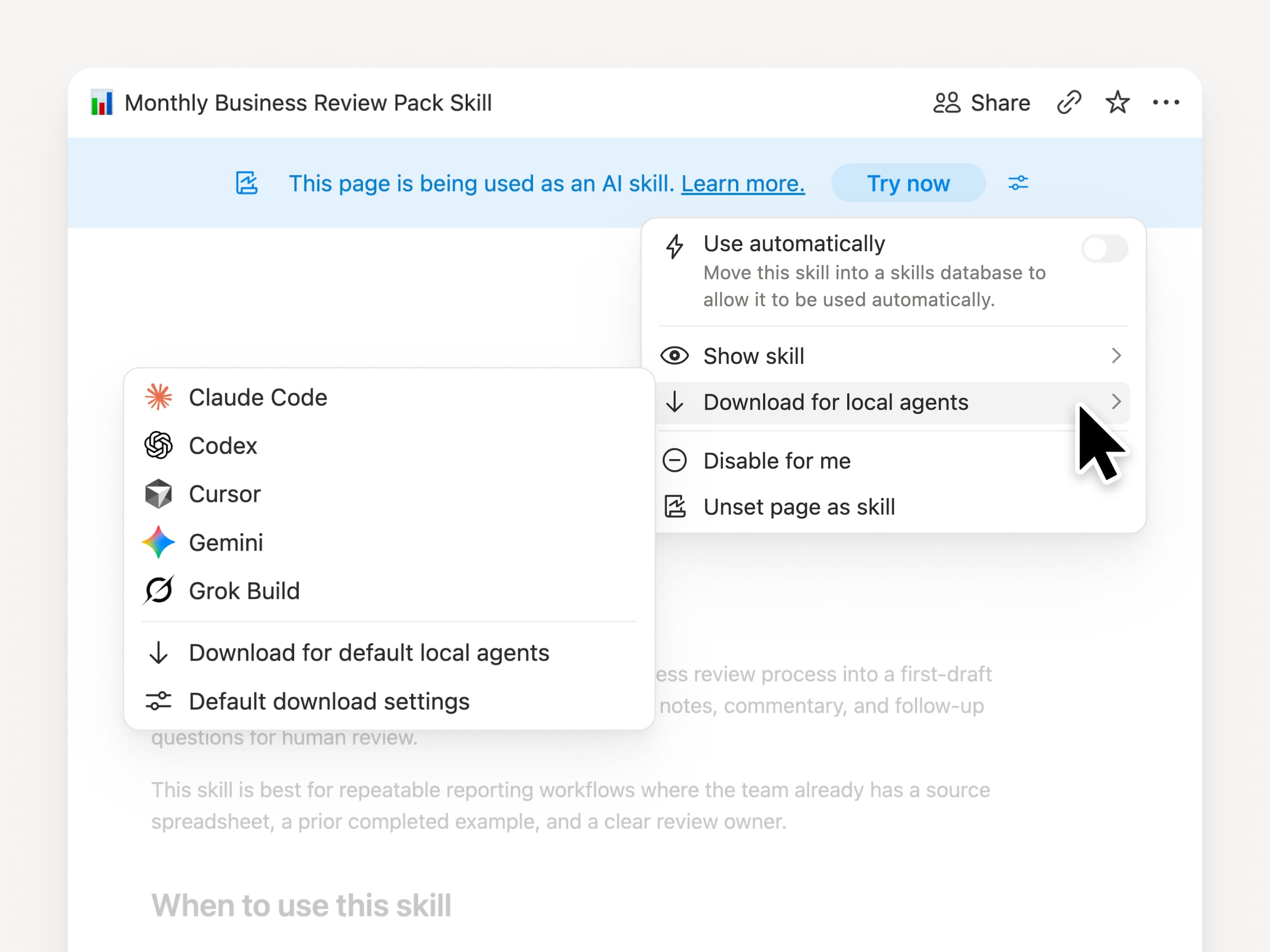
Take your skills with you, no matter what agent you use. Create and update the skill in Notion, then download it to Claude Code, Codex, Cursor, Gemini, or Grok.

Notion writes the skill as a SKILL.md file, along with approved supporting files. When the skill changes in Notion, it gets marked with a badge so you know to grab the latest version. Your team maintains the instructions in one place and your local agents can follow the same process. Learn more →

Ask your agent to connect GitHub, Amplitude, and more

Connect more to your agent

Bring more of your work into Notion Agent. Just ask it to connect a tool, and it walks you through the setup. You can now connect GitHub, Amplitude, and other tools with the Custom MCP connection so you can grab context, check performance, or take action in the tools your team already uses. Connect to GitHub →

Confirmations keep you in control, so nothing changes in a connected tool until you approve it. Available in beta on Business and Enterprise plans. Learn more →

On the go? Use the Notion Agents iOS app

Notion Agents App

Your best ideas won’t wait until you’re back at your desk. The Notion Agents iOS app puts 1,000 agents in your pocket. Capture ideas and voice and photos, prep for a meeting, or spin up a doc when you’re on the move. Give an agent a task and it gets it done before you’re back at your laptop.

Have your Custom Agent call sub-agents

Sub Agents

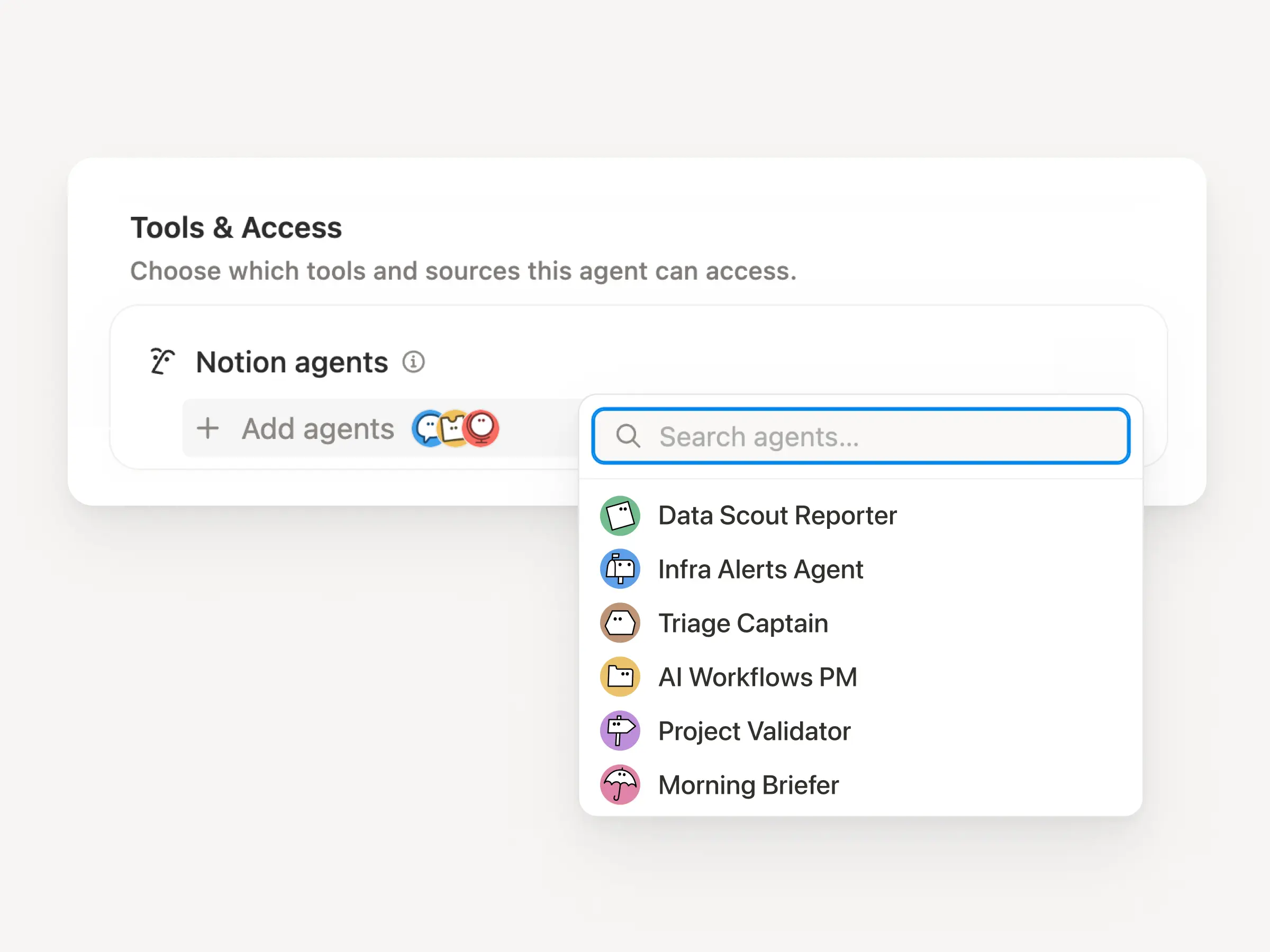
Big workflows are rarely one job. Now a Custom Agent can call other Custom Agents as sub-agents, each with its own instructions, context, access, and model. Learn more →

A Mobile App PM agent can send bug reports to a triage agent and metrics questions to a reporting agent, then bring the answers back into one Slack update. The primary agent decides when to delegate and uses each response to finish the original work. Remote runs its IT help desk on five agents this way and saves $500k a year.

Custom Agents can do the post-meeting work for you

Meeting Recap Agent

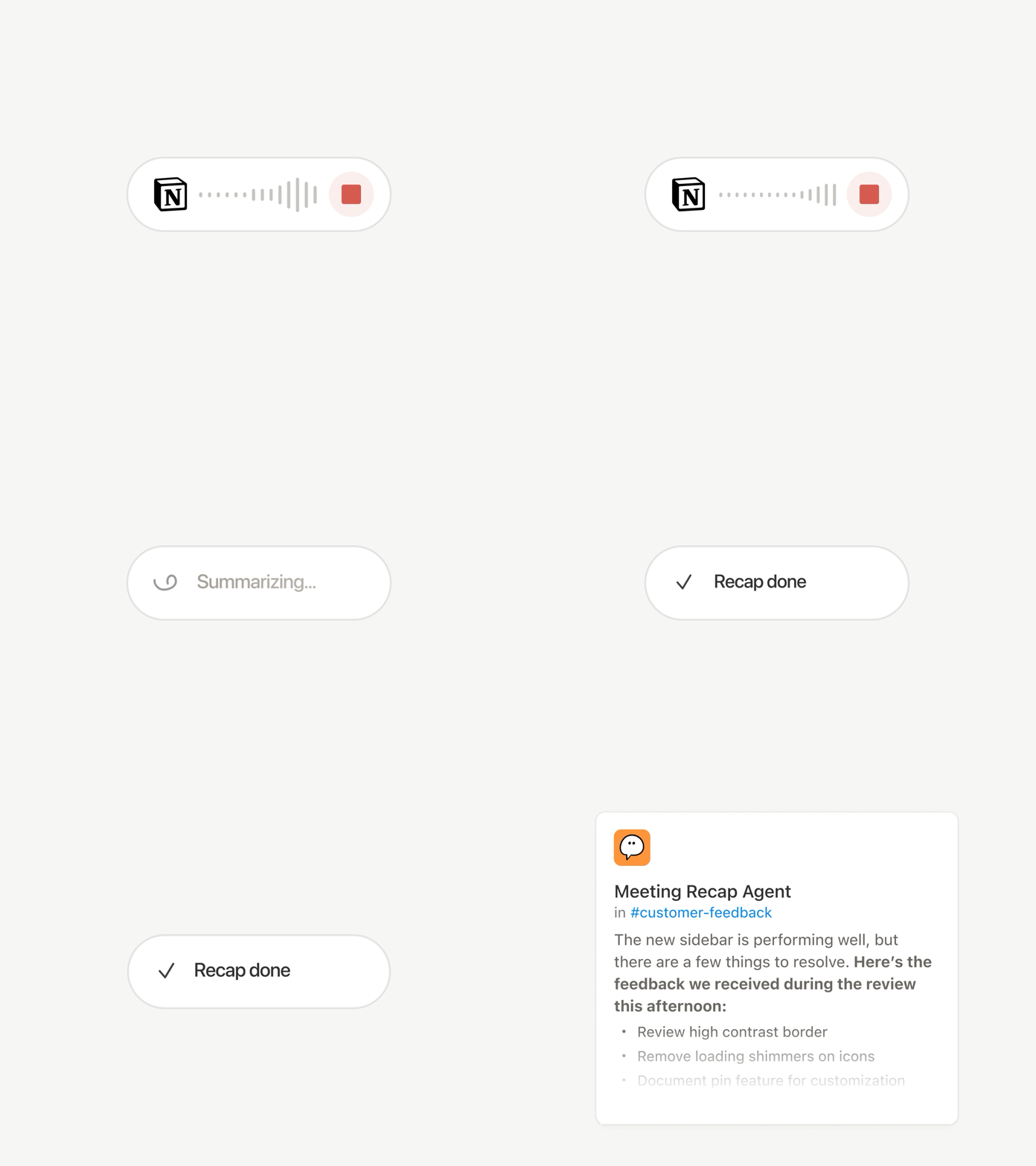
Every call ends with the same chores: Write the recap, file the action items, ping the people who weren’t there. Now Custom Agents can handle post-meeting work automatically.

Choose which meetings matter, then let a Custom Agent pick up the work as soon as each summary is ready. It gets the transcript and summary, so it can write the status update, file the action items, or send customer feedback to the right database. Available on Business and Enterprise plans. Learn more →

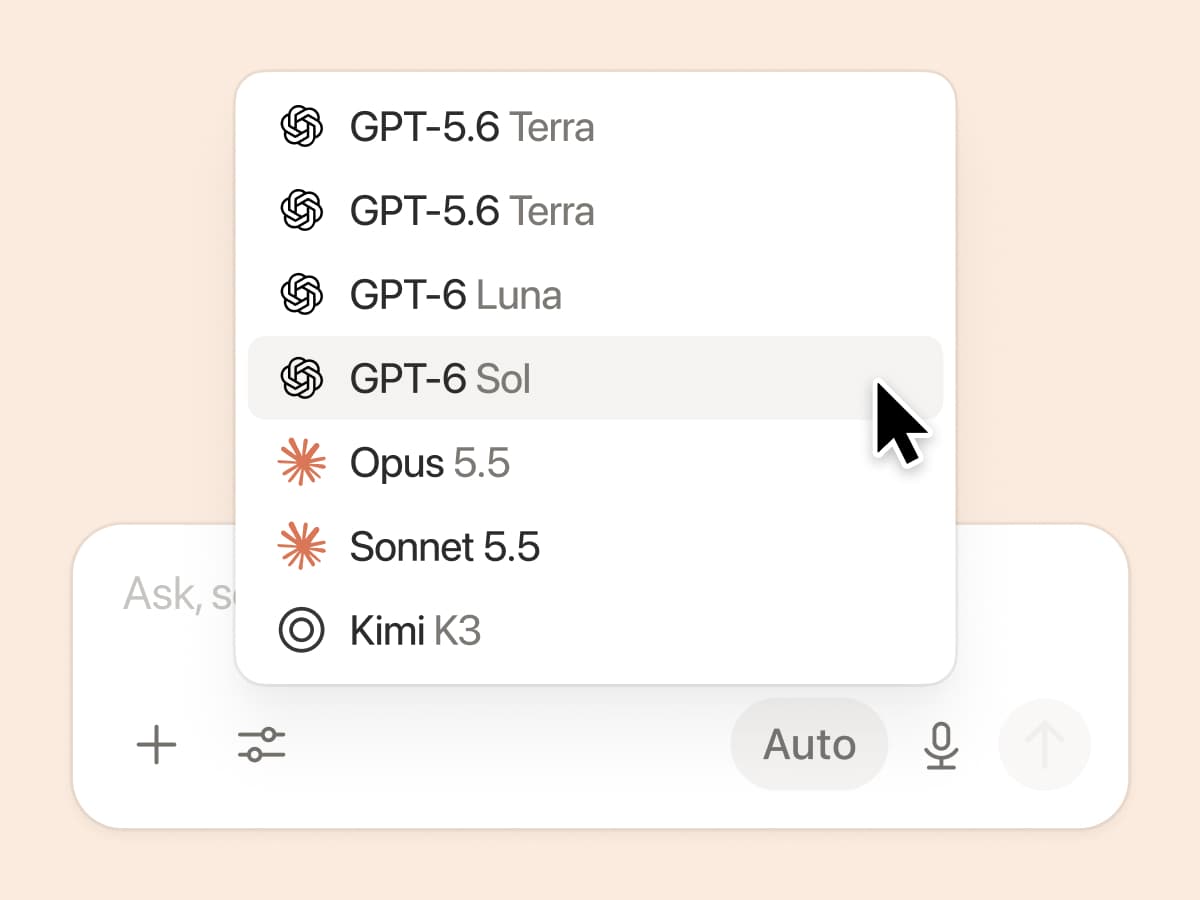
Browse every model, and see which is best for the job

Latest Models

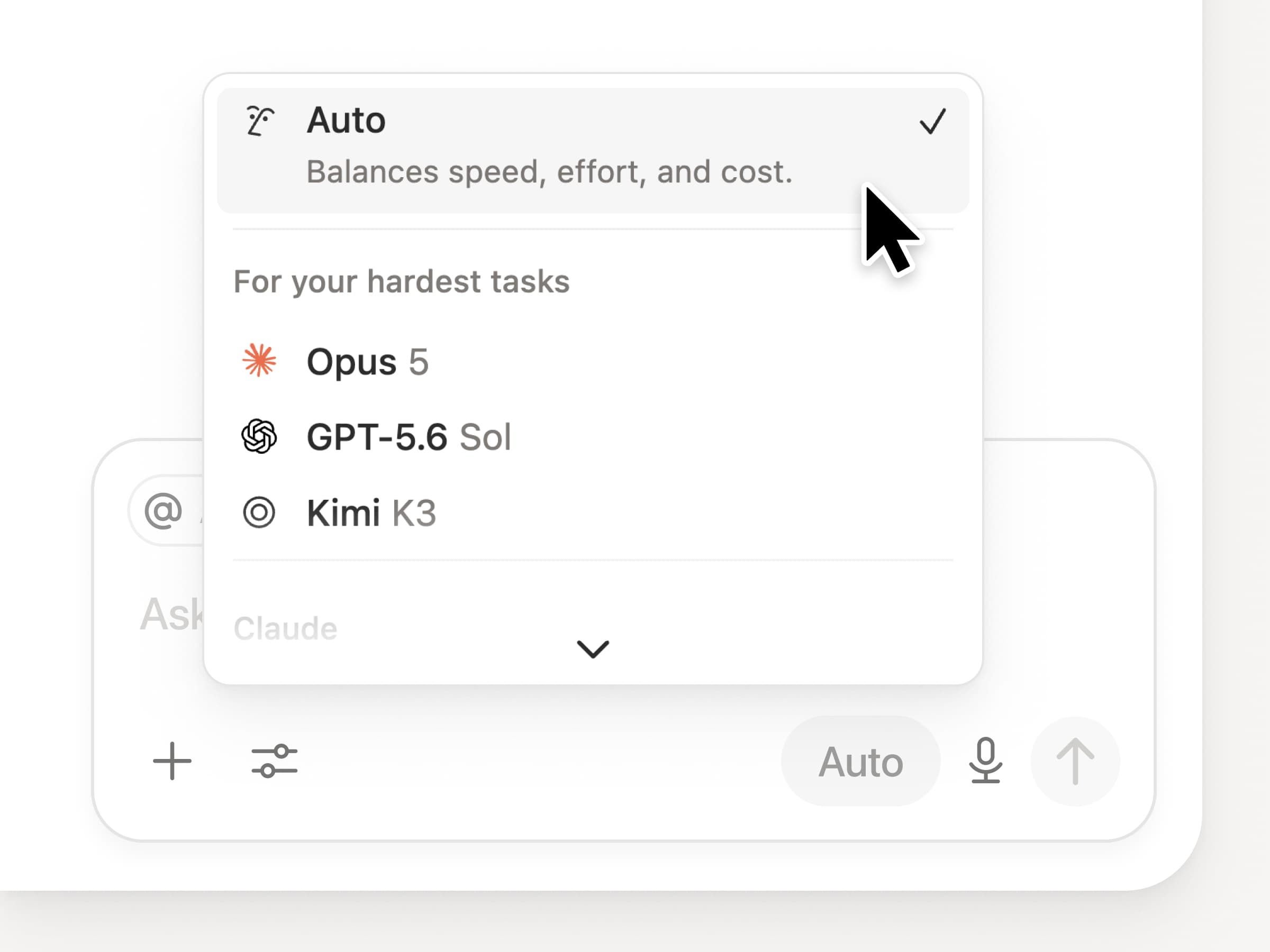
You get access to all the latest frontier models in Notion, including Opus 5, GPT-5.6 Sol, and Kimi K3. The new model picker is redesigned to help you choose the best model for your work, with indicators for speed, intelligence, and costs.

Also new is the Notion Knowledge Board, which evaluates model performance on real, everyday work. Compare models →

And a few more


  • Embed a Custom Agent in any doc. Drop an agent right where the work happens, so anyone on the page can use it. See how →

  • Custom Agent Insights in the Public API. Pull credit usage, completed runs, and status and enable, disable, or set limits for any agent. Business and Enterprise. Read the Insights API docs →

  • Manage your Workers and connections: Open the new Developer section in the sidebar to see every Worker, where it’s connected, and the logs from each run. Check it out →

  • Agent SDK, now in public beta. Continue Custom Agent conversations from anywhere, trigger them from your app, and stream results back. Business and Enterprise. Read the Agent SDK docs →

  • Developer Portal now lives in Notion. Manage your Workers, connections, and personal access tokens in one place. Open the portal →

  • AI Search is 50% faster. Less waiting on answers and agent outputs that use workspace context. Business and Enterprise. Give it a try →

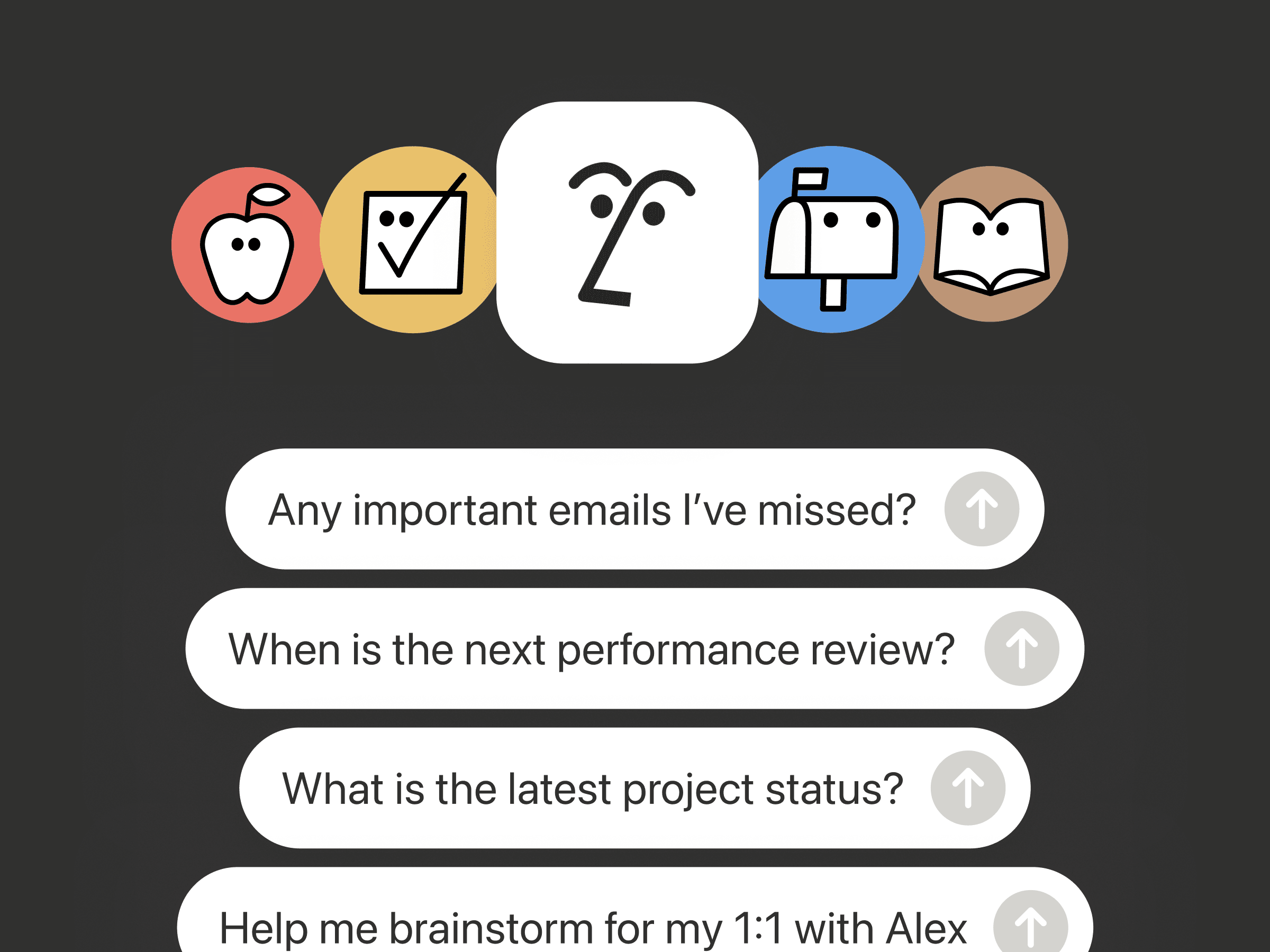
  • Catch up on your inbox. Ask Notion Agent to group notifications, show what needs attention, and help clear the rest. Check it out →

Give skills a try! And share how we can make it better (we’ve got more cooking).

Control which AI models your agents can use

Control which AI models your agents can use

What’s on your team’s model roster? That’s up to you. With model controls, workspace owners can choose which AI models are available in Notion Agent and Custom Agents separately, and set a default model for Custom Agents. Keep costs predictable and support your compliance needs while your teams continue building. Available on Business and Enterprise plans.

Get started at Settings → Notion AI → General → Model controls.

゚ヌゞェントに線集案を提案するよう䟝頌しおください。

゚ヌゞェントは、倉曎を盎接行うのではなく、倉曎を提案できるようになりたした。゚ヌゞェントに線集案を提案するよう䟝頌し、䞊から順に確認しおそれぞれを承認しおください。文法の修正など、行単䜍での倉曎が必芁な堎合に最適です。

たずぱヌゞェントに「線集案を提案」するよう䟝頌しおください。

Your Developer Portal, now in the sidebar

Manage your Workers, connections, and personal access tokens from the new Developer section of your Notion workspace. See an overview of deployed Workers and logs behind every run.

Developer sidebar section

Plus, the new developer bar makes it easy for anyone building with the API to find IDs for the page, database, block, workspace, or user. Copy any one of them, or the full API object, in one click.

Developer bar

Get started from Settings → Developer → Enable developer features. Go there now →

Model selection, simplified

No more guessing which model to use.

The model picker now leads with a shortlist of models made for your hardest tasks, and every model has a scorecard to compare speed, intelligence, and cost. Pin your favorites for easy access and dial up the effort when you need a more thorough answer.

「共有」メニュヌからカスタム゚ヌゞェントずコンテキストを共有する

Share context with Custom Agents from the Share menu

゚ヌゞェントにずっお圹立぀ドキュメントやデヌタベヌスを芋぀けたしたか共有メニュヌから盎接共有できるようになりたした。゚ヌゞェントの蚭定にクリックで移動する必芁はありたせん。

AI Meeting Notes can now trigger Custom Agents

Custom Agents can now run right after an AI Meeting Note is finished. No more need to manually update status trackers, post recaps to the project channel, or file tickets by hand.

Here’s a few of our favorite post-meeting workflows:

  • Update your project tracker with the latest status

  • Post a recap to Slack or email with decisions and next steps

  • Turn feedback into tickets for your engineering team

To get started, open your Custom Agent’s settings, add the Meeting note summarized trigger, and choose which meetings kick it off. After your next call, your agent will get to work.

High contrast mode

Accessibility win! High contrast mode is a new display option that makes text, icons, and borders easier to read.

Try it by going to Settings > Preferences > Appearance. Available on desktop and web.

Powered by Fruition