最新情報

最新のリリヌス、改善点、修正点をご芧ください。

@NotionHQをフォロヌする

Hack week 👩🏌‍💻👚🏿‍💻🧑🏜‍💻

今幎もNotionをサポヌトいただき、ありがずうございたした 2021幎の締め括りずしお、Notionでは1週間をかけおこれらの现かな機胜改善やバグ改修に臚みたした。これで皆様の新幎のNotion生掻がより快適になるこずを願っおいたす。 2022幎もNotionの曎なる改善にご期埅ください ✌

芋出し1、2、3をトグル付きで利甚可胜に

Notionの機胜の䞭でも人気の高いトグルですが、「もっず倧きく衚瀺できたらいいのに」ずいう皆様の声にお応えし、芋出しに適甚できるようになりたした䜿い方は以䞋の通りです。

  • / ず入力、たたはブロック巊偎の + ボタンをクリックしおメニュヌを開き、ドロップダりンからトグル芋出し1/2/3を遞択

  • 空の芋出しブロックで > ず入力、たたは空のトグルブロックで # / ## / ### ず入力

  • ブロックの巊偎の ⋮⋮ ハンドルをクリックし、ブロックタむプの倉換からトグル芋出しを遞択するか、スラッシュコマンドで /turnintotoggleh1 のように入力しお倉換

シンプルテヌブルの行・列に色を付ける

先月のシンプルテヌブルの発衚以来、皆様からのフィヌドバックで最も倚かったご芁望のひず぀が、シンプルテヌブルでの色付け機胜でした。それを受け、行や列のハンドルをクリックするず新たにカラヌずいうメニュヌが利甚できるようになりたした。これにより、色を掻甚した情報敎理ができるようになりたす。

コヌドブロック内でフロヌチャヌトや図を䜜成

フロヌチャヌトや円グラフ、ナヌザヌゞャヌニヌなどを、コヌドブロック内でMermaidで蚘述できるようになりたした。スクリヌンショットやほかのツヌルの埋め蟌みは䞍芁ですMermaidのシンタックスは、コヌディングに銎染みのない方でも簡単に習埗できたす。

たずはコヌドブロックを䜜成し、巊䞊の蚀語遞択ドロップダりンから Mermaid を遞択したす。図を䜜成するためのコヌドを蚘述したら、巊䞊の蚀語遞択ドロップダりンのすぐ右偎にあるメニュヌで、即座に プレビュヌ するこずが可胜です。同じメニュヌから、コヌドず図の䞡方を衚瀺させる 分割 衚瀺を遞択するず、以䞋のようになりたす。

iPad や Android タブレットでペヌゞをカラム分け

埓来、耇数カラムレむアりトコンテンツが二列構成になっおいるものはデスクトップでしか䜜成できたせんでしたが、このたび iPad や Android のタブレット端末でも䜜成できるようになりたした。

移動させたいブロックの䞊にカヌ゜ルを合わせお巊端の ⋮⋮ ハンドルを掎みマりスやトラックパッドがない堎合はブロックを長抌しし、画面の巊右の端たでドラッグしおください。

ロヌルアップがより䟿利に

ロヌルアップはNotionの最もパワフルな機胜のひず぀で、ほかのデヌタベヌスから指定した情報を参照しお利甚するこずができたす。そのロヌルアップ機胜がより䜿いやすくなりたした。

  • URLやメヌルアドレス、電話番号などのロヌルアップが盎接クリックできるようになりたした。

  • ロヌルアップでリレヌション、プロパティ、蚈算の蚭定をするには、察象列の任意のセルの䞊にカヌ゜ルを合わせお ✏ ボタンをクリックしたす。

バグ改修ず改善

  • 日付をメンションやデヌタベヌスプロパティで利甚する際、より倚くの衚瀺圢匏を遞択できるようになりたした。特に韓囜語

  • 日本語および韓囜語のむンタヌフェヌス改修を集䞭的に行いたした。ボタンやメニュヌ名などの衚瀺䞍備が倧幅に改善されおいたす。

  • 日本語のキヌボヌドで Ctrl / ⌘ + \ のショヌトカットでサむドバヌを開閉できない䞍具合を改修したした。

  • ペヌゞ履歎ツヌルで、日付のタむムスタンプが盞察衚瀺になりたした。䟋「2021/12/21」ではなく「1日前」、「2022/2/1」ではなく「2022幎2月1日」

  • むンラむンやペヌゞアむコンで絵文字の怜玢に䜿えるキヌワヌドが増えたした。䟋 🧋 のアむコンは埓来は「bubble tea」ずいうキヌワヌドでしか怜玢できたせんでしたが、これからは「boba」でもヒットしたす。

  • ペヌゞ巊䞊の階局リストでペヌゞタむトルをクリックするず、ペヌゞの最䞊郚たでスクロヌルできるようになりたした。

  • 再垰的なペヌゞメンションに察応したした。぀たり、タむトルに他のペヌゞぞのリンクが含たれおいるペヌゞのメンションに、関連するすべおのリンクが含たれるようになりたした🪆

  • ダヌクモヌド切り替えおよびブロックタむプの倉換のキヌボヌドショヌトカットが、倖付けキヌボヌドがあれば iPad や Android タブレットでも䜿甚できるようになりたした。

  • テヌブル圢匏のデヌタベヌスで、チェックボックスプロパティの列幅を極小化できるようになりたした。

  • リンクドデヌタベヌスの䜜成時に、元のデヌタベヌスに適甚されおいた䞊べ替え、カラム衚瀺順序や衚瀺・非衚瀺が継承されるようになりたした。

  • ギャラリヌ圢匏のデヌタベヌスで、長いペヌゞタむトルがカヌド内で改行されるようになりたした。たた、行に 新芏 ボタンしかない堎合には、ボタンが小さく衚瀺されるようになりたした。

  • シンプルテヌブルで列の間の眫線をダブルクリックするず、䞀番長い文字列のセルに合わせお列幅が調敎されるようになりたした。

  • ビュヌが3぀以䞊あるデヌタベヌスでは、ビュヌの切り替えメニュヌ内で怜玢が利甚できるようになりたした。

  • デヌタベヌスプロパティの衚瀺蚭定を「未入力時は非衚瀺にする」に蚭定した堎合、以埌に远加したプロパティはデフォルトで「未入力時は非衚瀺にする」に蚭定されるようになりたした。

  • テヌブル圢匏のデヌタベヌスで、遞択した耇数セルに察しお同時に同じコンテンツを貌り付けできるようになりたした。

  • テヌブル圢匏のデヌタベヌスにおけるカラムの衚瀺順序倉曎や、デヌタベヌスペヌゞ内でのプロパティおよびンプルテヌブルの行・列の䞊べ替えが、モバむルでも実斜できるようになりたした。

  • テヌブル圢匏のデヌタベヌスで、数倀の衚瀺幅が党数字0~9で統䞀され、芖認性が向䞊したした。

  • サブペヌゞのブロックの巊偎で ⋮⋮ ハンドルをクリックするず、新しいりィンドりで開く ずいうボタンが利甚できるようになりたした。

  • リンクの蚭定された文字列にカヌ゜ルを合わせるず衚瀺されるポップアップで 線集 ボタンが远加され、リンクを簡単に線集できるようになりたした。

  • Notionサブスクリプションの請求情報がより詳现か぀読みやすくなりたした。

  • 蚭定メニュヌのメンバヌセクションで、列芋出しのナヌザヌやアクセスレベルずいう箇所をクリックしお゜ヌトできるようになりたした。

  • @メンションでナヌザヌを怜玢する際に、ナヌザヌのメヌルドメむンを基準ずしお瀟内ナヌザヌが䞊䜍に衚瀺されるようになりたした。

  • 蚭定 → メンバヌ → グルヌプ タブにおいお、ワヌクスペヌス管理者の名前の暪に 管理者 バッゞが衚瀺されるようになりたした。

  • Notionに耇数アカりントでログむンしおいる堎合に、アクティブなアカりントでアクセス暩を持たないURLに移動しようずした際、アクセス暩を持っおいる方のアカりントが自動的にアクティブに切り替わるようになりたした。

  • アクセス暩を持たないペヌゞのメンションが、「無題」ではなく「アクセス䞍可」ず衚瀺されるようになりたした。

  • 別ペヌゞぞ移動 が䜿われたペヌゞが、ペヌゞ履歎ツヌル内でプレビュヌできないバグを改修したした。

  • PDFでの゚クスポヌト時に、ペヌゞプロパティが保持されるようになりたした。

  • PDFでの゚クスポヌト時に、デヌタベヌスビュヌの䞊べ替えが保持されるようになりたした。

  • ゚クスポヌトファむル名がキリル文字に察応したした。

  • Notionペヌゞにおけるむンラむンリンクが、リンクずしおPDF゚クスポヌトされるようになりたした。

  • サむズの倧きいペヌゞのPDF゚クスポヌト時に、゚ラヌメッセヌゞが衚瀺されにくくなりたした。

  • ファむルブロックがリンクずしおPDF゚クスポヌトされるようになりたした。

  • Confluenceのむンポヌトツヌルにおける、テヌブルカラムのチェックボックスの刀別粟床が向䞊したした。

Notion 2.14シンプルテヌブル 🏓

シンプルテヌブル

シンプルテヌブルは /table で簡単に䜜成できたす。右䞋の角をドラッグすればお奜きなだけ行や列を远加でき、たた オプション から行芋出しや列芋出しをオンにするこずも可胜です。

シンプルテヌブルのベストプラクティスはこちらのガむドをご参照ください。

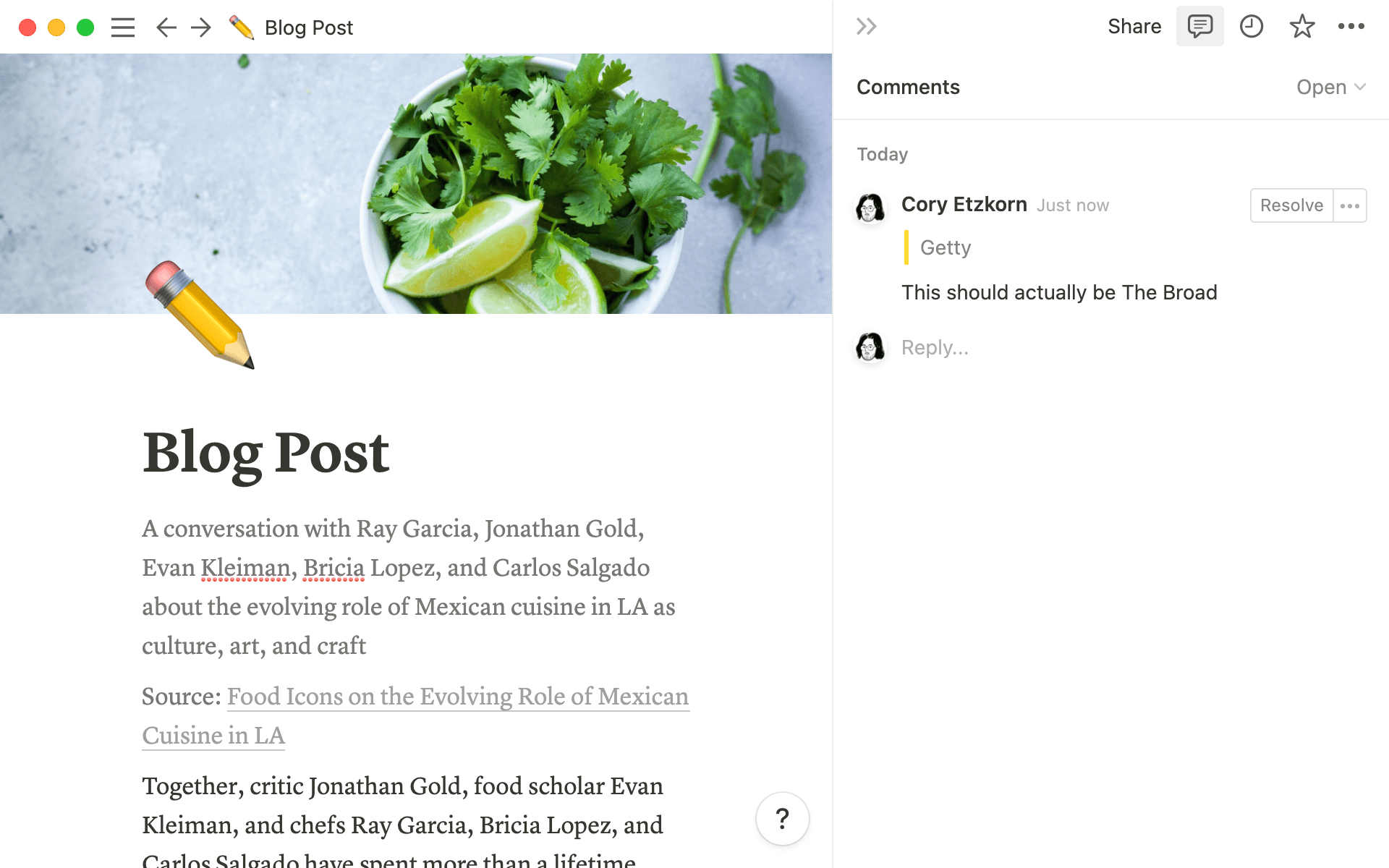
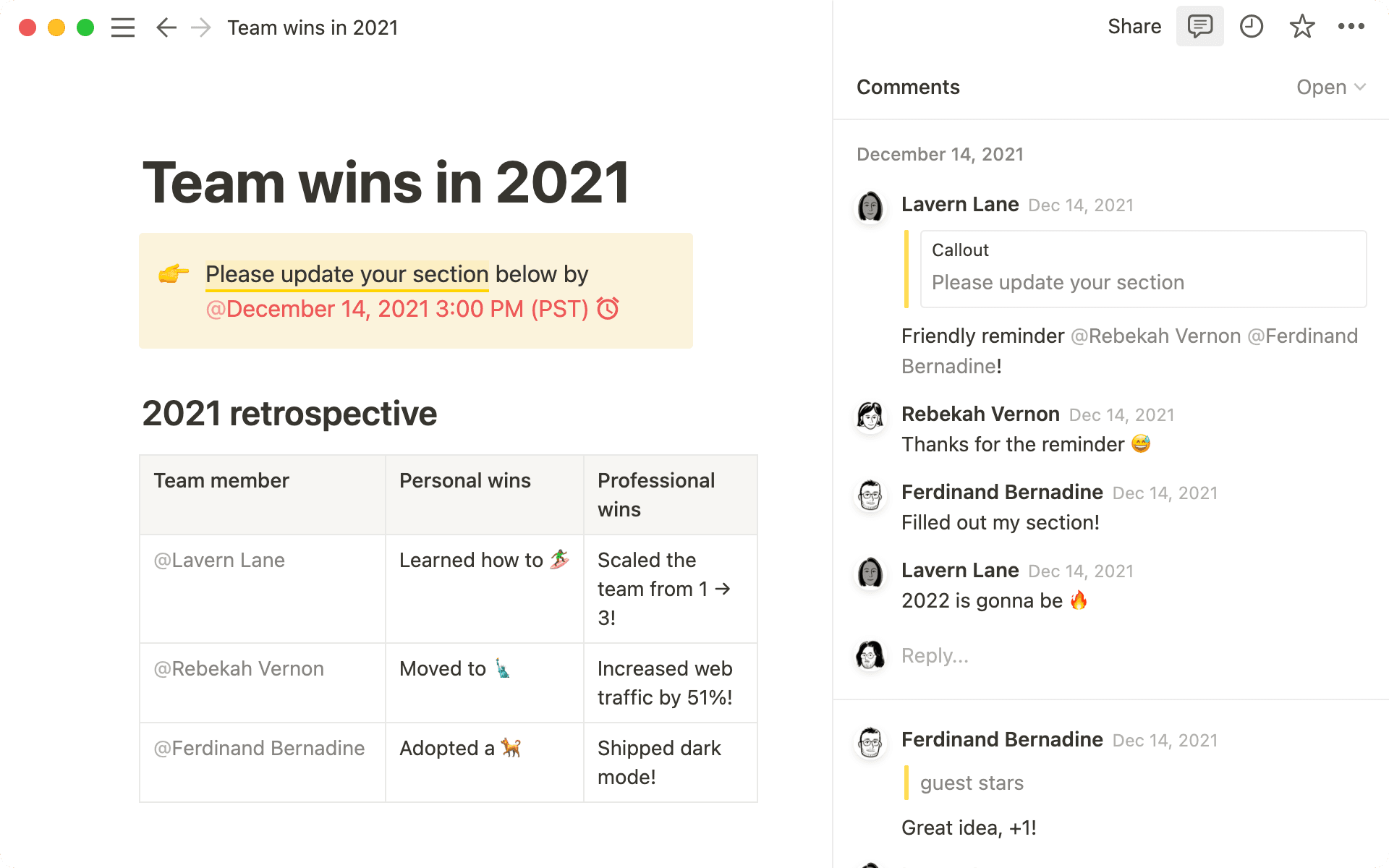
コメント機胜の改善

ステヌクホルダヌぞのフィヌドバック䟝頌、四半期目暙のブレむンストヌミング、プロゞェクト掚進の議事メモや資料などに、より芋やすく、確認しやすくなったNotionのコメント機胜をご掻甚ください。

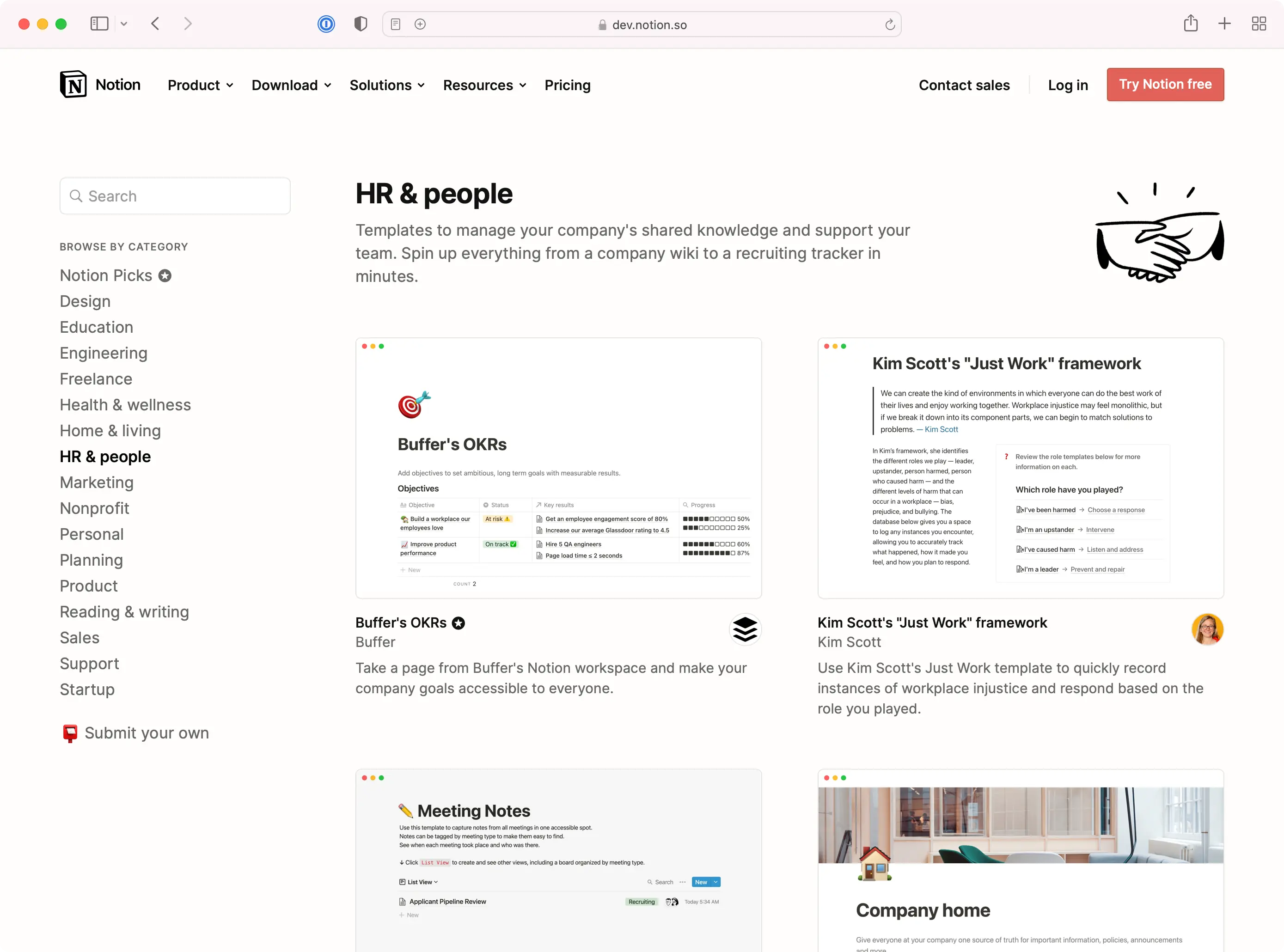
テンプレヌトギャラリヌ

Notionのワヌクスペヌスは無限の可胜性を秘めおいたす。このたび倧幅に刷新されたテンプレヌトギャラリヌでは、NotionのグロヌバルコミュニティがどのようにNotionを掻甚しおいるかをご芧いただけたす。最高のダッシュボヌドやワヌクフロヌなど、䞖界䞭のNotionナヌザヌにより䜜り䞊げられた䜜品をブラりズし、気に入ったテンプレヌトはご自身のワヌクスペヌスに耇補しおご自由に䜜り倉えおお䜿いいただけたす。

バグ改修ず改善

  • API関連の新機胜や改善に぀いおはこちら developers.notion.com/changelog →

  • スラッシュコマンドのドロップダりンメニュヌの衚瀺制床が向䞊したした。 (䟋 /table ず入力するずメニュヌが4぀だけ衚瀺されたす。埓来であれば20以䞊のオプションが衚瀺されおいたした。)

  • Mac版アプリで閉じる・最小化・フルスクリヌンの各ボタンが正しく衚瀺されなくなる䞍具合を解消したした。

  • 䞀郚のナヌザヌでMac版アプリがブランクスクリヌンで起動される䞍具合を解消したした。

  • 䞀郚のナヌザヌでシングルサむンオン時に読み蟌み䞭の状態から画面が倉化しなくなる䞍具合を解消したした。

リンクプレビュヌ 🔗

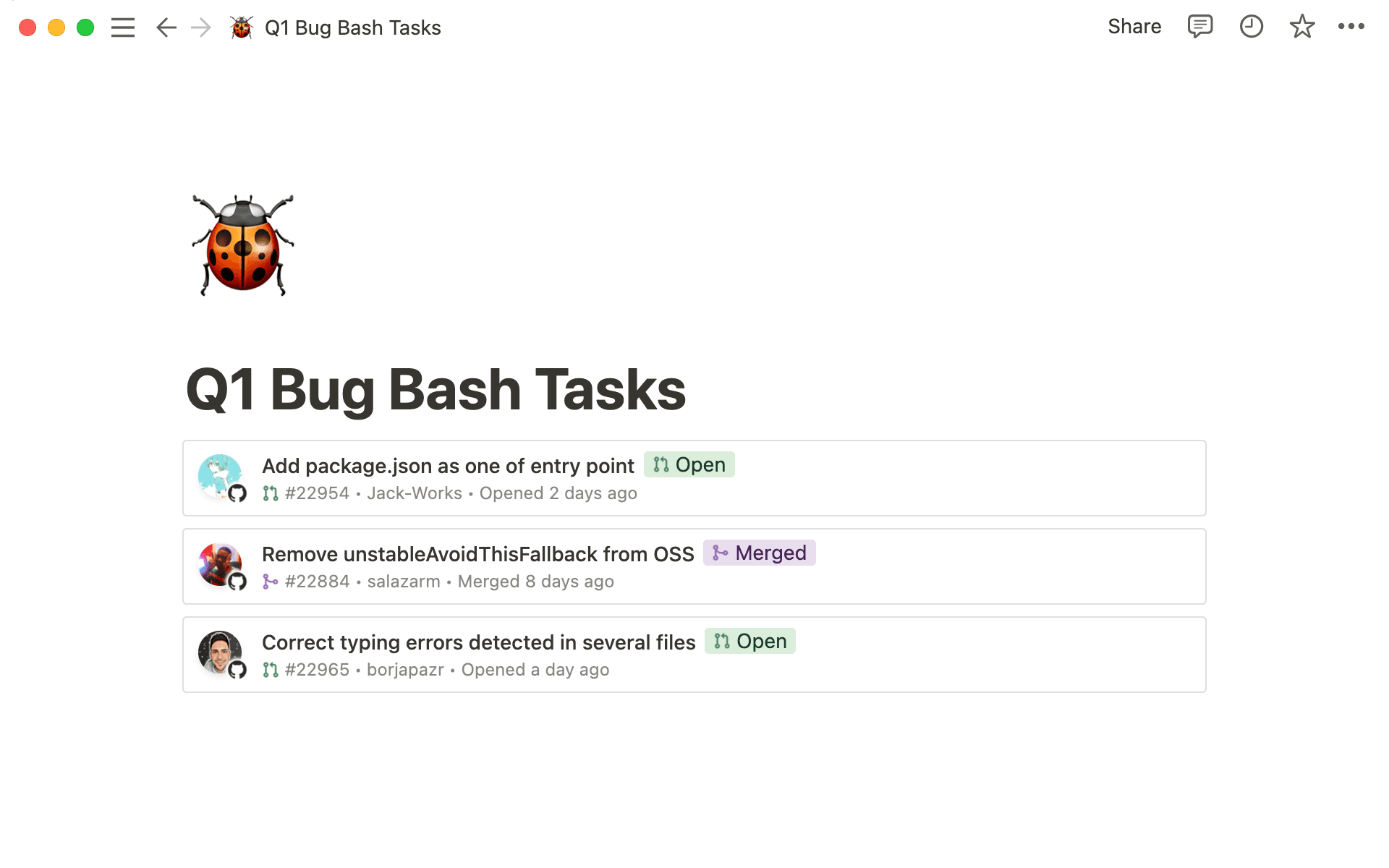
GitHubのプルリク゚スト、Slackメッセヌゞ、Jiraの課題など、他ツヌルの動的なプレビュヌが利甚可胜に

ワヌクスペヌス内で、ほかのツヌルの最新情報を閲芧できるようになりたした。Jira、GitHub、Slack、Trello、AsanaのリンクをNotion内にペヌストするず、むンラむンメンションたたはフルブロックで、動的なプレビュヌを䜜成するこずができたす。その他のツヌルも続々察応予定ですので、ご期埅ください

バグ改修ず改善

  • API関連の新機胜や改善に぀いおはこちら developers.notion.com/changelog →

  • ほずんどのタむムスタンプが盞察的時間の衚瀺に統䞀され、カヌ゜ルのホバヌでフル衚蚘の閲芧ができるようになりたした。䟋「2021幎11月1日 11:05:24 AM」の代わりに「10時間前」ず衚瀺

  • 䞀郚のSafariナヌザヌにおペヌゞタむトル、芋出し、およびデヌタベヌスのプロパティが重耇しお衚瀺される䞍具合を改修したした。

  • SVGアむコンが付いたペヌゞのむンラむンメンションが砎損した画像ずしお衚瀺される䞍具合を改修したした。

  • 曞匏を適甚したNotionのコメントがプレヌンテキストずしおペヌストされる䞍具合を改修したした。

  • Gmailなどの他のアプリからむタリックの文字列をコピヌした際、誀った曞匏でペヌストされる䞍具合を改修したした。

  • 入力䞭にブロックハンドル「⋮⋮」がフェヌドアりトしない䞍具合を改修したした。

  • iOS 15で shift + enter が機胜しない䞍具合を改修したした。

  • iOSで通知から正しいペヌゞが開かれないこずがある䞍具合を改修したした。

  • iOSで画像を远加たたは閉じる際にキヌボヌドが衚瀺される䞍具合を改修したした。

  • 䞀郚のナヌザヌにおCSVむンポヌトされたデヌタが欠損する䞍具合を改修したした。

Notion 2.13デヌタベヌスのグルヌプ化・サブグルヌプ化 🍱

デヌタベヌスのグルヌプ化・サブグルヌプ化

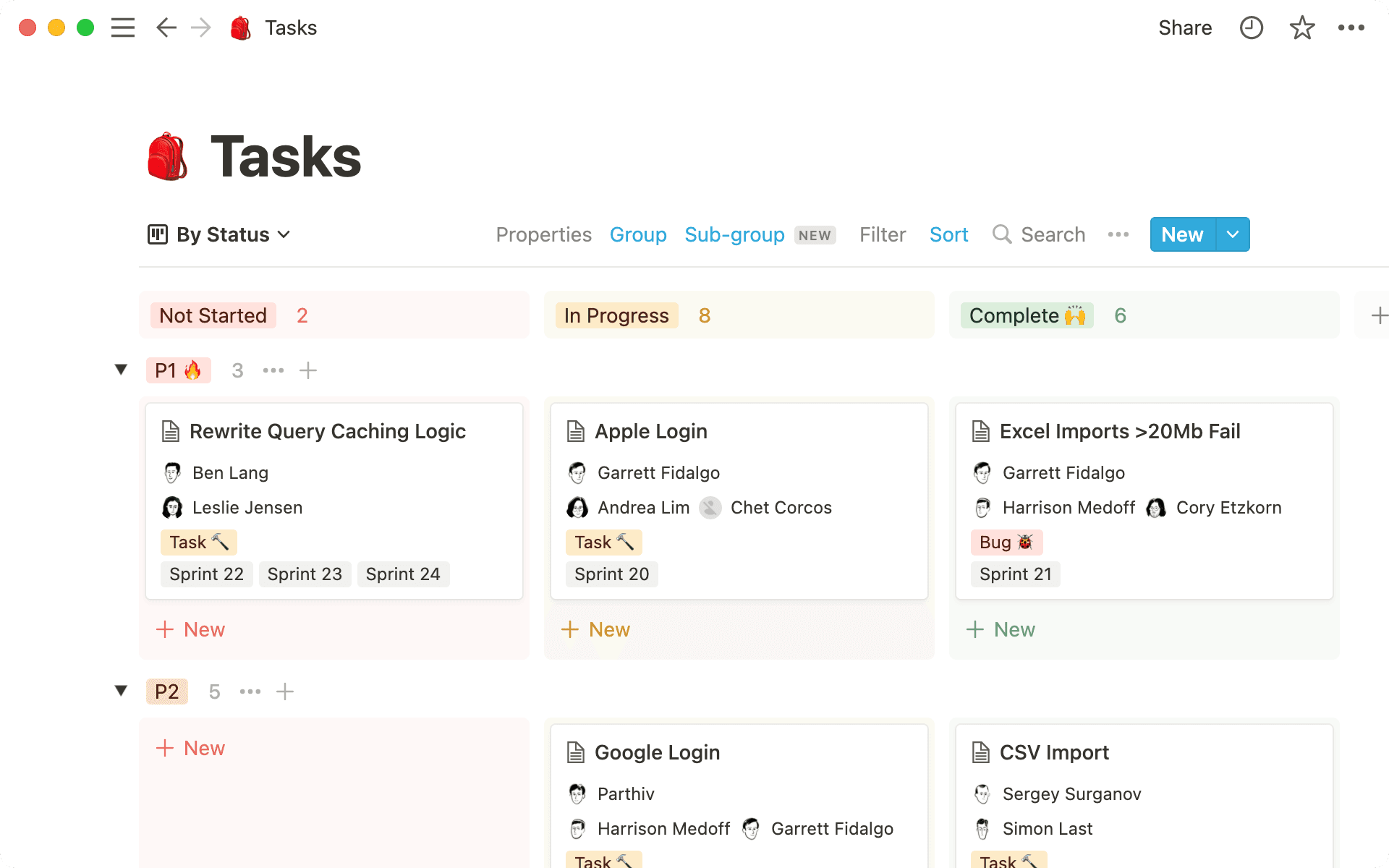
タスクやプロゞェクトを、曎に粟緻に可芖化できるようになりたした。デヌタベヌスの任意のプロパティに基づきアむテムをグルヌプ化し、最高の情報敎理を実珟いただけたす。

  • タむムラむン、テヌブル、ギャラリヌ各ビュヌをグルヌプ化
    たくさんの項目があるデヌタベヌスビュヌを䜿甚しおいるなら、新しいグルヌプ化機胜がお勧めです。 グルヌプ ボタンをクリックするず、ワヌクフロヌに適したプロパティでコンテンツを芖芚的に敎理するこずができたす。
    各グルヌプの巊偎にはトグルがあり、芋たいグルヌプの衚瀺・非衚瀺をすばやく切り替えられたす。空のグルヌプがあっおも、蚭定メニュヌの「空のグルヌプを非衚瀺」で衚瀺しないようにできたす。

  • ボヌドビュヌをサブグルヌプ化
    サブグルヌプの蚭定により、さらに情報が粟緻に敎理できるようになりたす。
    ボヌドが既にステヌタスプロパティ䟋えば、「未着手」、「進行䞭」、「完了」によっおカラムにグルヌプ化されおいた堎合、優先床やチヌム、担圓者など、特定のプロパティでタスクをさらにサブグルヌプずしお敎理できたす。ステヌタスのカラム分けには圱響したせん。

  • リレヌションや数字、日付などでのグルヌプ化
    以前は、セレクト、マルチセレクト、人物の3皮類のプロパティに基づいおのみアむテムをグルヌプ化するこずができたしたが、この床の曎新により、テキスト、数倀、日付、チェックボックス、URL、電子メヌル、電話、数匏、関係、䜜成日時、䜜成者、最終線集日次、最終線集者など、ほがすべおのプロパティ皮別でのグルヌプ化が可胜になりたした。

メンバヌなら誰でもむンテグレヌションの远加が可胜に

これたではワヌクスペヌスの管理者のみがAPIむンテグレヌションを远加するこずが可胜でしたが、このたびメンバヌの方々も同様に Automate.io、IFTTT、Typeform などのサヌビスのむンテグレヌション远加ができるようになりたした。

メンバヌによりワヌクスペヌスに远加されたむンテグレヌションの管理・削陀は、蚭定 → むンテグレヌション より実斜いただけたす。゚ンタヌプラむズプランの堎合は、セキュリティず認蚌 メニュヌで新たにメンバヌによるサヌドパヌティヌのむンテグレヌションの远加を蚱可しないための蚭定項目がご利甚いただけるようになりたす。

より芋やすい色蚭蚈ずボヌドビュヌ

ワヌクペヌスの芋やすさが改善されたした新しい色蚭蚈は目に優しく、アクセシビリティも向䞊しおいたす。

  • デヌタベヌスのボヌドビュヌで、列ごずに背景色を付けられるようになりたした。背景色は グルヌプ ボタンから「列の背景色」でオン・オフを切り替えられたす。

  • セレクトおよびマルチセレクトプロパティでは、コントラストず芖認性の向䞊のために文字色も䜵せお倉曎されるようになりたした。

  • 文字色や背景色も同様に、より芋やすい色蚭蚈になりたした。これらはりェブコンテンツのアクセシビリティガむドラむンで定められた基準をクリアしおいたす。

モバむルのコメント機胜を改善

モバむルの新しいコメントビュヌを䜿えば、すべおのコメントを䞀か所で確認し、返信もその堎でできたす。画面右䞊の 💬 ボタンをクリックするず、そのペヌゞのコメントをたずめお確認できたす。

バグ改修ず改善

  • API関連の新機胜や改善に぀いおはこちら developers.notion.com/changelog →

  • 䞀郚のiOSナヌザヌにお入力埌に "There was an issue persisting your edits" ずいう゚ラヌメッセヌゞが衚瀺されるバグを改修

  • 䞀郚のAndroidナヌザヌにお "Oops, something went wrong" ずいう゚ラヌメッセヌゞが衚瀺されるバグを改修

  • 䞀郚のナヌザヌにおMacアプリが空癜の画面で起動するバグを改修

Notionが日本語に察応 🇯🇵🎊

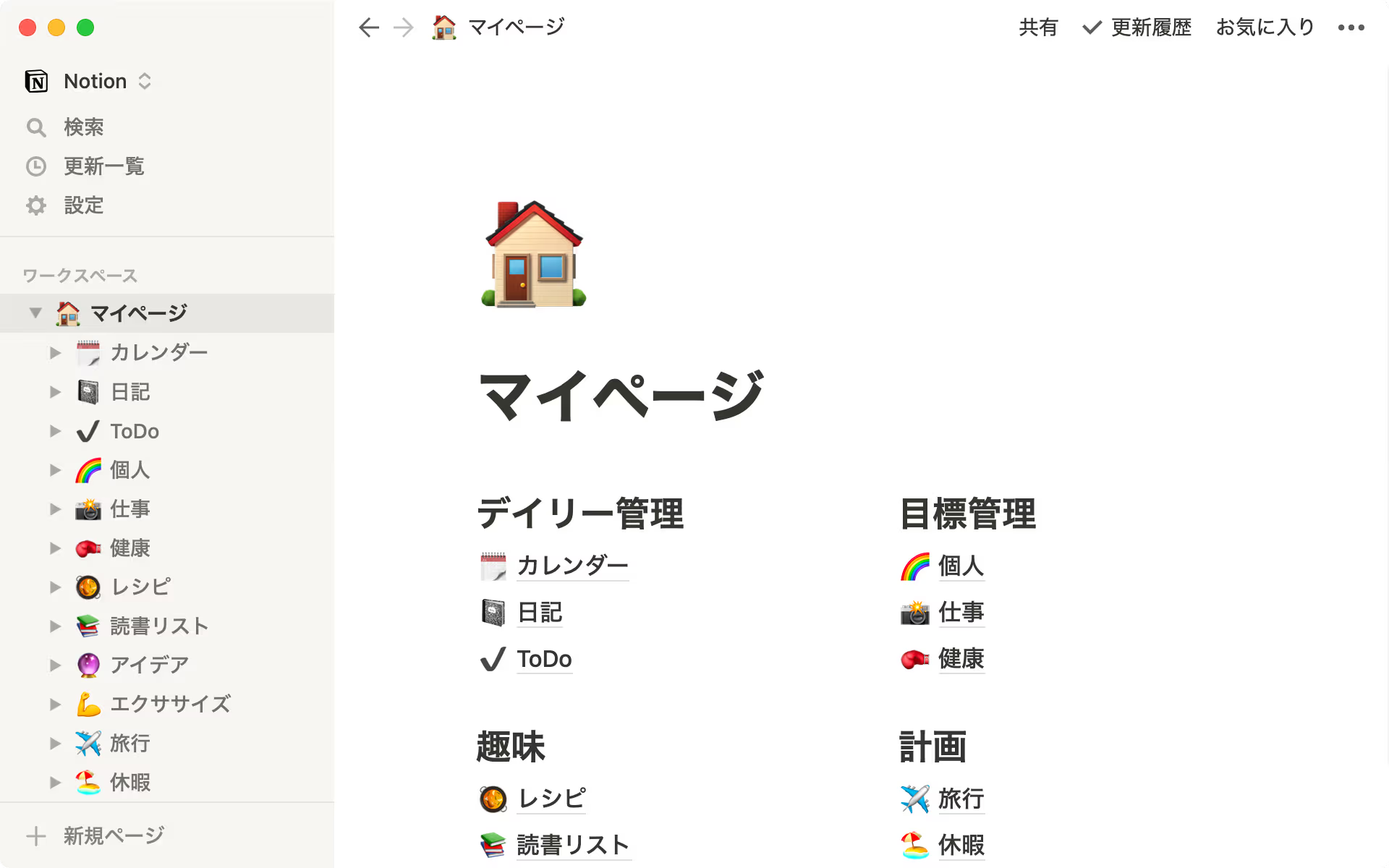
Notionが日本語で利甚可胜に

より倚くの皆様にNotionを快適にお䜿いいただけるよう、Notionは倧きな䞀歩を螏み出したすりェブ版では本日から、モバむル版ずデスクトップ版では翌数週間にわたり段階的に、Notion日本語版のベヌタ版がご利甚いただけるようになりたす。

  • サむドバヌ巊䞋の テンプレヌト ボタンから、日本語のテンプレヌトをご利甚いただけたす。

  • 日本語のガむドチュヌトリアルは notion.com/help でご芧ください。

  • アプリ右䞋のボタン、たたはモバむルサむドバヌ䞋郚の ヘルプ&フィヌドバック から、日本語でサポヌトチヌムにお問い合わせいただけたす。

日本語でご利甚いただくには、以䞋の蚭定を実斜しおください。

  • デスクトップ版 Settings & members(蚭定) から Language & region(蚀語ず地域) で日本語を遞択しおください。

  • モバむル版お䜿いのデバむスの蚀語蚭定が日本語に蚭定されおいる堎合、アプリの蚀語は自動で日本語に蚭定されたす。

箇条曞きリストの改良

箇条曞きの行頭蚘号が、デフォルトではディスク(é»’äžž)・サヌクル(癜䞞)・スク゚ア(四角)を順番に衚瀺する仕様になりたした。

デヌタベヌスの党プロパティをワンクリックで衚瀺切替

これたで、倚くのプロパティを持ったデヌタベヌスの管理は面倒な䜜業でしたが、このたびプロパティの衚瀺・非衚瀺を䞀斉に切り替えられるようになりたした。新しいビュヌを䜜成する時などに、たずデヌタベヌス右䞊の プロパティ ボタンから䞀斉切替したあず、必芁・䞍芁なプロパティのみをトグルで蚭定いただけたす。

バグ改修ず改善

  • API関連の新機胜や改善に぀いおはこちら developers.notion.com/changelog →

  • テンプレヌトボタン内での動的な @today、@now、@me メンションが可胜になりたした。

  • iOSおよびAndroidアプリで画像のピンチズヌムが可胜になりたした。

  • iPadOSでモバむルツヌルバヌが消えなくなる䞍具合を改修したした。

  • 匕甚ブロックに他のブロックが含たれる堎合にPDFに正しく゚クスポヌトされない䞍具合を改修したした。

  • テンプレヌトから新しいペヌゞを䜜る際に、テンプレヌトに含たれるデヌタベヌスが正しく䜜成されない䞍具合を改修したした。

  • 䞀郚のナヌザヌにおデヌタベヌスの党項目を䞀床に読み蟌めない䞍具合を改修したした。

  • 䞀郚のナヌザヌにおアむコンの぀いたペヌゞにカバヌ画像を蚭定できない䞍具合を改修したした。

  • AndroidデバむスでUnsplashの画像プレビュヌが正しく衚瀺されない䞍具合を改修したした。

  • 䞀郚のナヌザヌに特定のペヌゞで "Oops! Something went wrong" ずいう゚ラヌメッセヌゞが衚瀺される䞍具合を改修したした。

Notion 2.12, now with better comments 💬

Better comments

Collaborate more effectively with your team through a completely redesigned comments experience in Notion. Here are the key ways it will improve the way you work together, whether you're giving feedback, suggesting revisions, or planning projects:

  • New comments sidebar
    See every comment on a page at a glance, and respond to any comment thread — all consolidated in your new right-hand sidebar.
    Use the Resolve button to archive any comments where no more action is required, or filter your sidebar to only view Resolved comments, so you can see a history of decisions made.

  • Attach images, GIFs, videos & files
    When you're commenting on someone's doc, giving feedback about your teammates' design, or asking a colleague for the correct PDF, plain text doesn't always get the job done.
    Now you and your teammates can add rich attachments to all your comments, including images, animated GIFs, full-length videos, and file attachments like DOCX files from Google Docs or Microsoft Word, PDFs & more.

  • Copy & share links to specific comments
    When folks are catching up on the status of a project or decision, it's helpful to point them to the exact thread where the discussion is taking place.
    To do this, click the ••• button that appears when you hover your cursor over a comment, then click Copy link. Then, paste the URL in a Slack message, email, text message, or however you want to share with your teammate.

Set a public home page for [yourdomain].notion.site

Hosting your company's careers page, investor pitch deck, or personal blog on a public Notion page? When someone asks for the link to your site, "acmedesign.notion.site/f7s8b0" doesn't exactly roll off the tongue, or fit on a business card. And before now, "acmedesign.notion.site" would have resulted in an error screen.

If you have a paid plan, you can now select a home page for your public site, so anyone who goes to .notion.site will be taken to whatever page you choose.

To do this:

  • Go to the page you'd like to set as the homepage for your public site, and ensure that Share to web is turned on in the Share menu

  • Go to Settings & members → Settings and scroll to the Public home page section to select your home page

  • Be sure to also select a custom domain name in the Domain section if you haven't done so already

Create Siri Shortcuts to your Notion pages

"Hey Siri, open my Notion dashboard." Now shortcuts like this are easy to create in the Shortcuts app on your iOS device. The next time you open your Shortcuts app, you'll find that Notion has been added as a compatible app. And if you usually open a Notion page on your device around the same time of day, it may appear in your Siri Suggestions as well.

P.S. You'll need to have opened the page on your device recently for it to appear in the Shortcuts app!

Find your Notion pages in Search on iPhone & iPad

First, swipe down in the middle of your iOS home screen. When you type the name of a Notion page, it will appear in the search results (as long as you've viewed that page on your device before).

Copy & paste multi-column layouts

This one has been a long time coming! Now when you click and drag to select blocks in a multi-column layout and copy to your clipboard, the column structure will stay intact when you paste it somewhere else in Notion.

API integrations

We're excited to welcome a few new partners to the Notion platform!

  • Unito: Their two-way integration saves you time and effort by pulling in key data and information from your other work tools (like HubSpot, GitHub & Jira), allowing you to collaborate and manage projects from within your primary workspace

  • Hightouch: Dynamically power your Notion databases with up-to-date data from your data warehouses, including MySQL, PostgreSQL, Snowflake & more

  • Marker.io: Collect bug reports with screenshots, annotations & technical meta-data, directly into your Notion databases

We completely rebuilt our Help Center from the ground up, so you have easy access to all these resources in one place:

  • Read through bite-sized tutorials designed for folks who are new to Notion

  • Learn about Notion's more advanced features so you can build powerful workflows

  • Troubleshoot issues with your account, apps & billing

Bug fixes & improvements

  • For new API features & improvements, go to developers.notion.com/changelog →

  • Page mentions (e.g. Careers at Notion) have a new streamlined design

  • You can now include the dynamic mention @me within database templates

  • Pages with large images now load faster on mobile

  • Hitting Return / Enter to select a Select property value in the last line of a Table view no longer creates a new row

  • Fixed a bug that prevented SAML logins from working correctly on iOS

  • Fixed a bug that caused the formatting menu to appear while typing Chinese, Japanese, and Korean characters

Acquiring Automate.io

Exciting news! We're acquiring Automate.io!

This will accelerate our ability to build high quality integrations for teams & businesses, as well as more features for developers building on the Notion API.

Dynamic @today & @now mentions in database templates

When you're taking notes, typing @today or @now lets you quickly record the current day's date. They automatically resolve to display the month, day, and year as time passes, but they didn't work within database templates — until now.

When you type @today or @now while editing a database template, you'll see two options: one to record today's date, and a new option, Date when duplicated, which creates a dynamic date mention each time the template is used in the future.

New emojis & page icons 🐈‍⬛

We've heard it many times: there's something especially therapeutic about selecting the perfect emoji for your Notion pages. Plus, they make your content much easier to find later!

Now there are dozens of new emojis to choose from — add them as page icons at the top of your docs and databases, or type them inline in any paragraph with the : key, followed by the name of the emoji.

Find the full lists of new emojis here: 12.0, 12.1, 13.0, 13.1

Copy database properties to your clipboard in one click

Before, it took several clicks to take the information from a database property and copy it to your clipboard for pasting elsewhere.

Now you'll find convenient **Copy to Clipboard** buttons next to Text, Number, URL, Phone, Email, Created time, and Last edited time properties, making for a much faster workflow.

Better URL properties in databases

URL properties in your databases are now easier to use. Clicking the URL opens that page in your web browser, rather than selecting the property for editing. And there's a new Edit URL button that appears when you hover over the property with your cursor.

Recently visited pages sync across devices

When you first open the Quick Find window, the first thing you'll see is a list of your RECENT PAGES. Now these sync across all your browsers & devices!

For example, if you're working on a page in the desktop app, it'll appear at the top of your RECENT PAGES section the next time you access your workspace in the mobile app.

Better quote blocks

Recently, we added the ability to include rich content within callout blocks. Now you can do the same with quote blocks!

To do this, grab a piece of content (such as images, bullets, databases & more) by the ⋮⋮ block handle to its left, then drag inside the quote block.

Bug fixes & improvements

  • Pages load faster on Android 📈

  • Text blocks containing @mentions of dates and people now automatically populate Date and Person properties when moved to a database

  • Now it's much easier to download, copy & share images from iOS while you're on the go — just double tap an image to open in full screen mode, then tap and hold

  • On iOS, you can now close your mobile keyboard by swiping it down

  • Admins in Enterprise Plan workspaces can now generate a SCIM API token in the Security & identity section of Settings & Members

  • Fixed a bug that caused page icons to appear incorrectly on Android & Windows devices

  • Fixed a bug that caused database filters to break after renaming Select & Multi-select property values

  • Fixed a bug that caused the "Start week on Monday" setting to appear in the My account section of Settings & members in addition to the Language & region section

  • Fixed a bug that prevented Gallery & Board card previews from displaying nested lists correctly within synced blocks, callout blocks, and quote blocks

Tactiq integration

New API integration with Tactiq

Tactiq's Chrome extension automatically transcribes your verbal conversations from Google Meet into written notes that you can search and reference later — and now you can quickly add those transcriptions to your meeting notes in Notion with their new integration.

Bug fixes & improvements

  • Fixed a bug that prevented links in Board view databases from opening in a new browser tab

  • Fixed a bug that prevented the mobile keyboard from being dismissable while editing a page title in the iOS app

  • Fixed a bug that prevented new pages from being created when dragging images & files into a Gallery view database

  • Fixed a bug that caused some topbar action buttons such as Share to be hidden for some users

SOC 2 compliance 🔒

SOC 2 Type 2 certification

We're now SOC 2 compliant, enabling more large teams to move their work onto Notion!

Now you can read a full report about how we limit access to data, implement authentication controls, manage incident response, and conduct employee security awareness training and background checks.

If you're a Notion Enterprise customer, reach out to your Account Executive or Customer Success Manager to see our full SOC 2 Type 2 report. If you're thinking about using Notion at your company, contact sales here and we'll send you a copy.

Bug Fixes & improvements

  • Buttons across the Notion interface can now be highlighted with the tab key, and selected with the return/enter key

  • When transforming a block to a toggle, the toggle now opens automatically after the change

  • Fixed a bug that caused the action bar to be missing on mobile devices for some users

  • Fixed a bug that prevented numbered lists from displaying correctly in PDF exports

  • Fixed a bug that caused backlinks & link to page blocks on public notion.site pages to redirect to a login screen when clicked

  • Fixed a bug that caused OS-level updates to uninstall the Notion Windows app

Notion for non-profits ❀

We believe that non-profits should have equitable access to the tools they need to scale their impact. To help non-profits solve the world's toughest challenges, we're offering 50% off Team Plans for all U.S.-based 501(c)(3) organizations.

Later this year, we plan to expand this program internationally as well! Apply at notion.com/nonprofits.

Improved Calendar view on iPad & Android tablets

Now you can see detailed information about each of your pages while using Calendar view on your iPad or Android tablet, without having to tap on each individual day. Plus, you can drag & drop items from one day to another — just like desktop!

Better Callout blocks

Before, you could only include plain text inside your Callout blocks. Now you can include any type of rich content you like: bullets, numbered lists, toggles, images... you can even nest a Callout block within a Callout block 🀯

To do this, grab a piece of content by the ⋮⋮ block handle to its left, then drag inside the Callout block!

Better access management for your API integrations

Now you have even more control over what content is shared with an integration. And the process of adding an integration to your Notion workspace is much smoother now!

  • You can pick specific pages to grant access to with the new search field — you're no longer limited to the top-level pages in your workspace

  • The page picker will remember which pages you already granted access to, so you don't have to re-select them each time you want to adjust the integration's permissions

More inclusive Name field

Not every culture has last names/family names/surnames. So we revised the Name setting to use a single, unified field instead of two — this enables names of any structure when you're tagged by teammates in comments, pages, and "Person" properties in databases.

To customize how your name is displayed in your workspace, go to the My account section of Settings & members, under "Personal info."

New API integrations with Neeva & n8n

  • Neeva: Neeva is the world’s first ads-free, private subscription search engine for the public web — they make it easy to search within personal email accounts, calendars, applications, and cloud storage platforms by surfacing the most important information to you from the same familiar search box. Now you can connect your personal Notion to Neeva and search through your pages and databases. Once you log into Neeva, head to Apps to connect your account.

  • n8n: n8n is an extendable workflow automation tool that enables you to connect anything to everything via its open, fair-code model. Create advanced workflows between your Notion workspace and 200+ apps like Calendly, Discord, Telegram & more.

Write & run code in Notion with the Replit embed

Replit's instant IDE (integrated development environment) allows you to write and execute code right inside your browser, without the mess of ZIP files and headache of setup. Now you can embed a repl in any of your Notion pages!

Just type the slash command /repl to get started.

Bug Fixes & improvements

  • Over 30 currencies are now supported for Number property formatting in databases, and your most recently selected currency is highlighted at the top of the Number formatting list

  • Numbered lists can now start with numbers besides 1

  • Notion now remembers your most recently visited page when switching between workspaces

  • Fixed a bug that prevented proper handling of Chinese, Japanese & Korean fonts in PDF exports

  • Fixed a bug that prevented the /page slash command from working properly in Korean

  • Fixed a bug that prevented the open/close sidebar shortcut from working on Japanese keyboards — this shortcut can now be used with Ctrl / cmd + Â¥

  • Fixed a bug that prevented the "presence" avatars at the top right from updating while navigating to a new page

  • Fixed a bug that caused public pages to redirect to the wrong login destination when attempting to duplicate the page as a template

Powered by Fruition