
You can do a lot with Notion. That’s great for the people who use it to manage their work and life, and also a challenge for our internal team!
How do we effectively document and share knowledge about a tool designed to do so much?
Over the years, our documentation about how to use Notion has grown alongside the product. Anyone in charge of managing knowledge (for us, that’s our Customer Experience Learning & Content team) knows, there’s a certain irony in creating systems to organize information—they tend to get increasingly complex and difficult to navigate.
We found ourselves feeling what we call the “multi-tool trap.”
The team was juggling multiple disconnected tools to handle requests, gather feedback, and publish content. No single tool could handle what we needed to throw at it. Plus, there’s a cognitive cost to all this context-switching: People waste time hunting down information, get lost in the sprawl of tools, and generally just aren’t as effective as they could be.
That’s why we made the decision to reduce our stack sprawl and move our entire knowledge-management process from Zendesk to Notion. It’s completely changed the way our team works, and it shows in the data:
People use tools more actively: 73% increase in knowledge base usage
Reduced friction improves agent sentiment: 19% improvement in team satisfaction
Cut tools and reduced costs: 75% reduction in excess tools used
Here’s a peek behind the curtain to show you how we manage our Customer Experience (CX) knowledge—and a few tips to help you do it yourself.
Architecting a new knowledge landscape
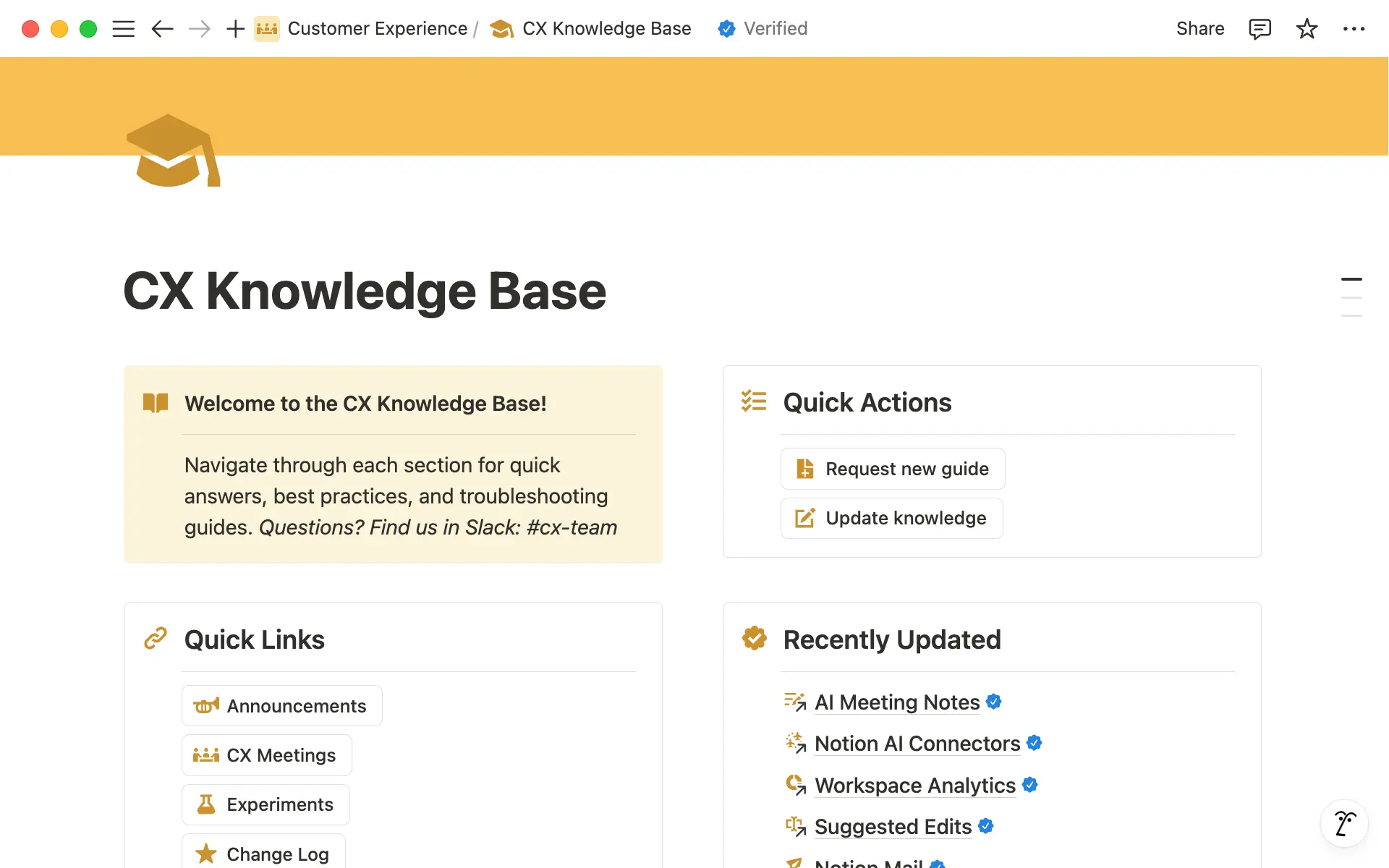
Documenting your knowledge is great, but it’s useless if people can’t find what they need. One of the biggest priorities for the team was to figure out a way to make knowledge easy to find and access.
That was the impetus behind our CX Knowledge Base—owned and operated by our Learning & Content team. It’s a wiki that’s purpose-built to organize information in a simple yet thoughtful layout. “Managing knowledge comes down to two key elements,” said Kylie Henson, Head of Learning & Content. “Information has to be easy to find and well-organized, but it also has to be trustworthy.”
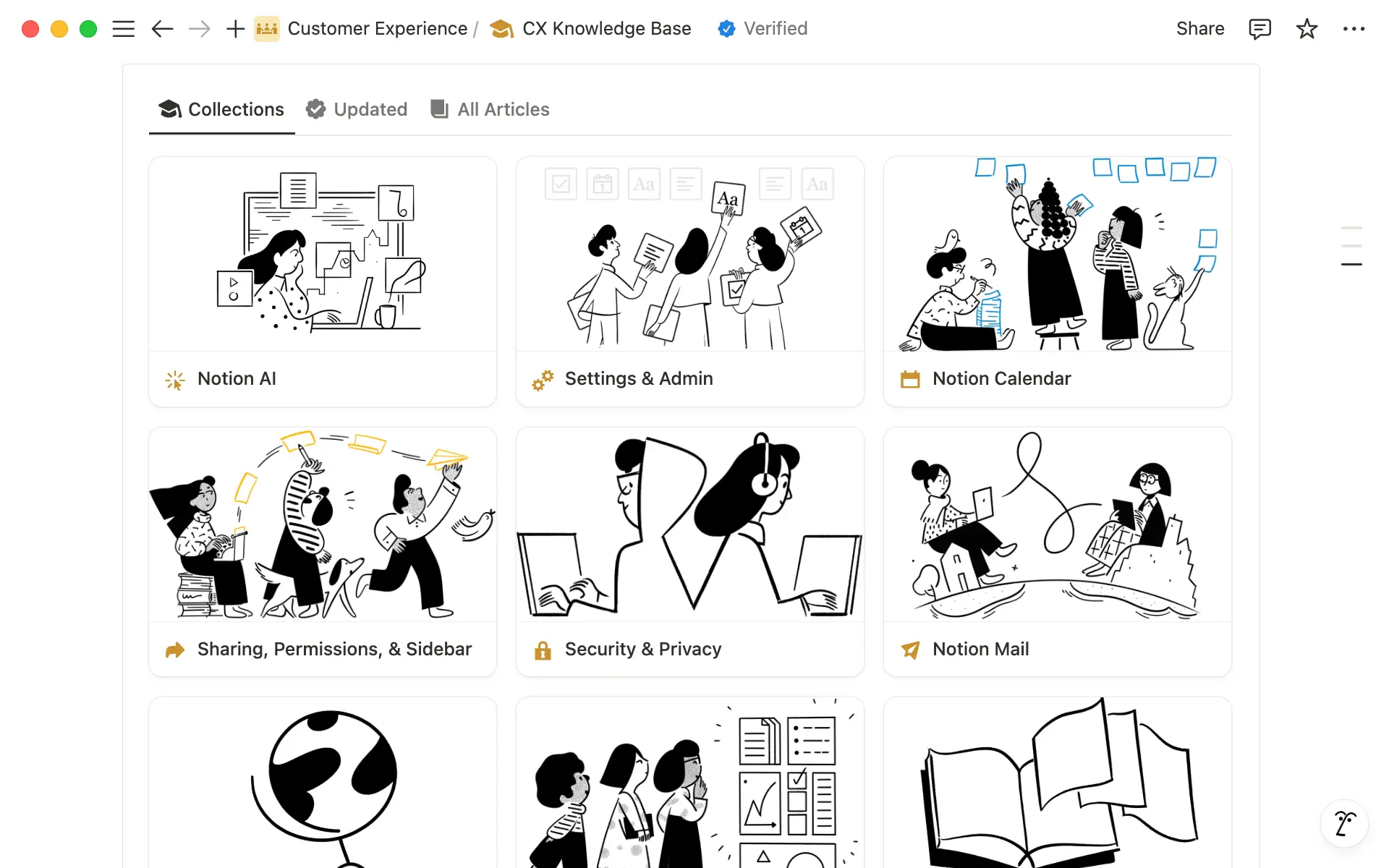
Here’s how it works:
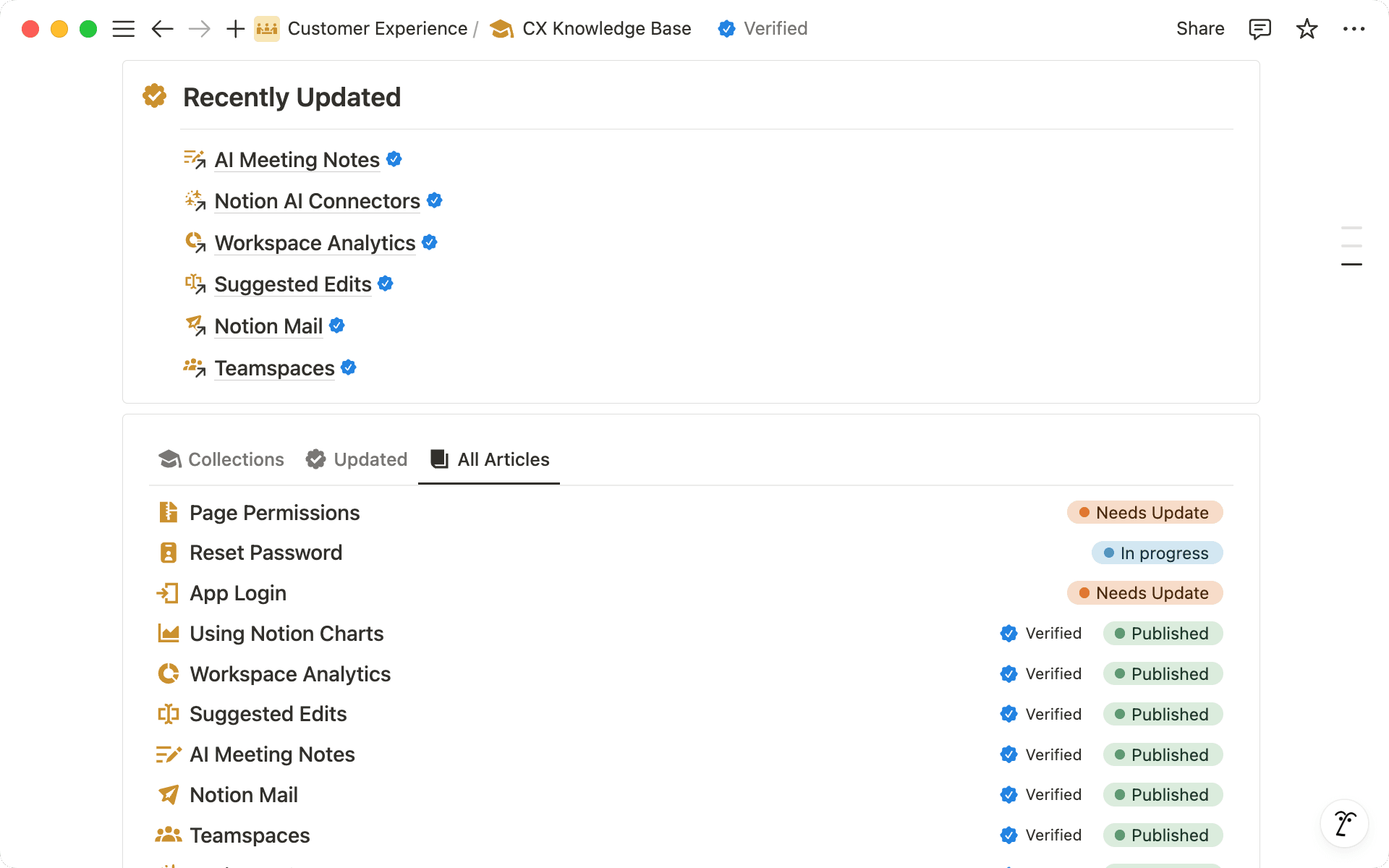
The knowledge hub centers on a database filled with hundreds of pages on every Notion-related topic imaginable, from using suggested edits to purchasing templates in the Marketplace.
Pages are organized into “Collections” using tags, then grouped to make everything just a bit easier to find (and visually pleasing too). They even built a “featured” section that highlights the most-used and recently updated articles for the latest and greatest.
This central repository does a few important things for the team.
It ensures that the right people have access to the right information. For example, there’s a view for content on the Enterprise plan and another for all billing-related questions.
It gives the team more control over published content—they use granular permissions to limit who can edit content and who is view-only.
Finally, it helps the team understand what’s used most and what’s outdated. Pages that are up-to-date are verified so everyone knows what’s trusted—plus, it’s easier to find and update content that’s stale.
And underneath these intentional layers of organization lives Notion AI. Since all CX knowledge lives in Notion, agents can use Notion AI to search and find exactly what they need (with links to pages in Notion, conversations in Slack, and more). Little things are taken care of, too, like improving grammar and translation, further eliminating the need for extra tools like Grammarly or localization apps.
A more empowered way to work
With knowledge organized and centralized in Notion, agents are able to make better—and faster—decisions now that they can easily find what they need.
Simply put, it’s a more-connected and verifiable way to work. We can’t wait to see what this knowledge hub evolves into next.
