
If you’ve ever missed an essential project detail, you know the frustration, rework, and even financial losses that oversight causes.
Excellent project planning prevents those mistakes. You can address even the most minute details from the get-go, delivering quality products without hiccups (at least, the ones you can plan for).
Starting a successful project takes foresight, and a product requirements document (PRD) should be part of that preliminary process. It’s the ultimate product development checklist, giving you the confidence you need to launch.
Here’s how to write a PRD, with tips and templates to help you along the way.
What’s a product requirements document?
A PRD is a high-level document that outlines the features and attributes of the product you’re working on. At the beginning of a development initiative, your team will work with stakeholders to set those requirements and agree on a plan of action. Then you’ll document that conversation in a PRD so everyone knows what details your product team needs to remember.
Within a few pages, a product requirement document must explain the item or service you’re creating, its target audience, and how the product benefits the prototypical end user. With all that information in mind, it usually takes some research and planning before you set your requirements. You’ll generally create a PRD at the beginning of the process, but there are some steps that come before it, like brainstorming and market analysis.
How to write a product requirements document
The most streamlined PRDs cover the product’s basic purpose, goals, features, and release criteria. But many docs are more extensive, and being thorough is wise, considering that all forthcoming tasks will point back to it.
Here’s how to write a PRD that leaves no stone unturned:
1. Define the product
In your opening, summarize your plan. State the product you’ll create, the project team and stakeholders, and a tentative release date. You should also include a description of the product’s purpose, identifying what pain points it alleviates for the target audience and who that buyer persona is. Provide any other high-level information on how the product creates value for the end user.
2. Determine goals
Write the team’s objectives for the product development process. This section lets you delve deeper into why this product benefits both the end user and the company that’s creating it. Generate SMART goals — specific, measurable, achievable, relevant, and time-bound — that can later serve as goalposts.
3. Identify assumptions and constraints
Assumptions are the points or roadblocks you know you’ll meet during the product development process, usually involving end-user needs. Constraints refer to unknown external pressures or limitations that have the potential negatively impact workflow, like working with a new supplier. Defining them from the start lets you more accurately determine final expectations for the product.
4. Limit the scope of work
Define what is and isn’t within the project scope. No matter the type of project, setting boundaries will help prevent scope creep — work that’s outside of the project’s reach — and keep the team on track.
5. List features
Identify the product's primary features, describing how end users will use the item, service, or software. Describe each requirement in as much detail as possible so any teammate or stakeholder who’s reviewing the document will understand what’s within scope. The PRD is all about requirements, so this section should be robust.
6. Define release criteria
In this step, identify the criteria that will determine whether your product is customer-ready. This might include notes on functionality, usability, and reliability. Once you check off these release criteria boxes, you can feel confident that you’re launching a quality product to a target audience that will be eager to use it.
7. Set metrics for success
Decide on a methodology for approving work and ensuring the customer readiness that you described in the steps above. When you begin the product development project, you can track these metrics and make sure you aren’t missing anything.
The metrics you set in this step will usually be due dates and productivity levels, which you can track with systems like Kanban boards, Gantt charts, or burndown charts — whatever works for your team.
Product requirements document example
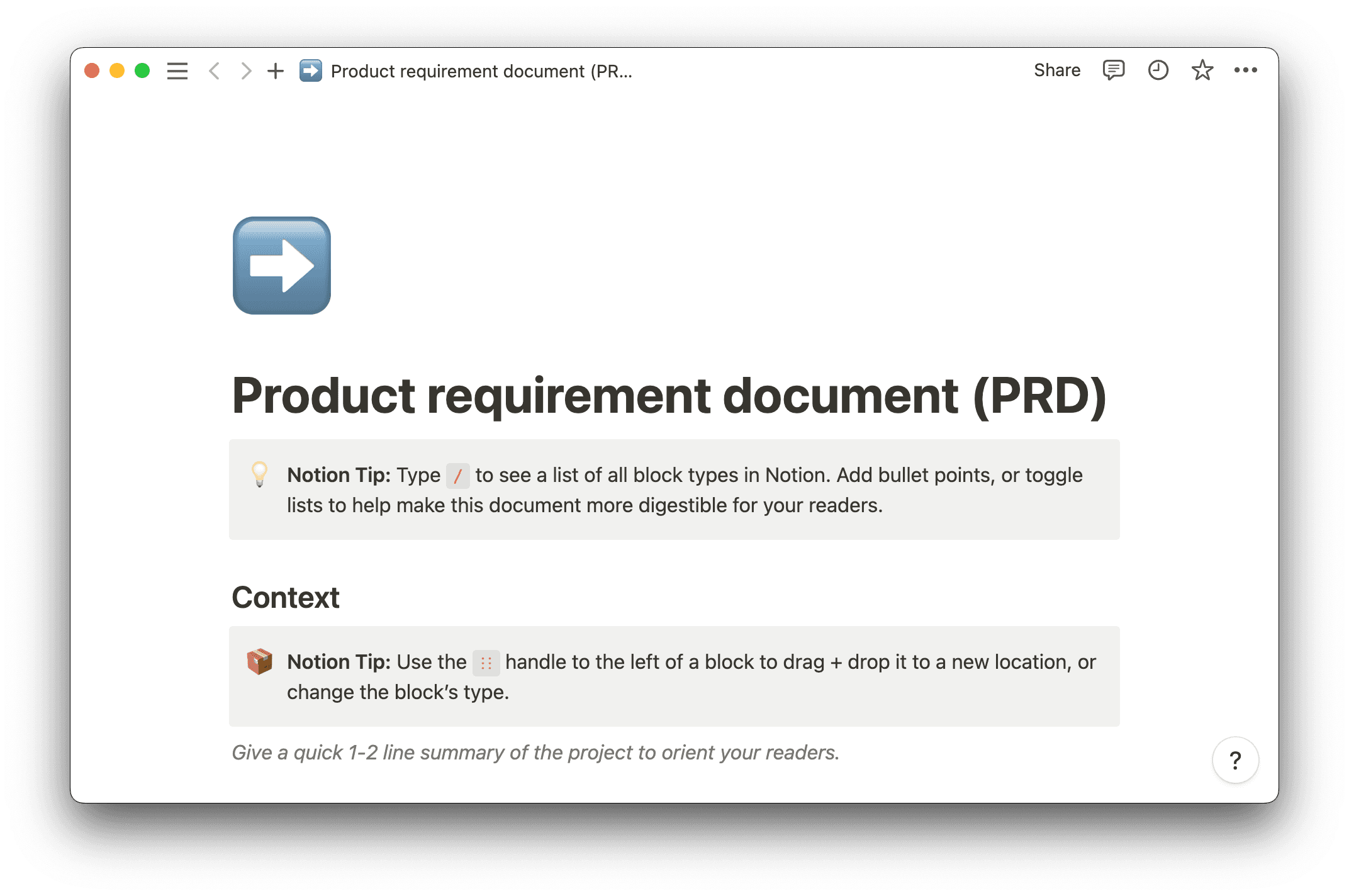
It’s difficult enough to dream up a winning product idea — so let a template help you. Notion’s PRD template is the perfect place to start. Here’s how to use this PRD boilerplate:
Context
Use this section to define your product in a couple of sentences. If you’re working on an app to help users track their reading habits and preferences, write how you’ll do it. Maybe you’ll integrate the app with existing ebook sites.
At this step, you should also state who will work on the project, like the development team, and stakeholders, like the end client and users. Include a nod to how this product will solve users’ pain points — by allowing them to track reading habits in one place, no matter the source of the text.
Goal and KPIs
This PRD template conflates the goal-setting and metric-setting steps of the process, helping you think about how to track objectives while you set them. If it’s easier for you to keep these sections separate, you can just customize the template. But here’s an example of using this section as-is, with metrics that measure every goal:
Goal 1: Integrate with all major ebook applications
Metric 1: Receive no customer comments on missing integrations
Goal 2: Create the leading app of its kind
Metric 2: Reach #1 in application stores like Google Play
Goal 3: Ensure an accurate understanding of user reading preferences
Metric 3: Maintain a 5% error rate in customer reading preference feedback
Constraints and assumptions
In this section of the template, detail the limitations of the project — the assumptions and constraints you thought about earlier. Maybe the development team can’t secure integrations with all top e-reading apps. You could instead decide to roll out integrations piecewise, keeping users in the loop with email updates on new ones.
Dependencies
Dependencies are the factors your project relies on. You can’t launch without them. Use this section to help you determine other headings you’ll add to the document, like release criteria, features, or scope of work.
In this example, securing integrations with top reading apps is a dependency — one of the main goals the reading application should fulfill. The readiness of integrations is also likely a key release criteria and feature because it’s essential to the product you’ll launch.
Tasks
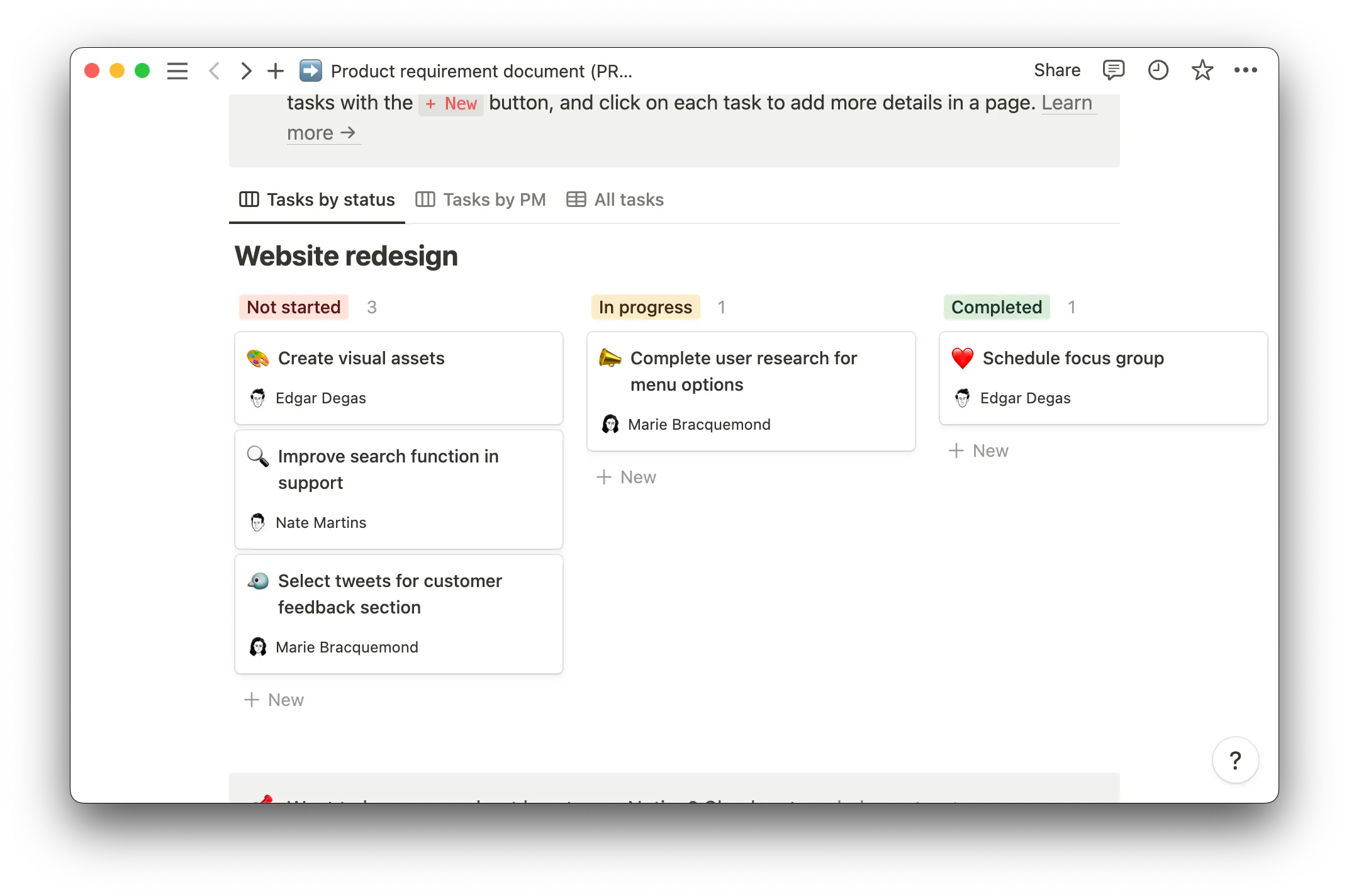
Notion’s template also features a handy Kanban board feature that lets you start planning out tasks when you’re ready. With three easy-to-use columns — “Not started,” “In progress,” and “Completed” — you can organize work assignments based on their current status and quickly visualize overall development progress.
Plan your next product with Notion
Notion doesn’t just have one PRD template. There are several, and you can find tips on how to write a product requirement document. Let Notion guide you through the entire product requirement process.
Notion’s platform also lets you explore all facets of project and product management, with helpful information on everything from writing business proposals to estimating cost and effort with a rough order of magnitude exercise. You can also scale communication, efficiently getting product information out to your target audiences.