NotionNotion
์—ฐ๊ฒฐ ์•„์ด์ฝ˜

Datadog

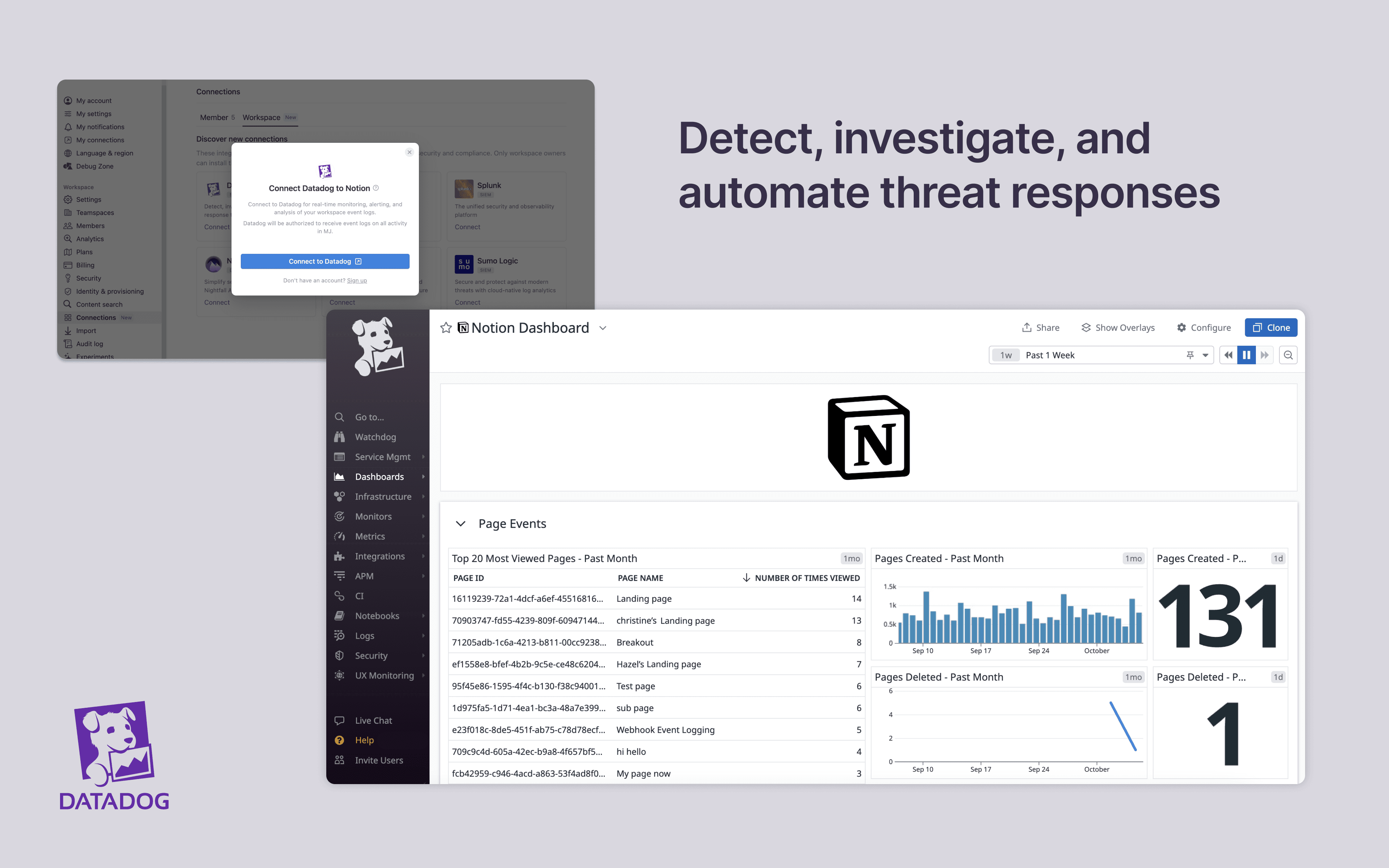
Detect, investigate, and automate response to threats at any scale

์ •๋ณด

Install Notion's integration with Datadog to manage and monitor your workspace activity inย Datadog Cloud SIEM. You can import your workspace's audit logs for real-time monitoring, alerting, and analysis. From there, you can detect and investigate potential security issues, suspicious behavior, and troubleshoot access with confidence and ease.

๊ธฐ๋Šฅ

  • ์›Œํฌ์ŠคํŽ˜์ด์Šค ์ด๋ฒคํŠธ ์—…๋ฐ์ดํŠธ ๋ฐ›๊ธฐ๊ตฌ๋…ํ•œ ํŽ˜์ด์ง€, ๊ถŒํ•œ ๋˜๋Š” ์›Œํฌ์ŠคํŽ˜์ด์Šค ์„ค์ •์ด ๋ณ€๊ฒฝ๋˜๋ฉด ์‹ค์‹œ๊ฐ„ ์•Œ๋ฆผ์„ ๋ฐ›์Šต๋‹ˆ๋‹ค.

์‚ฌ์šฉ ๋ฐฉ๋ฒ•

Only Notion Connections can install this integration as part of the Notion Enterprise plan.

  1. When inside Notion as a Workspace Owner, navigate to Settings & members โ†’ Connections โ†’ open the Workspace tab

  2. Click Connect on the Datadog tile โ†’ Connect to Datadog

  3. Authenticate with your Datadog credentials by selecting your organization

  4. Note: currently, one Datadog instance can only be connected to at most one workspace

  5. You can find additional instructions in Datadog documentation here
์ƒ์„ธ์ •๋ณด

์ œ์ž‘์ž
์นดํ…Œ๊ณ ๋ฆฌ
  • ๋ณด์•ˆ๊ณผ ์ค€๋ฒ•
์—ฌ๊ธฐ์— ํ‘œ์‹œ๋˜๋Š” ๋ชจ๋“  ์ œ3์ž ์ƒํ‘œ(๋กœ๊ณ  ๋ฐ ์•„์ด์ฝ˜ ํฌํ•จ)๋Š” ํ•ด๋‹น ์†Œ์œ ์ž์˜ ์ž์‚ฐ์ž…๋‹ˆ๋‹ค. Made by Notion์œผ๋กœ ๋ช…์‹œ๋œ ๊ฒฝ์šฐ๋ฅผ ์ œ์™ธํ•˜๊ณ , ์—ฐ๊ฒฐ์€ Notion์—์„œ ์ง€์›ํ•˜๊ฑฐ๋‚˜ ๊ด€๋ฆฌํ•˜์ง€ ์•Š์Šต๋‹ˆ๋‹ค. ์—ฐ๊ฒฐ ๊ธฐ๋Šฅ์œผ๋กœ ์—ฐ๊ฒฐ๋˜๋Š” ์ œ3์ž ์ œํ’ˆ ๋˜๋Š” ์„œ๋น„์Šค๋Š” Notion์˜ ๋งˆ์Šคํ„ฐ ๊ตฌ๋… ๊ณ„์•ฝ ๋˜๋Š” ๊ฐœ์ธ ์ด์šฉ์•ฝ๊ด€(ํ•ด๋‹นํ•˜๋Š” ๊ฒฝ์šฐ)์— ์ •์˜๋œ ๋น„ Notion ์• ํ”Œ๋ฆฌ์ผ€์ด์…˜์ž…๋‹ˆ๋‹ค. ์—ฐ๊ฒฐ์„ ํ™œ์„ฑํ™”ํ•˜๊ฑฐ๋‚˜ Notion ์—ฐ๊ฒฐ ๊ฐค๋Ÿฌ๋ฆฌ๋ฅผ ์‚ฌ์šฉํ•˜๋Š” ๊ฒฝ์šฐ, Notion์˜ ์—ฐ๊ฒฐ ๊ฐค๋Ÿฌ๋ฆฌ ์•ฝ๊ด€์— ๋™์˜ํ•˜๋Š” ๊ฒƒ์œผ๋กœ ๊ฐ„์ฃผ๋ฉ๋‹ˆ๋‹ค.

Powered by Fruition