NotionNotion
์—ฐ๊ฒฐ ์•„์ด์ฝ˜

Splunk

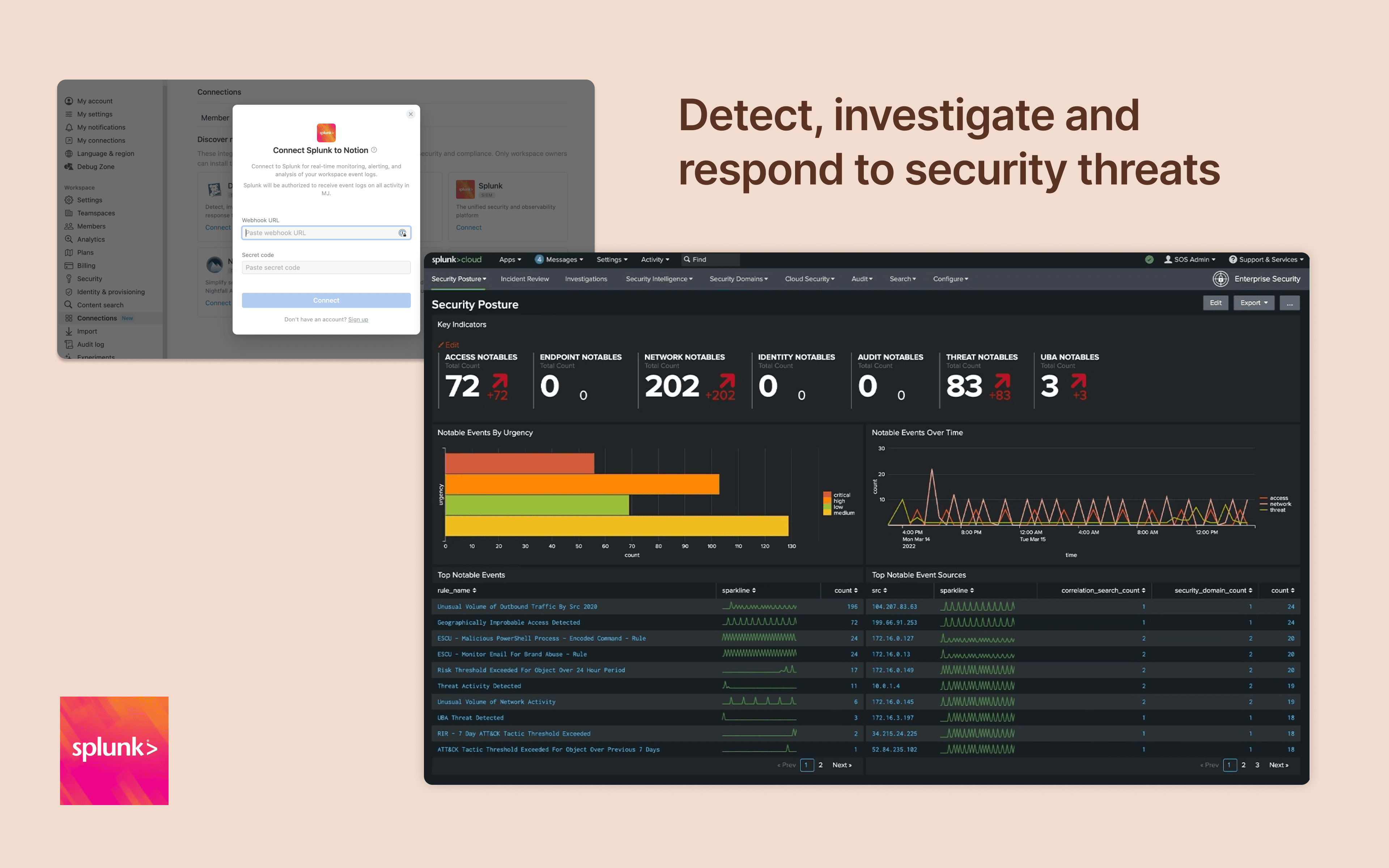
Monitor and analyze your Notion logs from Splunk

์ •๋ณด

Integrate Notion workspace logs into Splunk, giving security teams more oversight and insight into workspace activity. Set up popular detections and dashboards inside Splunk for easy monitoring and alerting at scale.

๊ธฐ๋Šฅ

  • ์›Œํฌ์ŠคํŽ˜์ด์Šค ์ด๋ฒคํŠธ ์—…๋ฐ์ดํŠธ ๋ฐ›๊ธฐ๊ตฌ๋…ํ•œ ํŽ˜์ด์ง€, ๊ถŒํ•œ ๋˜๋Š” ์›Œํฌ์ŠคํŽ˜์ด์Šค ์„ค์ •์ด ๋ณ€๊ฒฝ๋˜๋ฉด ์‹ค์‹œ๊ฐ„ ์•Œ๋ฆผ์„ ๋ฐ›์Šต๋‹ˆ๋‹ค.

์‚ฌ์šฉ ๋ฐฉ๋ฒ•

Only Notion Connections can install this integration as part of the Notion Enterprise plan.

  1. Log in to your Splunk instance

  2. Navigate to the Search & Reporting โ†’ Settings

  3. Under the Data section โ†’ HTTP Event Collector

  4. Locate the desired HEC configuration and click on its name (or create a new one)

  5. On the configuration page, you should find the HEC URI and HEC token

You can find additional instructions in Splunk's documentation

์ƒ์„ธ์ •๋ณด

์ œ์ž‘์ž
์นดํ…Œ๊ณ ๋ฆฌ
  • ๋ณด์•ˆ๊ณผ ์ค€๋ฒ•
์—ฌ๊ธฐ์— ํ‘œ์‹œ๋˜๋Š” ๋ชจ๋“  ์ œ3์ž ์ƒํ‘œ(๋กœ๊ณ  ๋ฐ ์•„์ด์ฝ˜ ํฌํ•จ)๋Š” ํ•ด๋‹น ์†Œ์œ ์ž์˜ ์ž์‚ฐ์ž…๋‹ˆ๋‹ค. Made by Notion์œผ๋กœ ๋ช…์‹œ๋œ ๊ฒฝ์šฐ๋ฅผ ์ œ์™ธํ•˜๊ณ , ์—ฐ๊ฒฐ์€ Notion์—์„œ ์ง€์›ํ•˜๊ฑฐ๋‚˜ ๊ด€๋ฆฌํ•˜์ง€ ์•Š์Šต๋‹ˆ๋‹ค. ์—ฐ๊ฒฐ ๊ธฐ๋Šฅ์œผ๋กœ ์—ฐ๊ฒฐ๋˜๋Š” ์ œ3์ž ์ œํ’ˆ ๋˜๋Š” ์„œ๋น„์Šค๋Š” Notion์˜ ๋งˆ์Šคํ„ฐ ๊ตฌ๋… ๊ณ„์•ฝ ๋˜๋Š” ๊ฐœ์ธ ์ด์šฉ์•ฝ๊ด€(ํ•ด๋‹นํ•˜๋Š” ๊ฒฝ์šฐ)์— ์ •์˜๋œ ๋น„ Notion ์• ํ”Œ๋ฆฌ์ผ€์ด์…˜์ž…๋‹ˆ๋‹ค. ์—ฐ๊ฒฐ์„ ํ™œ์„ฑํ™”ํ•˜๊ฑฐ๋‚˜ Notion ์—ฐ๊ฒฐ ๊ฐค๋Ÿฌ๋ฆฌ๋ฅผ ์‚ฌ์šฉํ•˜๋Š” ๊ฒฝ์šฐ, Notion์˜ ์—ฐ๊ฒฐ ๊ฐค๋Ÿฌ๋ฆฌ ์•ฝ๊ด€์— ๋™์˜ํ•˜๋Š” ๊ฒƒ์œผ๋กœ ๊ฐ„์ฃผ๋ฉ๋‹ˆ๋‹ค.

Powered by Fruition