NotionNotion
์—ฐ๊ฒฐ ์•„์ด์ฝ˜

Sumo Logic

Collects, analyzes, and ingests data to provide actionable insights

์ •๋ณด

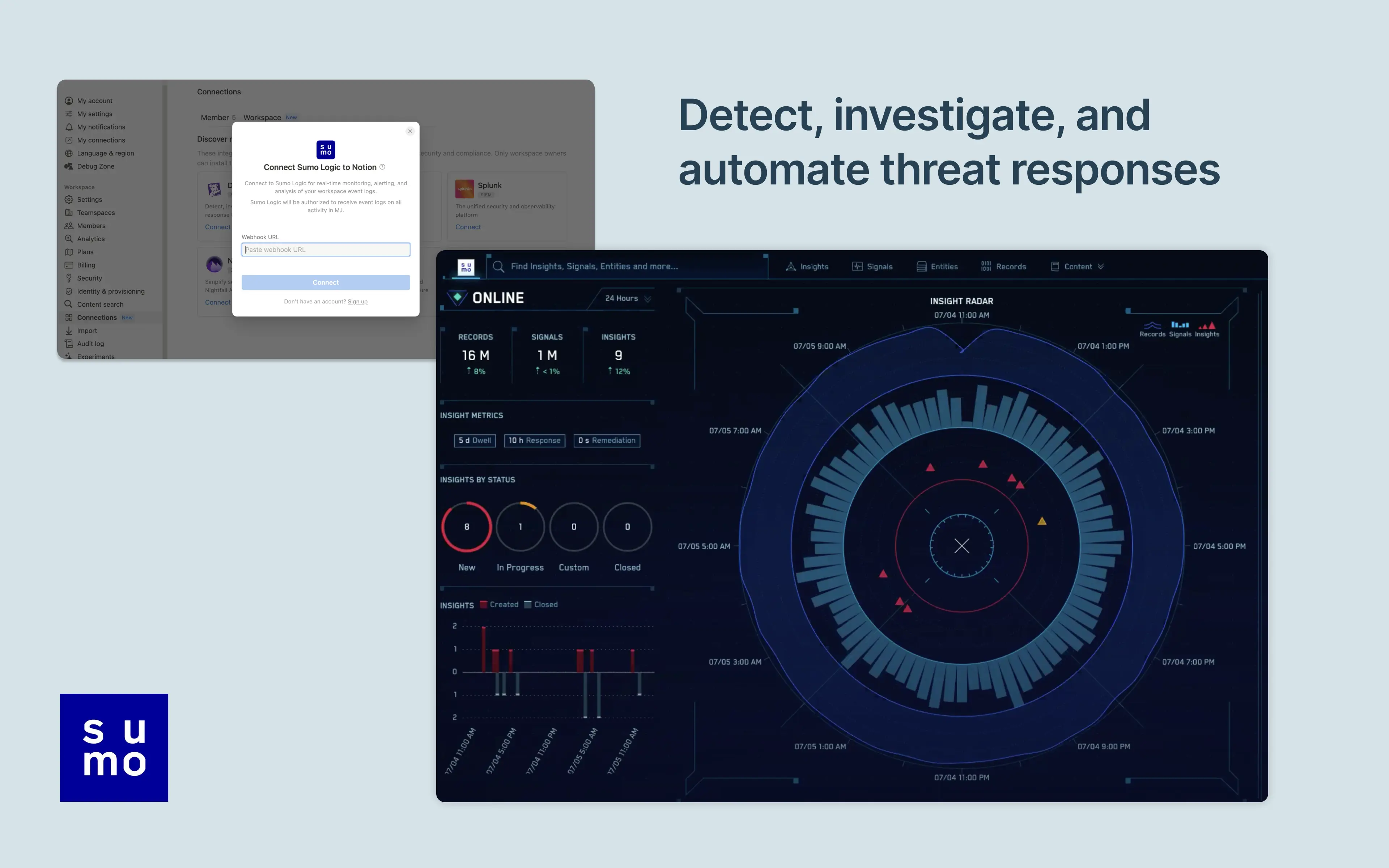
Notion's integration with Sumo Logic allows users to manage and monitor their Notion workspace activity in their Sumo Logic Cloud SIEM. Install the integration to import your workspace's audit logs for real-time monitoring, alerting, and analysis. From there, users can detect and investigate potential security issues, suspicious behavior, and troubleshoot access with confidence and ease.

๊ธฐ๋Šฅ

  • ์›Œํฌ์ŠคํŽ˜์ด์Šค ์ด๋ฒคํŠธ ์—…๋ฐ์ดํŠธ ๋ฐ›๊ธฐ๊ตฌ๋…ํ•œ ํŽ˜์ด์ง€, ๊ถŒํ•œ ๋˜๋Š” ์›Œํฌ์ŠคํŽ˜์ด์Šค ์„ค์ •์ด ๋ณ€๊ฒฝ๋˜๋ฉด ์‹ค์‹œ๊ฐ„ ์•Œ๋ฆผ์„ ๋ฐ›์Šต๋‹ˆ๋‹ค.

์‚ฌ์šฉ ๋ฐฉ๋ฒ•

Only Notion Connections can install this integration as part of the Notion Enterprise plan.

  1. Log into your Sumo Logic instance

  2. Click Manage Data > Collection

  3. Navigate to Setup Wizard and click Get Started

  4. When presented with Data Type, click Your Custom App > HTTPS Source

  5. Copy the HTTP Source URL into Notion settings

You can find additional instructions in Sumo Logic's documentation.

์ƒ์„ธ์ •๋ณด

์ œ์ž‘์ž
์นดํ…Œ๊ณ ๋ฆฌ
  • ๋ณด์•ˆ๊ณผ ์ค€๋ฒ•
์—ฌ๊ธฐ์— ํ‘œ์‹œ๋˜๋Š” ๋ชจ๋“  ์ œ3์ž ์ƒํ‘œ(๋กœ๊ณ  ๋ฐ ์•„์ด์ฝ˜ ํฌํ•จ)๋Š” ํ•ด๋‹น ์†Œ์œ ์ž์˜ ์ž์‚ฐ์ž…๋‹ˆ๋‹ค. Made by Notion์œผ๋กœ ๋ช…์‹œ๋œ ๊ฒฝ์šฐ๋ฅผ ์ œ์™ธํ•˜๊ณ , ์—ฐ๊ฒฐ์€ Notion์—์„œ ์ง€์›ํ•˜๊ฑฐ๋‚˜ ๊ด€๋ฆฌํ•˜์ง€ ์•Š์Šต๋‹ˆ๋‹ค. ์—ฐ๊ฒฐ ๊ธฐ๋Šฅ์œผ๋กœ ์—ฐ๊ฒฐ๋˜๋Š” ์ œ3์ž ์ œํ’ˆ ๋˜๋Š” ์„œ๋น„์Šค๋Š” Notion์˜ ๋งˆ์Šคํ„ฐ ๊ตฌ๋… ๊ณ„์•ฝ ๋˜๋Š” ๊ฐœ์ธ ์ด์šฉ์•ฝ๊ด€(ํ•ด๋‹นํ•˜๋Š” ๊ฒฝ์šฐ)์— ์ •์˜๋œ ๋น„ Notion ์• ํ”Œ๋ฆฌ์ผ€์ด์…˜์ž…๋‹ˆ๋‹ค. ์—ฐ๊ฒฐ์„ ํ™œ์„ฑํ™”ํ•˜๊ฑฐ๋‚˜ Notion ์—ฐ๊ฒฐ ๊ฐค๋Ÿฌ๋ฆฌ๋ฅผ ์‚ฌ์šฉํ•˜๋Š” ๊ฒฝ์šฐ, Notion์˜ ์—ฐ๊ฒฐ ๊ฐค๋Ÿฌ๋ฆฌ ์•ฝ๊ด€์— ๋™์˜ํ•˜๋Š” ๊ฒƒ์œผ๋กœ ๊ฐ„์ฃผ๋ฉ๋‹ˆ๋‹ค.

Powered by Fruition