More improvements to editing
Editor bug bash
The more you write in Notion, the more you notice little quirks you don’t expect — things that interrupt your train of thought. So we combed through your feedback to find a few of these rough edges, and made some tweaks so the editor feels more natural:
Spell-check now works more reliably when you select a word to fix its spelling
Inserting an item at the start or end of a number, todo, or bullet list feels more seamless
When a table or database is the last block on a page, clicking beneath it will automatically create a new block
New shortcuts for strikethrough: (Ctrl/cmd + Shift + X) or (Ctrl/cmd + Shift + S)
Browse through a page’s images from one place
It can take a while to scroll through all the images that may be spread out on a page (e.g. PRDs with many product mock-ups). Now, once you double-click on any image, you have the option to scroll through all the other images on the same page. It’s also easier to zoom and download from the new menu.
Choose a type when creating a database property
Stay in flow while building your team’s database. Instead of a new property defaulting to text and changing it later, you can now choose the type (e.g. multi-select, status, etc.) when you click “+” to create a new one.
Wider columns on standard width pages
Your standard width pages just got even more flexible, with more possibilities for creative layouts. Now you can resize a list of columns to be wider than the margins of a standard width page. Just drag and resize columns as you usually would and they’ll expand beyond the margin of the page they're on.
Improvements to settings for third-party app connections
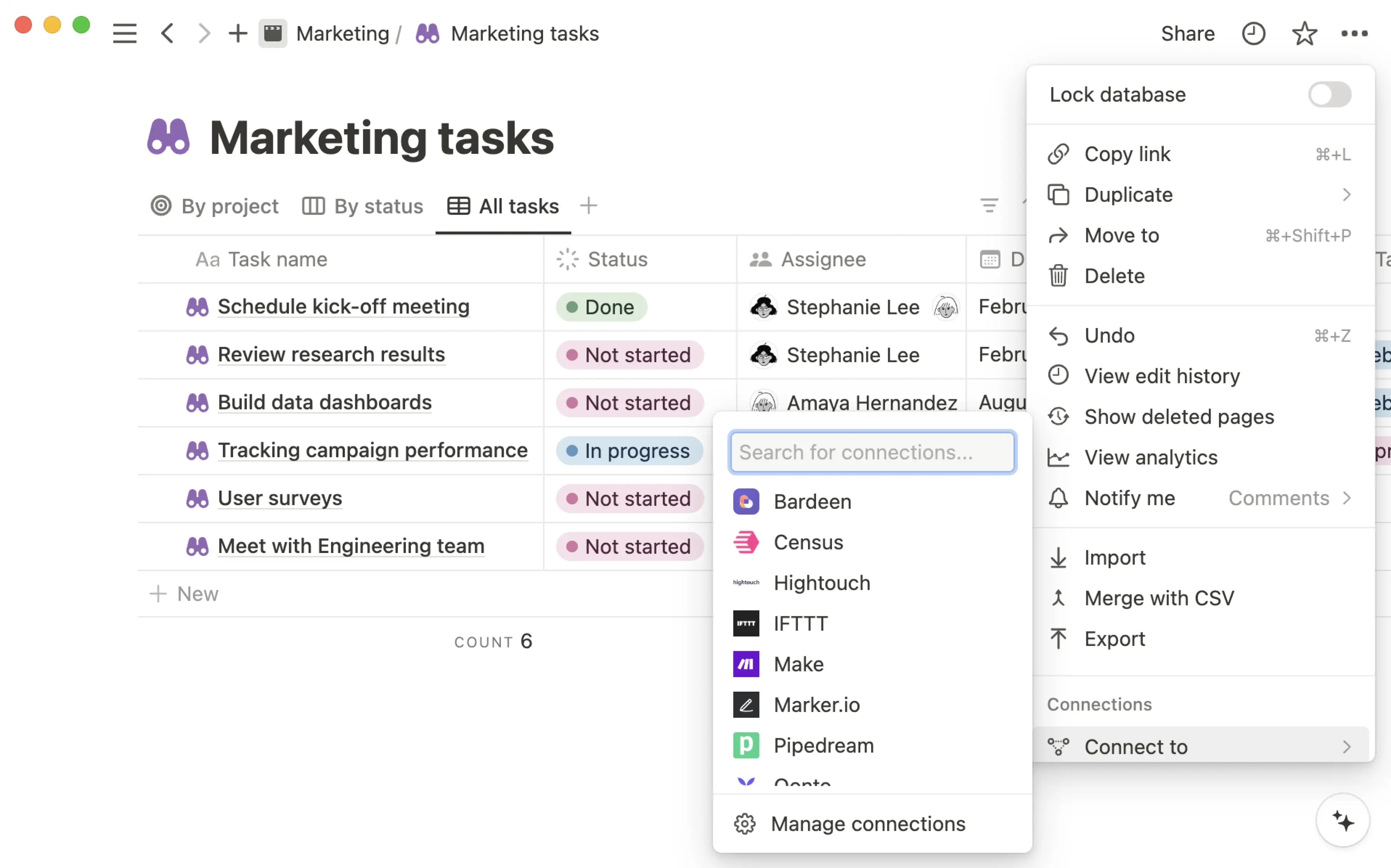
View and manage your settings for third-party app connections more easily with these new improvements:
Integrations to third-party services like Zapier, IFTTT, and Typeform, are now called “Connections” in the Settings menu and page menu.
“My connected apps”, a tab in the “Settings and Members” menu for viewing and managing connections, has now been renamed to “My connections”.
You can now manage page access for all connections in the
...menu at the top right-hand side of a page. These were previously shown in the “Share” menu of a page.Workspace owners can view and manage connections to all third-party integrations within their workspace from the “Connections” tab in the “Settings and Members” menu. Users that are not Workspace owners will no longer see this tab.
Bug fixes & improvements
For new API features & improvements, go to developers.notion.com/changelog →
You can now configure the date format for the “Created time” and “Last edited time” properties in a database
The “random” button for picking emojis and icons at the top of a doc is now located next to the search bar
Fixed a bug that caused pasting a web page link in the source menu to default to the first listed Notion page