Releases / 2.44
Notion 2.44: Introducing charts + a sneak peek at forms
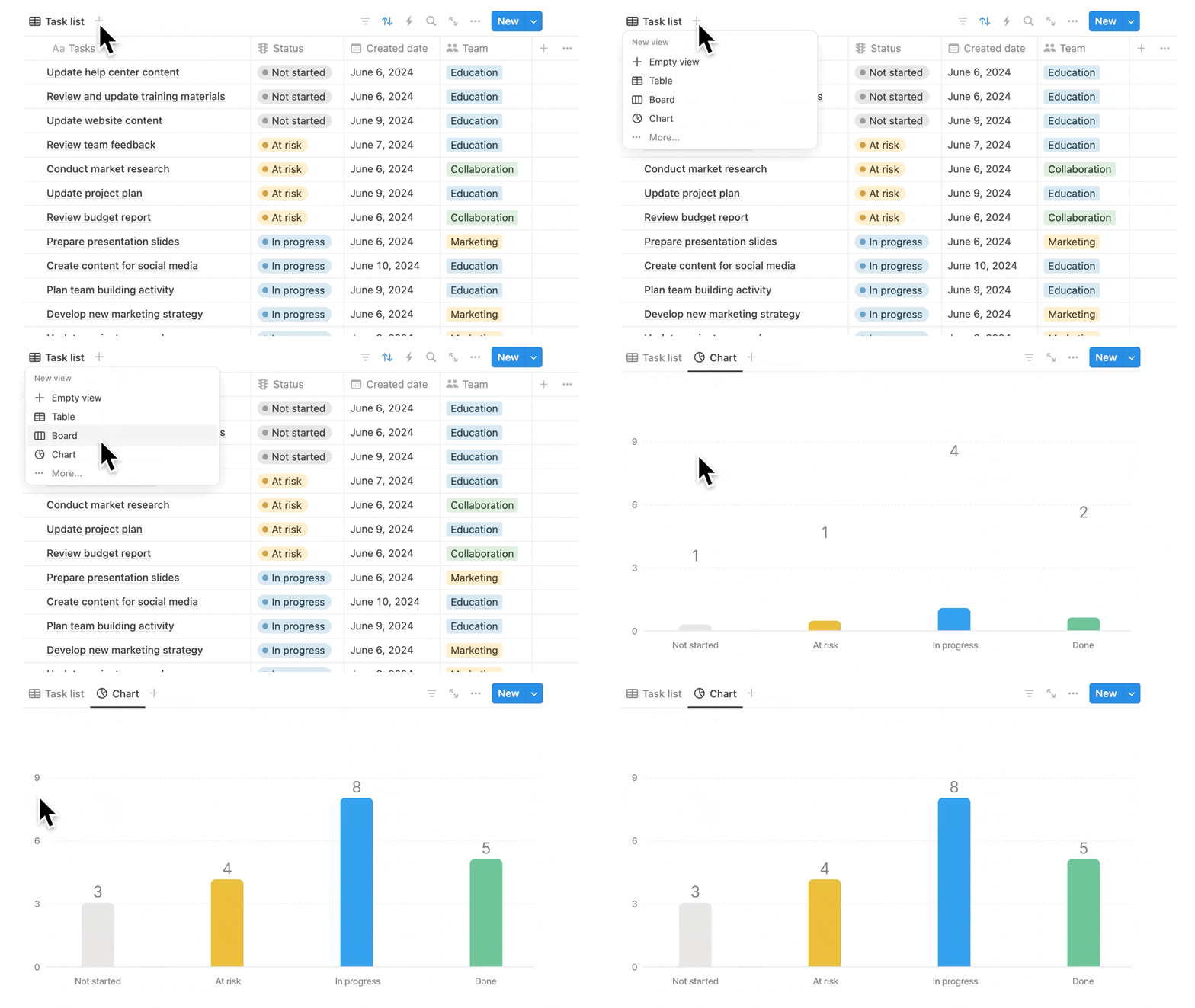
Create a chart in seconds
Turn any database into a chart in one click! Charts help you and your team track projects, goals, sales, or any info you keep in Notion. Try them for free—and if you love them, create unlimited charts on any paid plan.
Place charts on any page
It’s easy to add charts to any Notion page or database. Just type /chart and pick your source. When the source data changes, your chart will update automatically. No more pasting screenshots that quickly fall out of date.
Use multiple charts to track everything
Nobody likes flipping between apps to stay on top of projects. Now you don’t have to: you can add multiple charts on a page, then click and drag them anywhere to make a custom layout. And embed analytics from other tools like Tableau and Amplitude to create your dream dashboard!
Customize your charts
Choose from bar, line, or pie charts and change color palettes, axis names, data labels, and more. Charts should be as beautiful as they are useful!
Smarter, more flexible automations
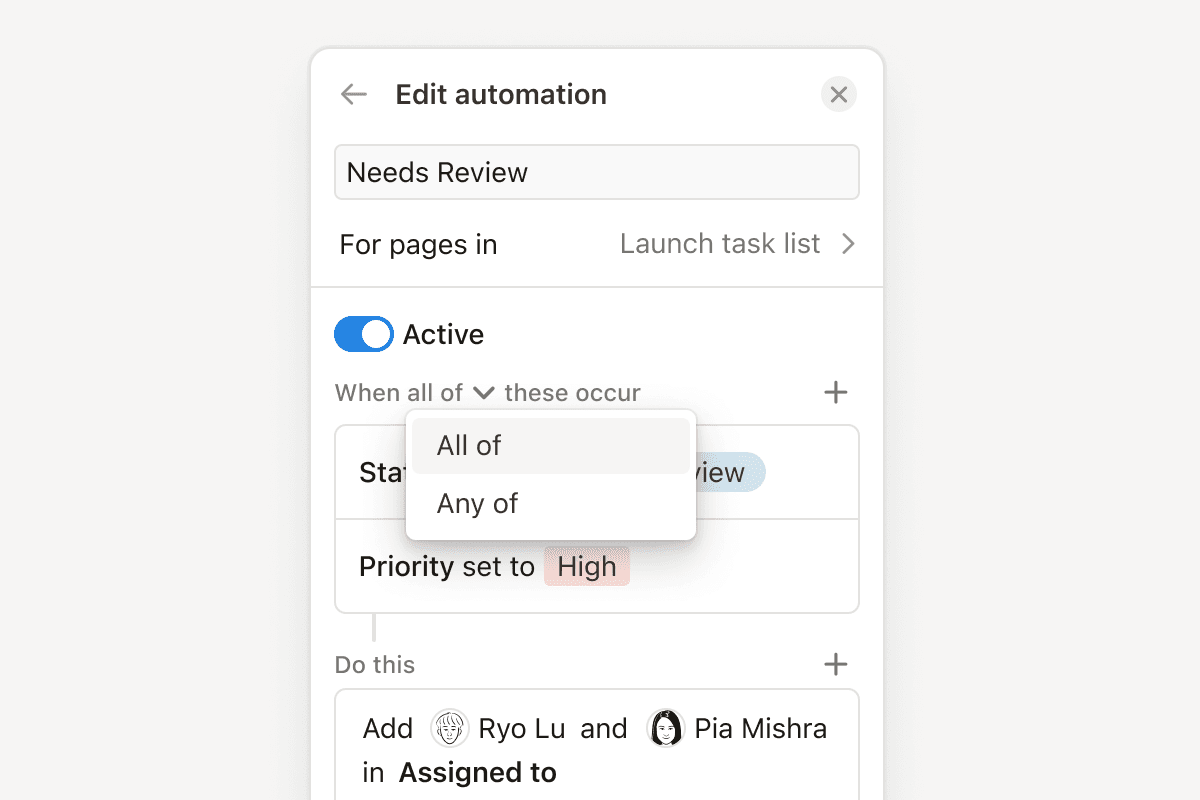
Automations got a big upgrade. You can now specify more than one condition to trigger an action—for example, when a task is marked “overdue” and “high-priority”, automatically notify the team. Or set them to run only when a specific value is met, like when an issue is marked "at risk”. Plus, automations can do new things, like adding or removing people assigned to a project. Learn more →
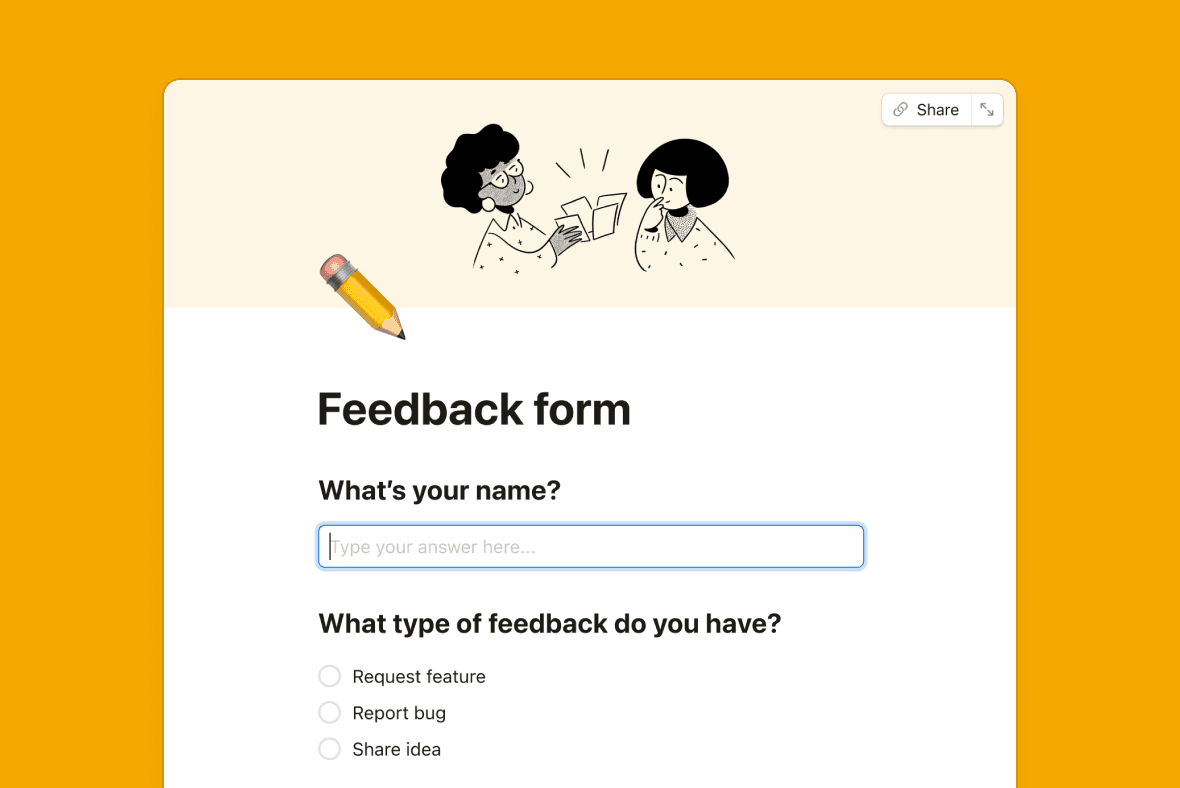
Next up, Forms! Coming Soon
You’ve been asking for this feature, and we listened. You’ll now be able to request feedback, post surveys, and collect RSVPs or whatever info you need. All responses will automatically populate your Notion database—no more logging results manually. We’ll start opening access in the coming weeks! 😄
More new features
Coming soonChart drilldown: Soon you'll be able to click on any data point to review its underlying pages.Add comments on database properties: Ping a colleague or add a note to any database property.
Get a sneak peek of desktop tabs: When your cursor hovers over a tab in the desktop app, you’ll see a preview of that tab’s content.
Add links to images: Now you can direct any image to a specific page or URL.