Releases / 2.46
Notion 2.46: Forms, Mail, layouts, new automations, and more!
Watch the recap
Uh-oh! It looks like your ad blocker is preventing the video from playing.
Please watch it on YouTube

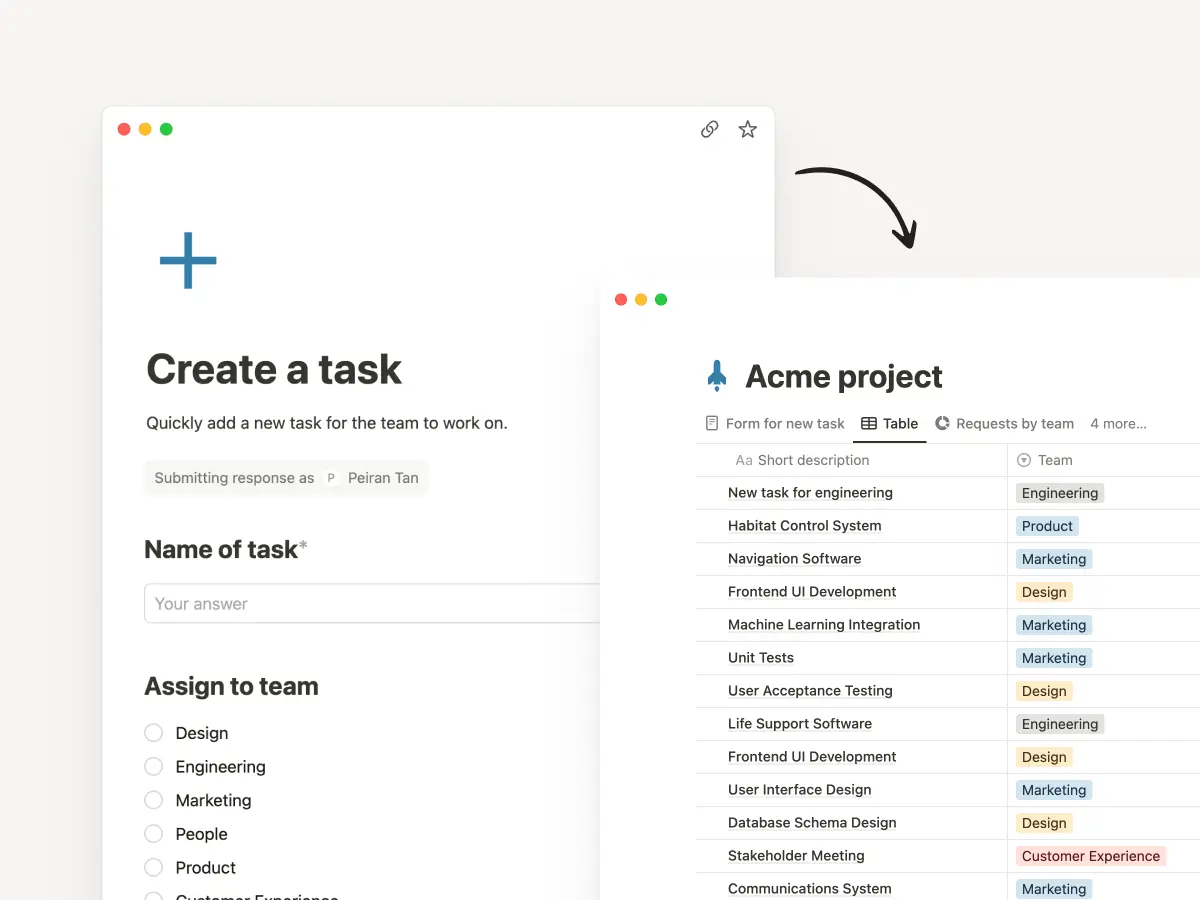
Introducing forms, right inside Notion!
Forms give you an easy way to capture requests, feedback, RSVPs, or anything you need right where you work. Responses are stored in a Notion database, where you can keep everything organized, visualize the input as a chart, or turn feedback into tasks. No need for an outside tool! You get unlimited forms for free. Try one out →
Notion Mail (coming soon!)
Email hasn’t changed in 20 years. It's cluttered, chaotic, and hard to manage. So we rebuilt it! Notion Mail is fast, minimal, and does all the organizing and back-and-forth of scheduling for you! Best part is “views” that let you customize your inbox to your workflows, just like the rest of Notion. We can’t wait for you to try the preview and hear how it changes the way you work. Join the waitlist!
Layouts to customize your page
The way you and your team work is unique and your tools should be flexible enough to match! So we created a way for you to layout your tasks, goals, documents, or whatever you keep in Notion. Your newly organized, beautiful pages will help keep teams focused and efficient. Try it out by hovering over any database page title and clicking Customize layout.
Automations can now send emails
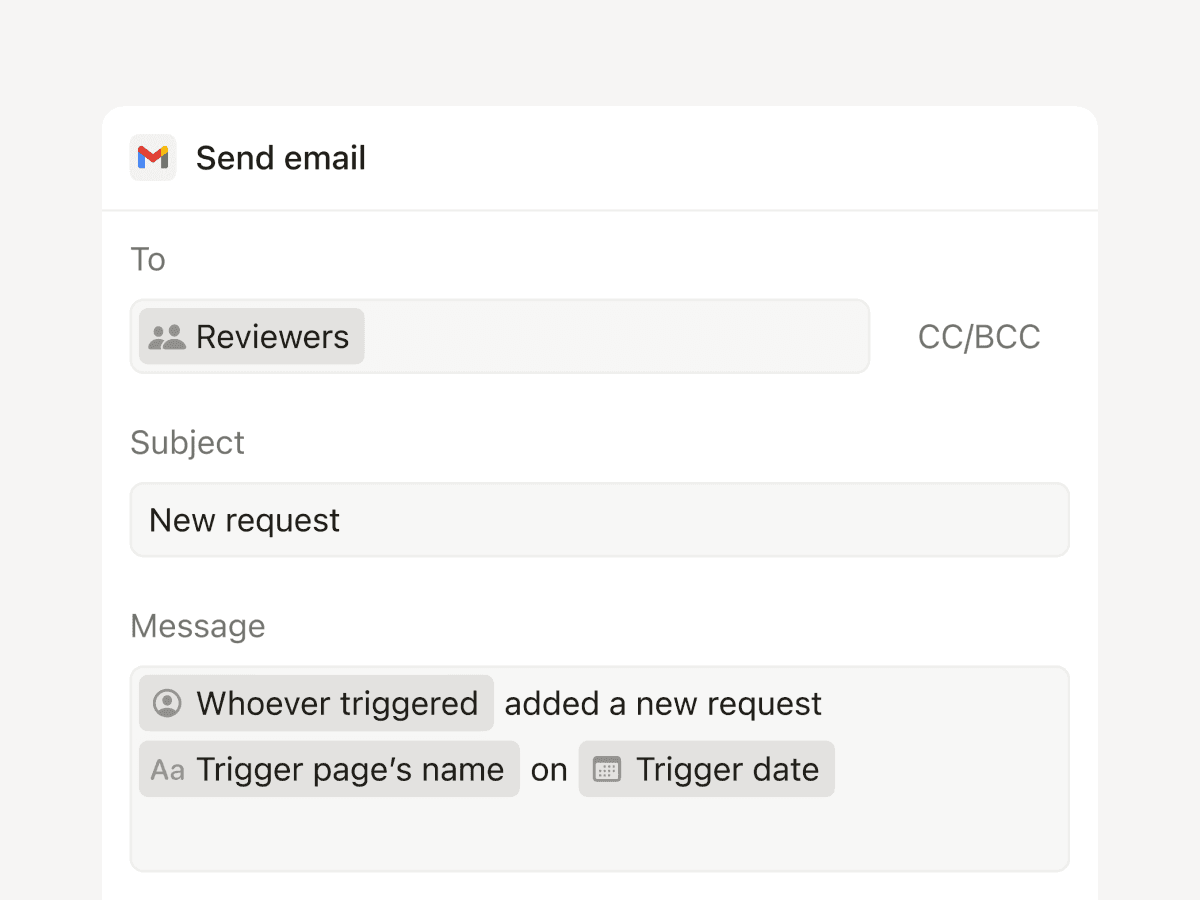
Now you can use an automation to notify people via Gmail (one of your top requests!). Trigger an email when information changes, like when a form has been submitted or the status of a project changes. Soon you’ll be able to send custom web requests to platforms like Zapier and Make to trigger actions in other apps, too.
Automate more actions with formulas
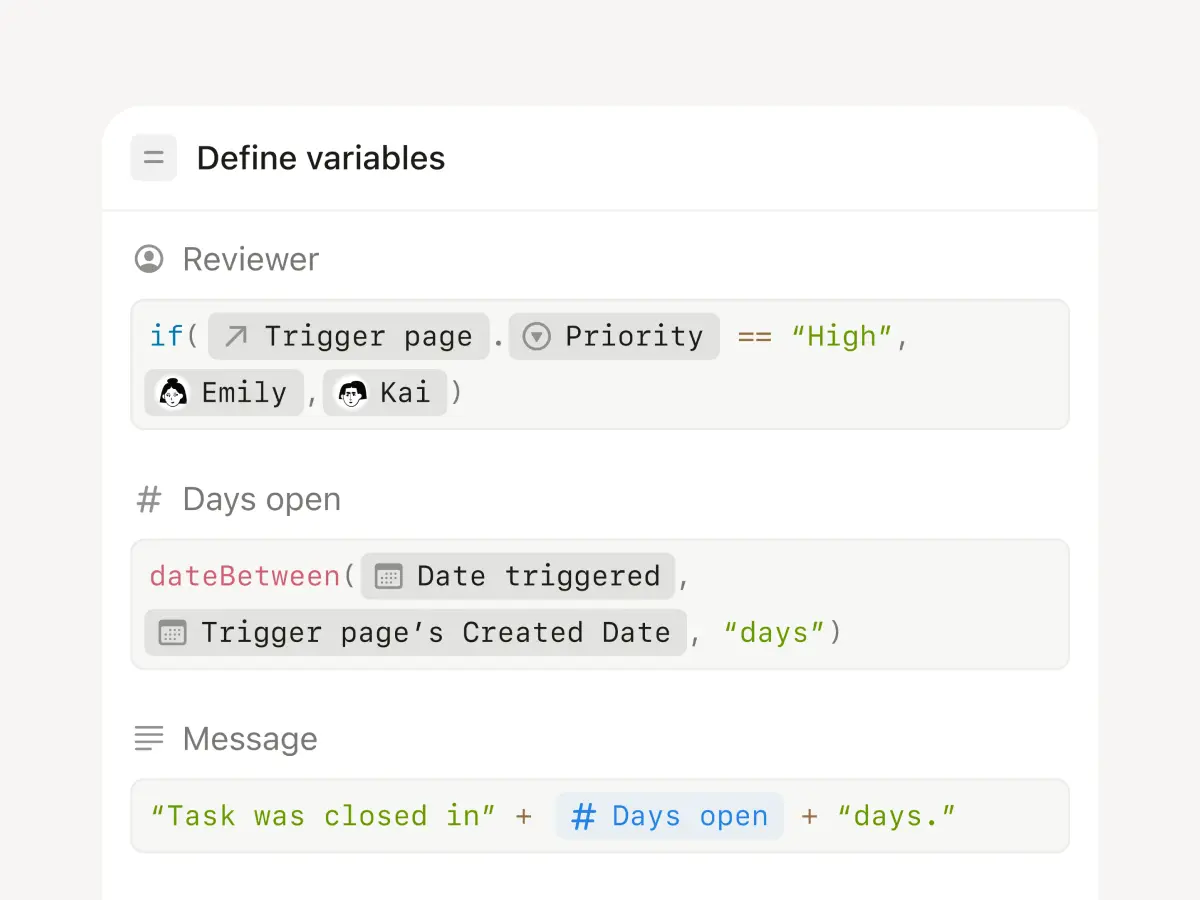
This is a true superpower. Database and button automations now support formulas that can complete steps in the background when you trigger an action—a huge time saver. For example, when you mark a task done, you can automatically show how little time it took to complete. Dig in to learn more →
Introducing the new Marketplace
Have you created an amazing setup or workflow? We’ve made it easier than ever to list and sell your template. Native payments, analytics, reviews and ratings, safeguards to prevent unfair re-distribution—all in the best place for millions of users to discover your work! Whether you’re looking for the perfect template or starting a business—there are creators who make seven figures on Notion!—this is the place. Go to Notion Marketplace →
Custom emojis!
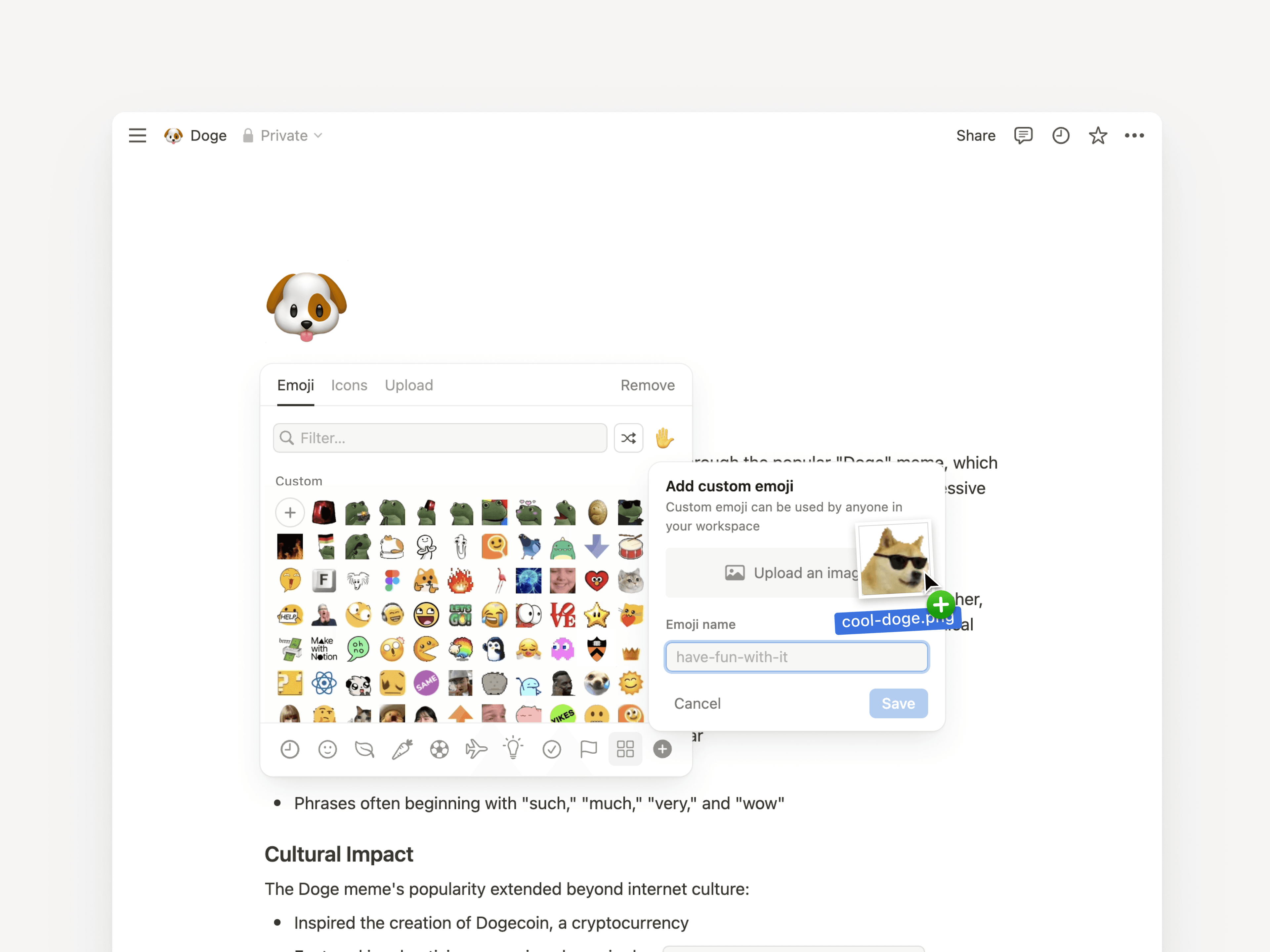
Maybe the best update ever? You can now upload your own emojis! Use them in your page titles or anywhere—just type /emoji or : followed by its name.
Personalize your URLs
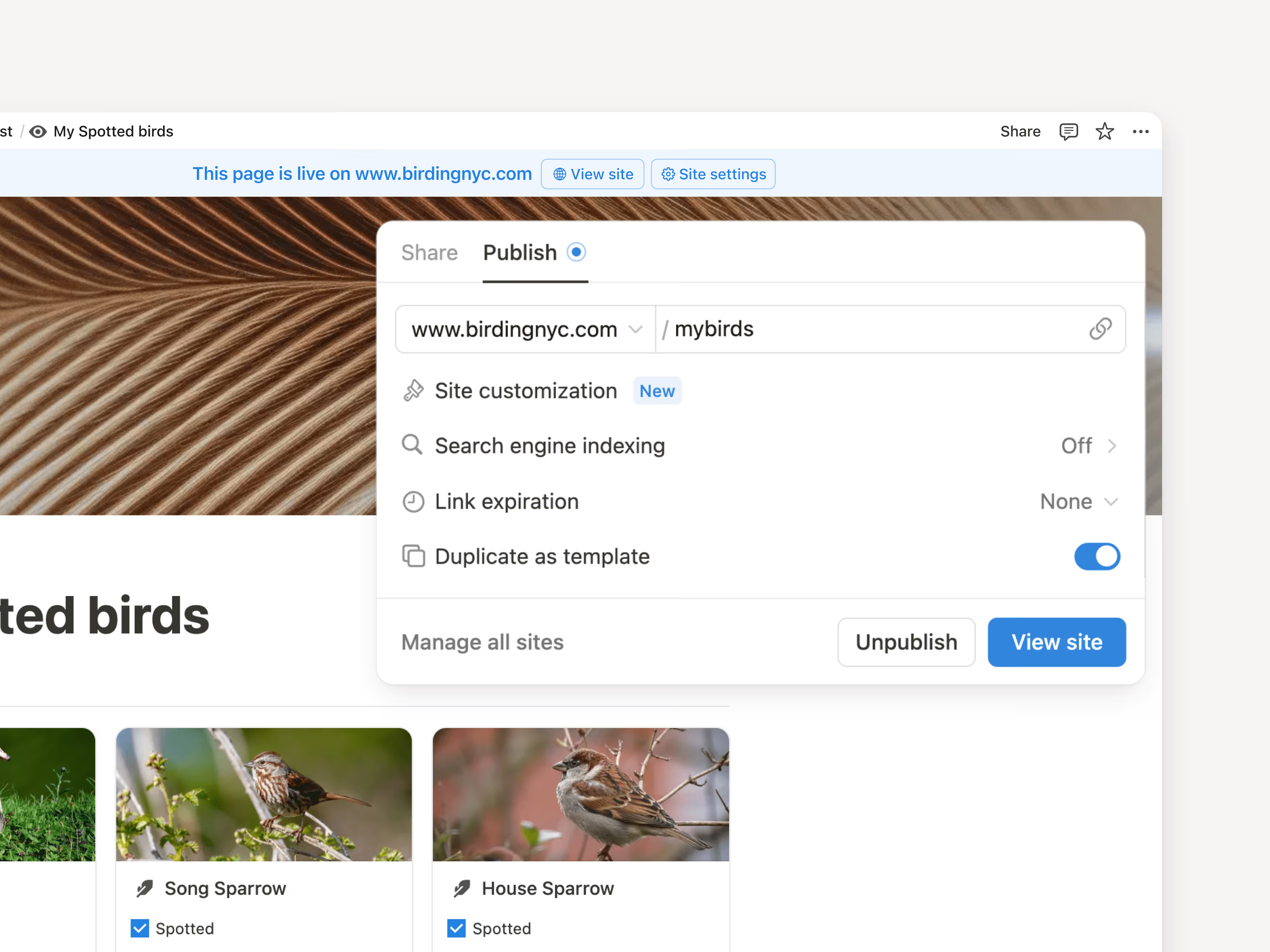
Notion Site URLs often have a long string of numbers and characters, but now you can make them exactly what you’d like! Cory, our video producer and resident birder, turned his site birdingnyc.com/NYC-Birding-Checklist-3ebf732864 into birdingnyc.com/mybirds. Just use the Share → Publish menu. Learn more →
Shortcut to Notion features
When searching, type in a keyword like “Home,” “Settings,” or “Templates” to jump to specific places in Notion. Try it with the ⌘ P keyboard shortcut. It’s a small thing that can make you much faster!

A few more improvements
Load database info 15% faster. Even with all these new features, performance is still our top priority.
Now your page titles, database views, and database pages are aligned (check it out). Sometimes the smallest design details matter most!