Easier database editing & more
Easier edits in your Board view databases
Making lots of edits in a Board view database used to take a while: click on a card, make your edits, go back to the Board view, make another edit — like eating a bowl of rice one grain at a time.
Now, you can update database properties in the Board view without needing to open each record one by one. Just click on a property and make edits on the card.
Drag a value from one cell to fill other cells
Command + V can take a break. While using a database in Table view, you can select and drag the value of one cell to fill all other selected cells. Just click and hold the small blue circle at the bottom of any cell, then drag up or down to other cells.

If you like shortcuts, use Command + D to paste the value of a starting cell to other selected cells
A new section for relation properties in database pages
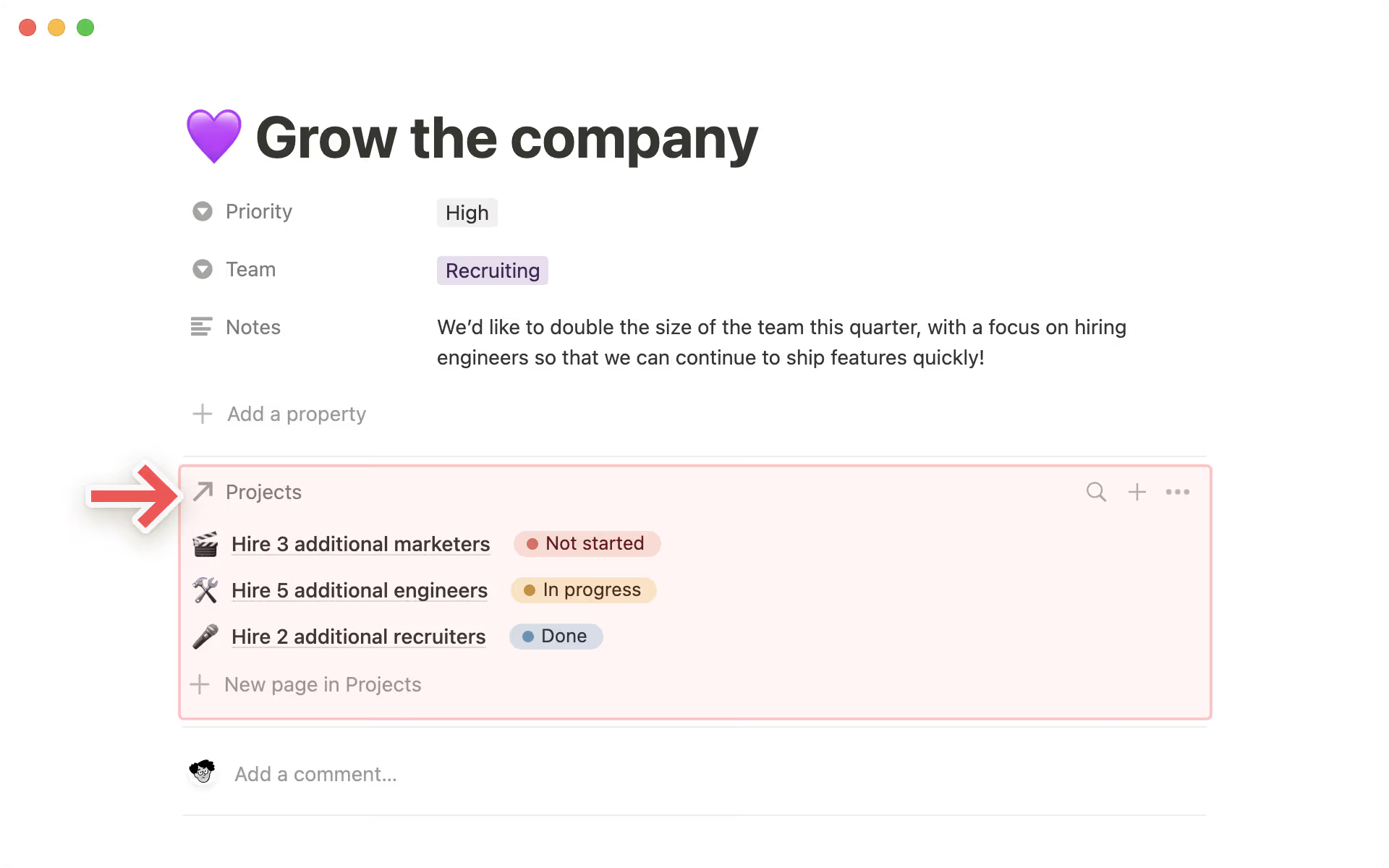
It’s now easier to see all the items related to a Notion page, in a new page section for database relations. Now, you can see up to 10 relations at a time in a dedicated section at the top of a Notion page, and edit those properties directly – without needing to go into the related database. Here’s how:
Open up a Notion page with a database relation property.
Click on any relation property.
Under “Show as," click on “As page section”
This feature will be rolling out to everyone in the coming days. If you don't see it yet, you will soon!
Improvements to Synced Databases with Jira and GitHub
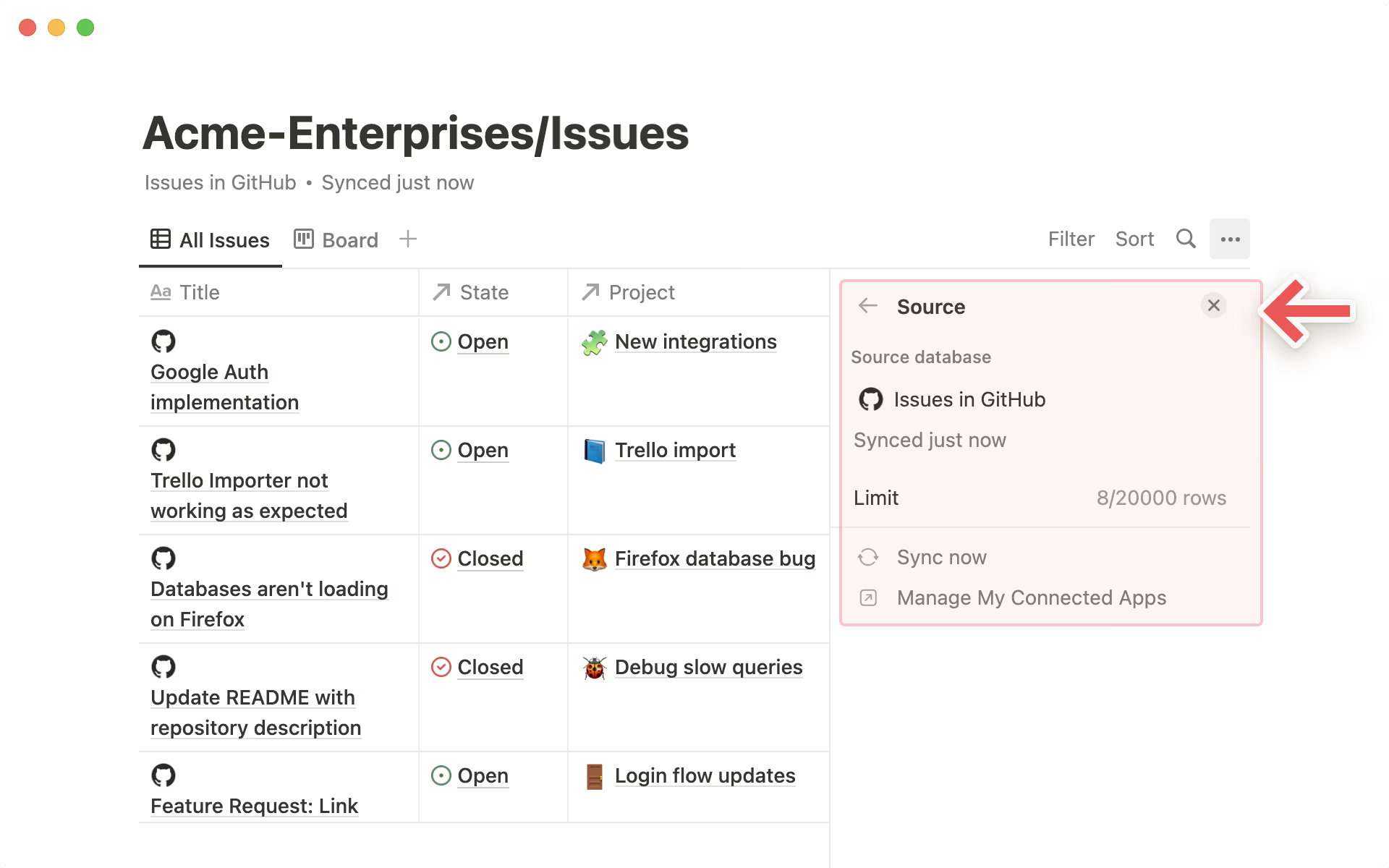
Synced Databases show you up-to-date information about your Jira tickets & GitHub PRs and issues, all in a Notion database. Now you can easily find the information you’d like to turn into a Synced Database with a new search experience, so you can find that exact Jira board or GitHub repo you’d like to bring into Notion. Here’s how it works:
Enter “/” in your Notion page to bring up the slash command menu and search for “Jira” or “GitHub”
Click on “Jira” or “GitHub” under “Synced Databases”, and authenticate to your Jira or GitHub account if you haven’t already done so
Select the Jira board or GitHub PR list as the source in the menu, or paste a link in the search bar, and see it populate immediately in your Notion page
Synced Databases are now available for all users in open beta, with some limits for users on the Personal plan.
Bug fixes & improvements
For new API features & improvements, go to developers.notion.com/changelog →
The new progress bars and progress rings are now supported in rollup properties