数据库模板

大多数数据库都包含反复创建的相同类型的页面。想想每周的会议记录、bug报告或设计规范。为了简化操作,数据库模板允许你一键定义并复制特定页面结构。
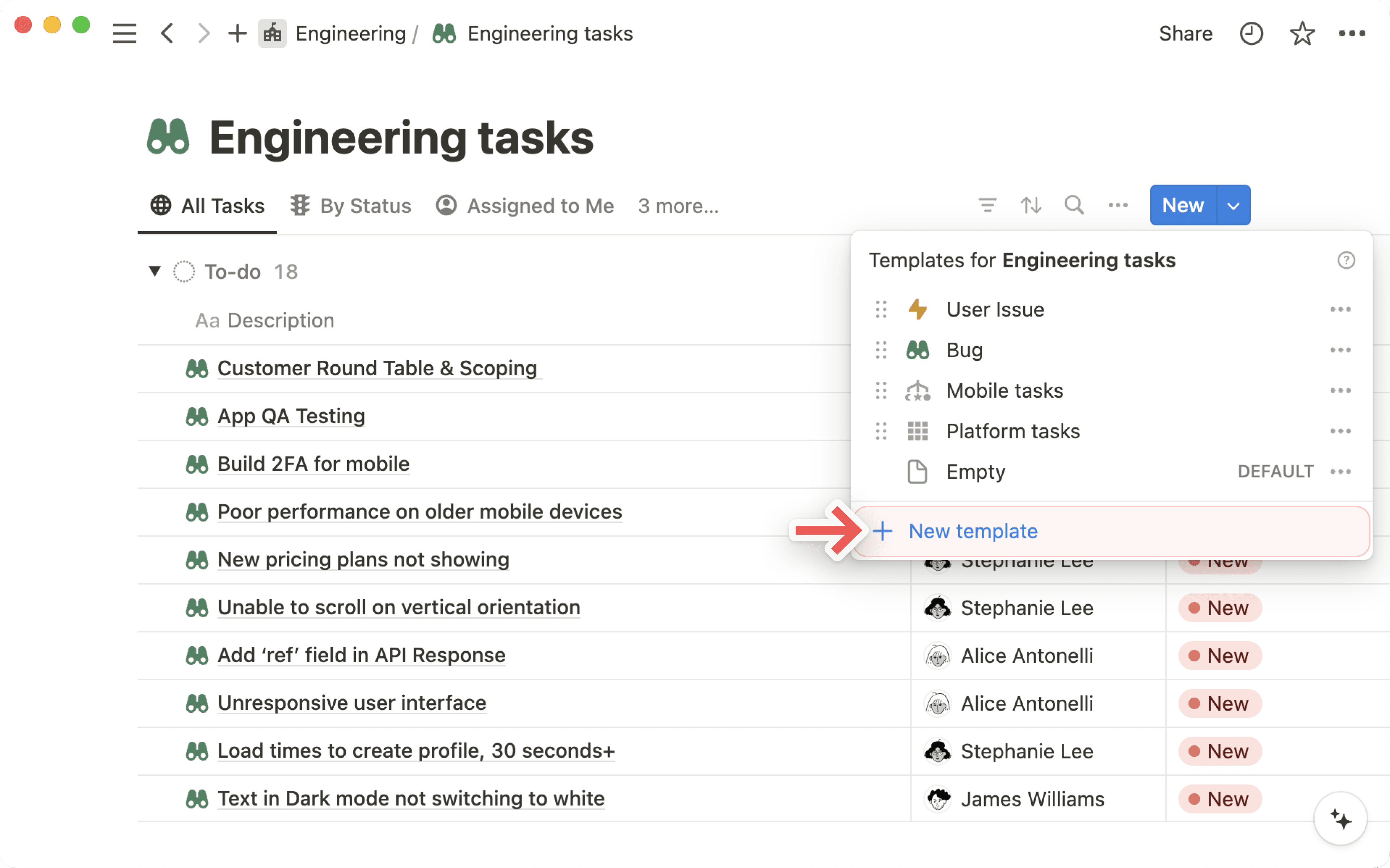
跳转到常见问题要在数据库内创建模板,请点击数据库右上角 New 旁边的下拉箭头。然后,选择 + New template。
编辑新模板或现有模板时,你会看到顶部有一栏,指示它位于哪个数据库中。
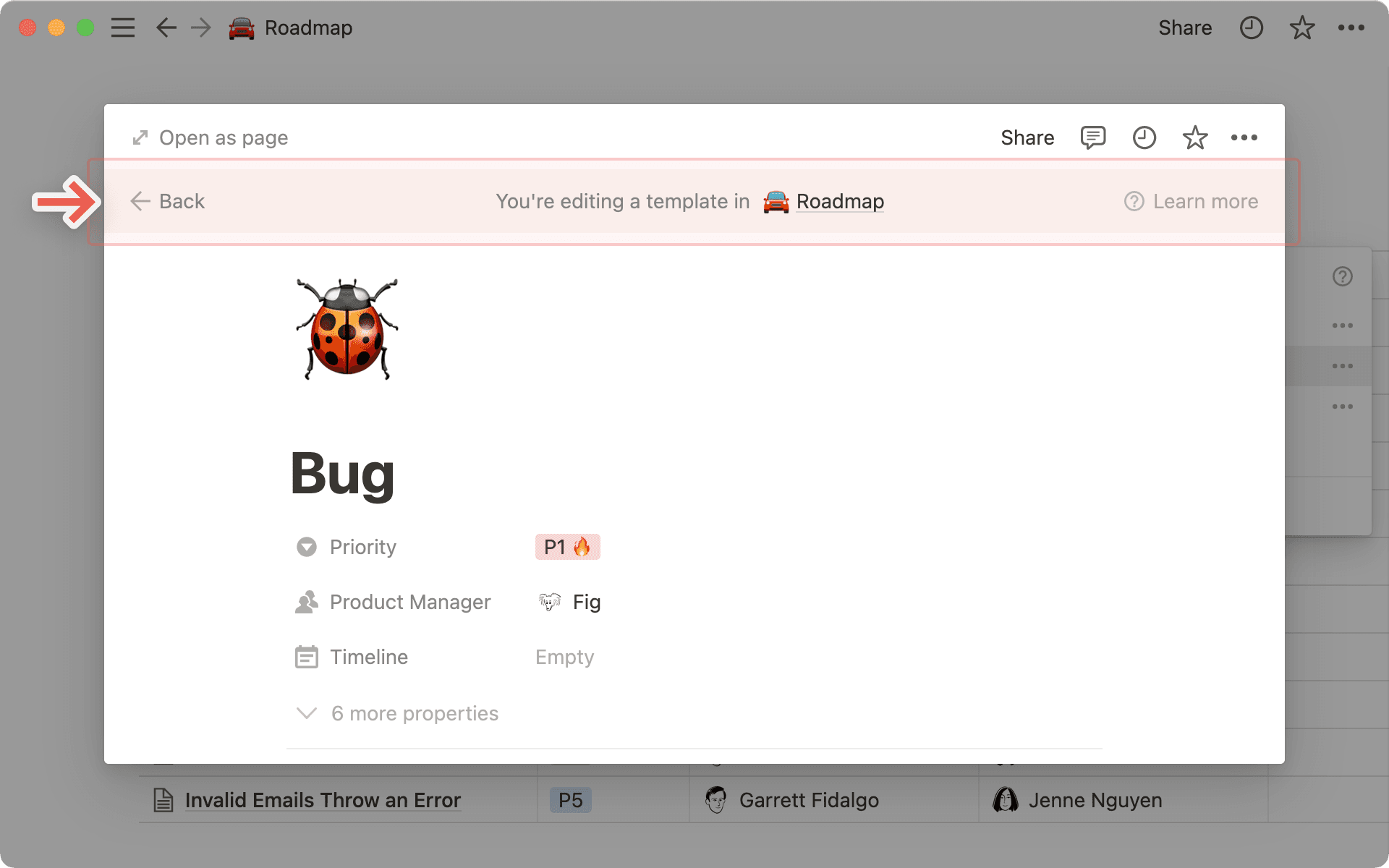
无论你为该页面起什么标题,都将成为你今后使用的模板名称。例如,你可以将此模板命名为 Bug。
在本页面上,你可以为模板定义属性。例如,你可以为bug报告创建一个模板,自动将 P1 放入“优先级”属性中,并将用户 Fig 分配给“产品经理”属性。你还可以直接在页面中添加内容。
模板可以包含任何类型的内容,包括图片、嵌入和子页面。无论你选择什么,都将在每个使用该模板创建的页面上以相同的方式显示。

注意: 如果您在模板中添加了关联属性,请不要填写它,除非您希望使用该模板创建的每个页面都关联到同一个现有页面。
在你的数据库中创建一个新页面,并从其中包含的灰色菜单中选择任何模板。
你也可以点击数据库右上角蓝色
New按钮右侧的下拉菜单。选择你创建的任何模板即可生成该类型的页面。为页面提供一个唯一的标题。
使用模板创建新页面后,你可以对出现的内容做任何修改。
重复数据库模板会按照你希望的频率,自动在数据库中创建模板的副本。
创建重复数据库模板
要创建重复数据库模板:
打开数据库顶部
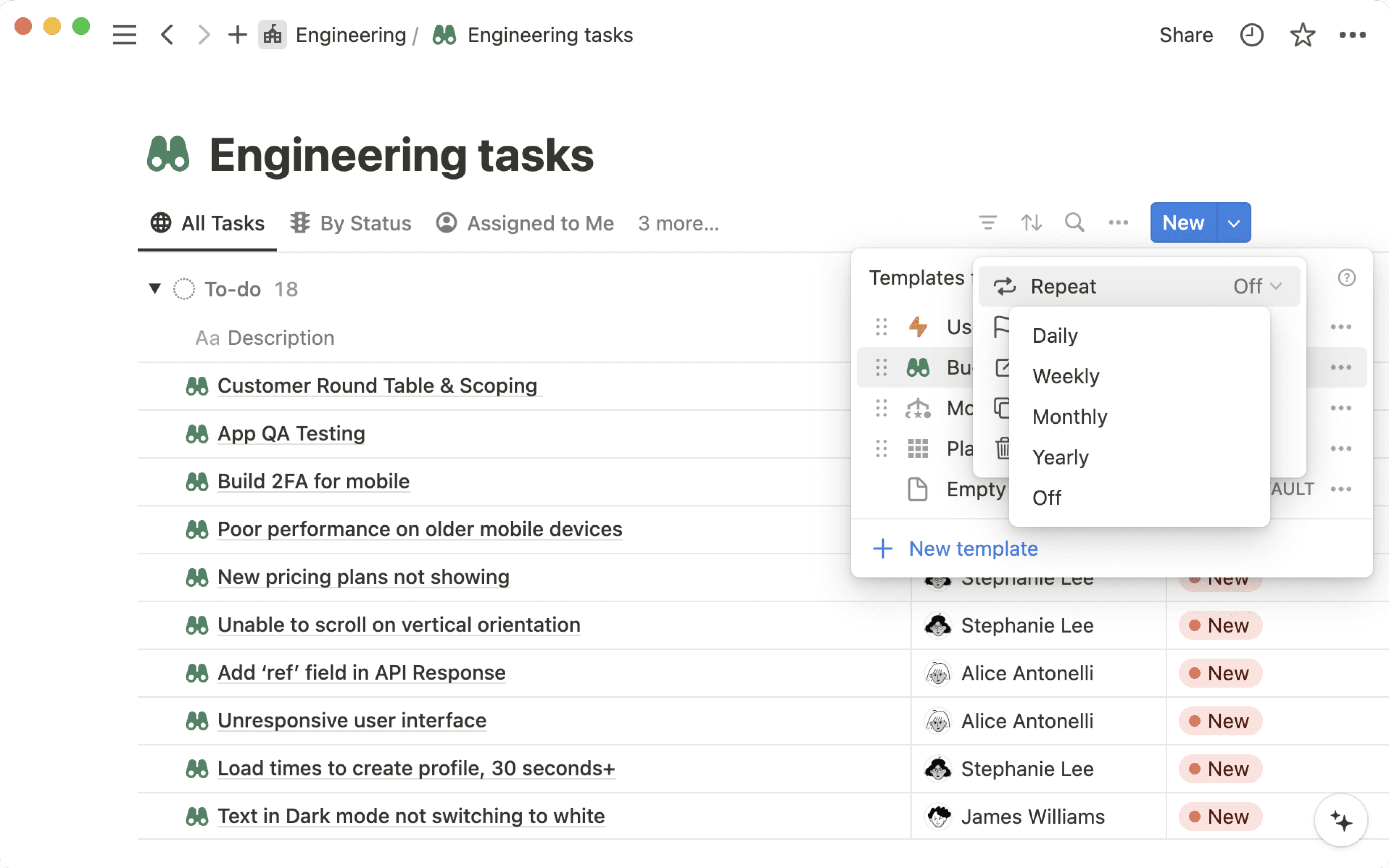
New或+(取决于你的屏幕尺寸)旁边的下拉菜单。在你想要重复的数据库模板旁边,选择
•••。打开
Repeat旁边的下拉菜单。您可以让模板按日、周、月或年重复。指明您希望重复之间间隔多少周、月或年,以及您的开始日期和您希望数据库模板重复的时间。
嵌套数据库模板
您可能希望在循环数据库模板中创建一个数据库,并让该数据库拥有自己的模板。虽然这可以实现,但请注意以下限制:
你不能在每天重复的模板中嵌套模板。你只能在每周、每月或每年重复的模板中嵌套模板。
每个数据库模板最多只能有三层嵌套。
打开数据库顶部
+或New旁边的下拉菜单。点击你要编辑的模板旁边的
•••,然后点击Edit。在弹出的编辑视图中进行更改。同样的
•••菜单也允许你创建副本或删除模板。
常见问题
我在一个数据库中创建的模板在工作空间的所有其他数据库中都可用吗?
我在一个数据库中创建的模板在工作空间的所有其他数据库中都可用吗?
不,它们仅在你创建它们的那个数据库中可用。对于你创建的每个新数据库,你都可以定义新的模板。
关联属性在模板中是如何工作的?
关联属性在模板中是如何工作的?
虽然你可以在数据库模板中创建关联属性,但我们不建议你定义它们,除非你希望某种类型的所有页面都关联到同一个页面。
我可以创建的数据库模板数量有限制吗?
我可以创建的数据库模板数量有限制吗?
没有!你可以创建任意数量的模板。