Börja med en mall
To help you take on a variety of challenges with Notion, we've created lots of templates that you can adopt and customize as your own — including some starter templates already in your workspace! Here's how to use them 💾
Gå till vanliga frågorWhen you first sign up for Notion, you'll see a collection of templates in your sidebar. These are selected for you based on what you tell us during onboarding. You can choose to add them to your workspace and use them, or you can delete them.
To delete a template:
Click the
•••to the right of the page name.Click
Delete.
Notion's Marketplace includes thousands of templates built for many purposes by Notion users around the world, which you can use to get started in Notion or get inspired.
To access Marketplace, look for templates, and add them to your workspace:
Find and select
Templatesin your sidebar.Once you find a template you like, you can select
Add(if the template is free) or selectBuy for {price}at the top of the page to add the template to your workspace.
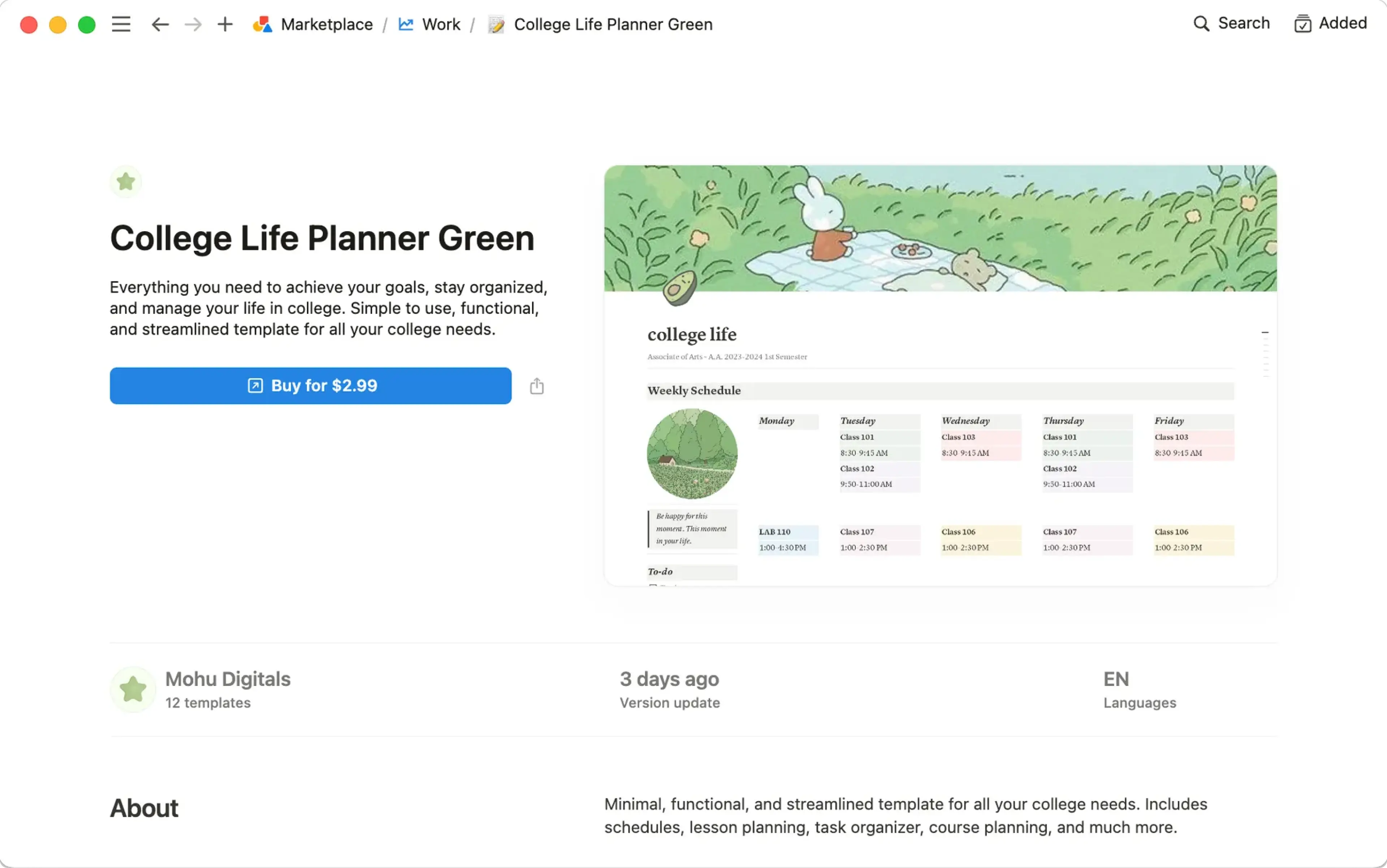
When the template is added to your workspace, you can tweak it to fit your exact needs. Learn more about finding templates on Marketplace here →
Vanliga frågor
Kan jag göra min sida till en mall som jag kan använda på andra ställen i arbetsytan?
Kan jag göra min sida till en mall som jag kan använda på andra ställen i arbetsytan?
Det går tyvärr inget sätt att anpassa mallväljaren. Det bästa sättet att göra detta är:
Ha en tom version av mallsidan i det vänstra sidofältet.
Klicka på
•••bredvid sidans namn i sidofältet och sedan påKopieranär du behöver en ny kopia.
De här alternativen kan vara användbara beroende på ditt användningsområde!
Du kan snabbt kopiera innehåll med en mallknapp. Perfekt om du vill skriva dagbok! Mer om det här →
Med databasmallar kan du skapa nya databasposter som redan har ifyllda egenskaper och ifyllt sidinnehåll. Mer om det här →
Kan jag be om en mall för något?
Kan jag be om en mall för något?
Javisst! Vi vill gärna höra vad du har för idéer. Tweeta dem till oss på @NotionHQ (med hashtaggen #template) eller skicka dem till vårt team via [email protected].