





ฉันจะย้ายเนื้อหา Notion ทั้งหมดของฉันไปยังพื้นที่ทำงานอื่นได้อย่างไร?
ฉันจะย้ายเนื้อหา Notion ทั้งหมดของฉันไปยังพื้นที่ทำงานอื่นได้อย่างไร?
หมายเหตุ: เนื้อหาที่ย้ายไปจะถูกทำซ้ำไปยังพื้นที่ทำงานใหม่ และหน้าเหล่านี้อาจมีปัญหาในบางครั้ง สำหรับข้อมูลเพิ่มเติม คลิกที่นี่
หากต้องการย้ายเนื้อหาของคุณจากพื้นที่ทำงานหนึ่งไปยังอีกพื้นที่ทำงานหนึ่งที่เชื่อมโยงกับบัญชีเดียวกัน ให้คลิก ••• ถัดจากหน้าระดับบนสุดแต่ละหน้าในแถบด้านข้างของคุณ (หรือคลิกขวา) แล้วเลือก ย้ายไปที่ ที่ด้านล่างของเมนูย้าย คุณจะเห็นเมนูแบบเลื่อนลงเพื่อเลือกพื้นที่ทำงานอื่น
เมื่อคุณย้ายหน้าระดับบนสุด หน้าย่อยทั้งหมดของหน้านั้นจะถูกย้ายไปด้วย หน้าเหล่านั้นจะปรากฏในส่วน ส่วนตัว แต่สามารถย้ายไปยังที่ที่คุณต้องการได้
ฉันคลิกปุ่ม 'เข้าร่วมหรือสร้างพื้นที่ทำงาน' แต่ระบบให้ฉันสร้างพื้นที่ทำงานได้เท่านั้น ฉันจะเข้าร่วมพื้นที่ทำงานได้อย่างไร?
ฉันคลิกปุ่ม 'เข้าร่วมหรือสร้างพื้นที่ทำงาน' แต่ระบบให้ฉันสร้างพื้นที่ทำงานได้เท่านั้น ฉันจะเข้าร่วมพื้นที่ทำงานได้อย่างไร?
คุณจะเข้าร่วมพื้นที่ทำงานผ่านปุ่ม เข้าร่วมหรือสร้างพื้นที่ทำงานได้ก็ต่อเมื่อพื้นที่ทำงานนั้นเปิดใช้งาน การตั้งค่าโดเมนอีเมลที่ได้รับอนุญาต เพื่อให้ผู้ใช้ที่มีโดเมนอีเมลเดียวกับคุณเข้าร่วมพื้นที่ทำงานได้โดยอัตโนมัติ
มิฉะนั้น คุณจะต้องขอให้ผู้ดูแลจากพื้นที่ทำงานส่งคำเชิญให้คุณ
เมื่อฉันสมัครสมาชิกแพ็คเกจแบบชำระเงิน แพ็คเกจนี้จะครอบคลุมพื้นที่ทำงานทั้งหมดของฉันหรือไม่?
เมื่อฉันสมัครสมาชิกแพ็คเกจแบบชำระเงิน แพ็คเกจนี้จะครอบคลุมพื้นที่ทำงานทั้งหมดของฉันหรือไม่?
แผนชำระเงินใช้ได้กับพื้นที่ทำงานเดียวเท่านั้นและไม่ครอบคลุมทั้งบัญชี พื้นที่ทำงานแต่ละแห่งแยกจากกันอย่างสิ้นเชิง ดังนั้นคุณจะไม่สามารถลิงค์เนื้อหาระหว่างพื้นที่ได้
เราขอแนะนำให้ใช้จำนวนพื้นที่ทำงานให้น้อยที่สุดเท่าที่จะเป็นไปได้ และใช้ประโยชน์จากหน้าระดับบนสุดในแถบด้านข้างของคุณเพื่อจัดระเบียบให้เป็นระเบียบเรียบร้อย
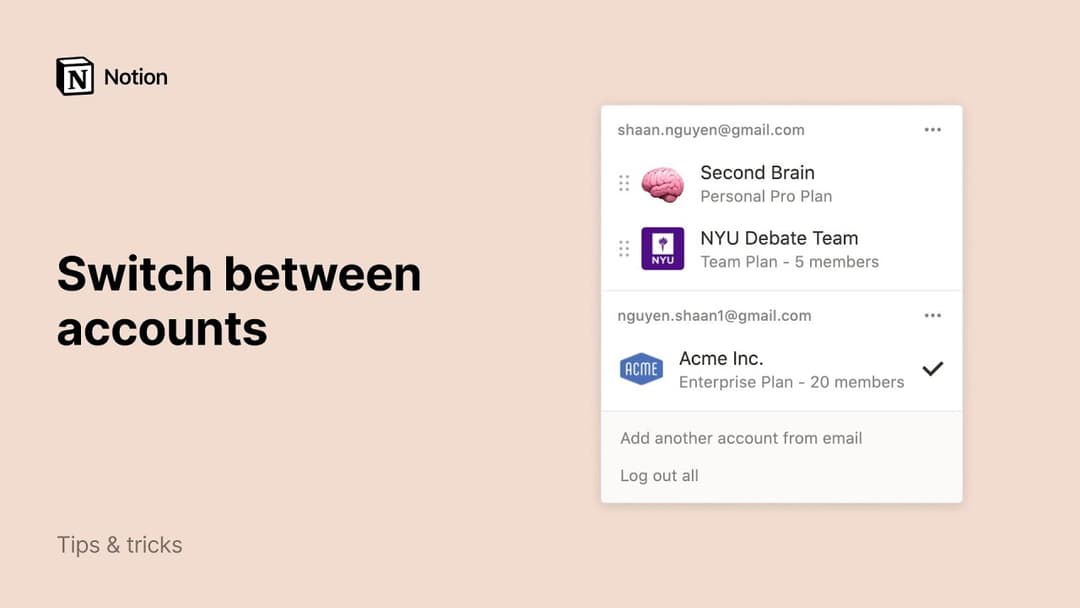
ฉันจะสลับไปมาระหว่างพื้นที่ทำงานที่อยู่ภายใต้ที่อยู่อีเมลต่างกันได้อย่างไร?
ฉันจะสลับไปมาระหว่างพื้นที่ทำงานที่อยู่ภายใต้ที่อยู่อีเมลต่างกันได้อย่างไร?
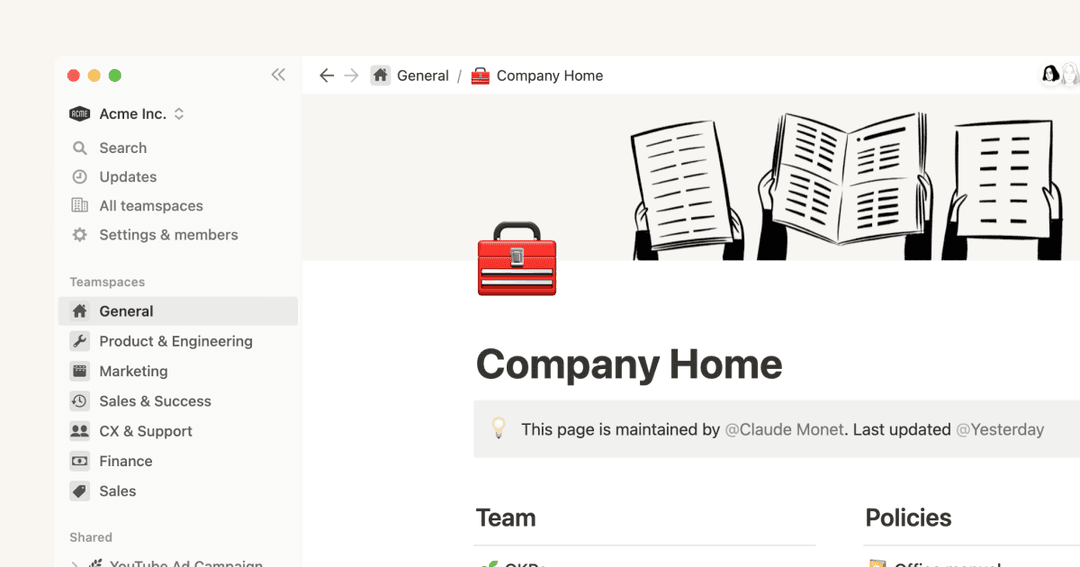
หากต้องการเพิ่มพื้นที่ทำงานจากบัญชีอีเมลอื่น ให้ใช้ปุ่ม เพิ่มบัญชีอื่น ในตัวสลับพื้นที่ทำงานที่ด้านซ้ายบนของหน้าต่าง Notion ของคุณ แล้วทำตามขั้นตอนเพื่อเข้าสู่ระบบบัญชีอื่นของคุณ
ฉันสามารถเข้าสู่ระบบได้สูงสุดกี่บัญชี?
ฉันสามารถเข้าสู่ระบบได้สูงสุดกี่บัญชี?
ปัจจุบันยังไม่มีการจำกัดจำนวน แต่คุณอาจพบว่าประสิทธิภาพการทำงานช้าลงหากคุณเข้าสู่ระบบมากกว่า 10 บัญชีพร้อมกัน
ฉันลืมออกจากระบบบัญชีของฉันบนคอมพิวเตอร์สาธารณะ หรืออุปกรณ์ของฉันถูกขโมย
ฉันลืมออกจากระบบบัญชีของฉันบนคอมพิวเตอร์สาธารณะ หรืออุปกรณ์ของฉันถูกขโมย
หากคุณยังคงลงชื่อเข้าใช้อยู่ในอุปกรณ์ที่คุณสามารถเข้าถึงได้ ให้ไปที่ การตั้งค่า → {ชื่อของคุณ} → ออกจากระบบทุกอุปกรณ์
หากคุณไม่สามารถเข้าถึงบัญชีของคุณได้อีกต่อไป โปรดส่งข้อความสั้นๆ ถึงเราที่ [email protected] หรือใช้ไอคอน Notion AI ที่ด้านขวาล่างของแอป เราสามารถช่วยคุณออกจากระบบจากระยะไกลได้!