



ฉันสามารถสลับไปมาระหว่างพื้นที่ทำงานที่เชื่อมโยงกับที่อยู่อีเมลที่แตกต่างกันได้หรือไม่
ฉันสามารถสลับไปมาระหว่างพื้นที่ทำงานที่เชื่อมโยงกับที่อยู่อีเมลที่แตกต่างกันได้หรือไม่
หากต้องการเพิ่มพื้นที่ทำงานของคุณจากบัญชีอีเมลอื่น ให้ใช้ปุ่ม เพิ่มบัญชีอื่น ในตัวสลับพื้นที่ทำงานที่ด้านบนซ้ายของหน้าต่าง Notion ของคุณ และทำตามขั้นตอนเพื่อเข้าสู่ระบบบัญชีอื่นของคุณ อ่านเพิ่มเติมเกี่ยวกับเรื่องนี้ที่นี่ →
ฉันคลิกปุ่ม 'สร้างหรือเข้าร่วมพื้นที่ทำงาน' แต่ระบบให้ฉันสร้างพื้นที่ทำงานได้เท่านั้น แล้วฉันจะเข้าร่วมพื้นที่ทำงานได้อย่างไร?
ฉันคลิกปุ่ม 'สร้างหรือเข้าร่วมพื้นที่ทำงาน' แต่ระบบให้ฉันสร้างพื้นที่ทำงานได้เท่านั้น แล้วฉันจะเข้าร่วมพื้นที่ทำงานได้อย่างไร?
คุณจะเข้าร่วมพื้นที่ทำงานผ่านปุ่ม สร้างหรือเข้าร่วมพื้นที่ทำงาน ได้ก็ต่อเมื่อพื้นที่ทำงานนั้นเปิดใช้งาน โดเมนอีเมลที่ได้รับอนุญาต ซึ่งอนุญาตให้ผู้ใช้ที่มีโดเมนอีเมลเดียวกับคุณเข้าร่วมพื้นที่ทำงานโดยอัตโนมัติ.
หากต้องการเข้าร่วมพื้นที่ทำงาน คุณจะต้องขอให้ผู้ดูแลจากพื้นที่ทำงานนั้นส่งคำเชิญให้คุณ
หากต้องการเพิ่มพื้นที่ทำงานของคุณจากบัญชีอีเมลอื่น ให้ใช้ปุ่ม เพิ่มบัญชีอื่น ในตัวสลับพื้นที่ทำงานที่ด้านบนซ้ายของหน้าต่าง Notion ของคุณ และทำตามขั้นตอนเพื่อเข้าสู่ระบบบัญชีอื่นของคุณ อ่านเพิ่มเติมเกี่ยวกับเรื่องนี้ที่นี่ →
แถบด้านข้างของฉันไม่มีส่วนใดๆ เลย ฉันจะเปิดใช้งานส่วนเหล่านั้นได้อย่างไร
แถบด้านข้างของฉันไม่มีส่วนใดๆ เลย ฉันจะเปิดใช้งานส่วนเหล่านั้นได้อย่างไร
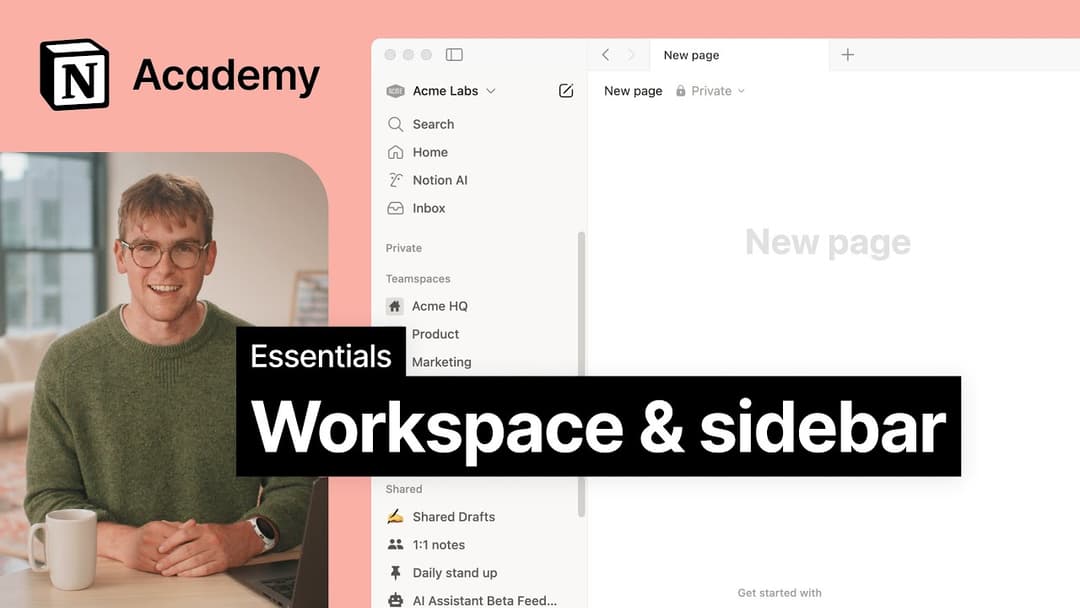
ส่วนต่างๆ ในแถบด้านข้างจะแสดงการตั้งค่าการแชร์ของบัญชีคุณ หากคุณมีบุคคลอื่นมากกว่าหนึ่งคนในพื้นที่ทำงานของคุณ ส่วน พื้นที่ทำงานของทีม จะปรากฏในแถบด้านข้างสำหรับการทำงานร่วมกันกับบุคคลนั้น และส่วน ส่วนตัว จะมีไว้สำหรับหน้าเพจส่วนตัวของคุณที่มองเห็นได้เฉพาะคุณเท่านั้น
เมื่อฉันสมัครสมาชิกแพ็คเกจ Plus แพ็คเกจนี้จะครอบคลุมพื้นที่ทำงานทั้งหมดของฉันหรือไม่?
เมื่อฉันสมัครสมาชิกแพ็คเกจ Plus แพ็คเกจนี้จะครอบคลุมพื้นที่ทำงานทั้งหมดของฉันหรือไม่?
แผนแบบชำระเงินจะมีผลกับพื้นที่ทำงานเดียวเท่านั้น และไม่ครอบคลุมทั้งบัญชี พื้นที่ทำงานจะแยกจากกันโดยสิ้นเชิง ดังนั้นคุณจะไม่สามารถเชื่อมโยงเนื้อหาใดๆ ระหว่างกันได้
เราขอแนะนำให้ใช้จำนวนพื้นที่ทำงานให้น้อยที่สุดเท่าที่จะเป็นไปได้ และใช้ประโยชน์จากหน้าระดับบนสุดในแถบด้านข้างของคุณเพื่อจัดระเบียบ
ฉันจะย้ายเนื้อหา Notion ทั้งหมดของฉันไปยังพื้นที่ทำงานอื่นได้อย่างไร?
ฉันจะย้ายเนื้อหา Notion ทั้งหมดของฉันไปยังพื้นที่ทำงานอื่นได้อย่างไร?
หมายเหตุ: เนื้อหาที่ย้ายไปจะถูกทำซ้ำไปยังพื้นที่ทำงานใหม่ และหน้าเหล่านี้อาจมีปัญหาในบางครั้ง สำหรับข้อมูลเพิ่มเติม คลิกที่นี่
หากต้องการย้ายเนื้อหาของคุณจากพื้นที่ทำงานหนึ่งไปยังอีกพื้นที่ทำงานหนึ่งที่เชื่อมโยงกับบัญชีเดียวกัน ให้คลิก ••• ถัดจากหน้าระดับบนสุดแต่ละหน้าในแถบด้านข้างของคุณ (หรือคลิกขวา) แล้วเลือก ย้ายไปที่ ที่ด้านล่างของเมนูย้าย คุณจะเห็นเมนูแบบเลื่อนลงเพื่อเลือกพื้นที่ทำงานอื่น
เมื่อคุณย้ายหน้าระดับบนสุด หน้าย่อยทั้งหมดของหน้านั้นจะถูกย้ายไปด้วย หน้าเหล่านั้นจะปรากฏในส่วน ส่วนตัว แต่สามารถย้ายไปยังที่ที่คุณต้องการได้
จะทำอย่างไรหากฉันเผลอลบสิ่งใดสิ่งหนึ่งไปอย่างถาวร มีวิธีเรียกคืนหรือไม่
จะทำอย่างไรหากฉันเผลอลบสิ่งใดสิ่งหนึ่งไปอย่างถาวร มีวิธีเรียกคืนหรือไม่
หากคุณลบหน้า พื้นที่ทำงาน หรือแม้แต่บัญชีทั้งหมดของคุณโดยไม่ได้ตั้งใจ เราช่วยคุณได้! อุบัติเหตุเกิดขึ้นได้ 😅 เพียงส่งข้อความถึงเราในแอปโดยคลิก ? ที่ด้านล่างของแถบด้านข้างของคุณ หรือส่งอีเมลถึงเราที่ [email protected]
เรามีการสำรองฐานข้อมูลไว้ ซึ่งจะช่วยให้คืนค่าเนื้อหาของคุณในช่วง 30 วันที่ผ่านมาได้หากคุณต้องการ
ฉันจะออกจากระบบบัญชี Notion ของฉันได้อย่างไร
ฉันจะออกจากระบบบัญชี Notion ของฉันได้อย่างไร
คลิกที่ชื่อพื้นที่ทำงานปัจจุบันของคุณที่ด้านบนสุดทางซ้ายของแถบด้านข้าง เลื่อนลงไปที่ด้านล่าง แล้วคุณจะเห็นตัวเลือก ออกจากระบบ ถัดจากที่อยู่อีเมลของคุณ